
Oppi Card Review: A Self-Custody Card With One Unanswered Question
 Available in US
Oppi is a crypto wallet with a payment card attached. You keep your own keys, load the balance with coins or stablecoins from networks you choose, and then spend that balance through a Mastercard number in your phone’s wallet — or through an optional plastic card in the post. On paper that is exactly the arrangement people who hold their own keys have been asking for: no custodian in the middle, ordinary card rails, and a spendable balance that refills from crypto rather than from a bank transfer.
Having read through the card’s own pages and reporting on it, my overall mark is 7.2 out of 10. It is a genuinely well-shaped product for one specific reader — someone who already keeps crypto in self-custody and would like an optional piece of plastic at the end of it — and a poor fit for almost everyone else. The score is not a hedge. The card does the thing it set out to do, and does it cleanly. What holds it back is a handful of things that are not defects but gaps: nobody will tell you which institution actually issues the card, nobody publishes your daily limits, and the price of the plastic is high enough that you should think about it before you tap.
The conditions described here are current as of October 28, 2026.
Verdict: 7.2 / 10
Let me show the working first, criterion by criterion, so you can disagree with my weighting rather than guess at it.
| Criterion | Mark | Why I gave it that mark |
|---|---|---|
| Who can get it | 9 / 10 | Claimed in 210+ countries; unofficial figures list 221, with Cuba, Iran, North Korea and Syria closed |
| Cost | 4 / 10 | Virtual activation 10 USD with 5 USD returned; physical 100 USD with delivery; 2%-2.5% on non-USD payments; no monthly fee |
| Top-up options | 9 / 10 | BTC, BCH, BNB, ETH, LTC, SOL, USDT, TRX, USDC on Ethereum, BSC, Polygon, TRON, Solana |
| Reliability and complaints | 6 / 10 | Self-custody with keys on the device; issuer unnamed, company is Encoin Limited; no complaints found; App Store 4.6 out of 5 from 50 ratings |
| Everyday use | 9 / 10 | Virtual Mastercard, optional physical, Apple Pay and Google Pay, ATM withdrawals claimed |
| Total | 7.2 / 10 |
Two things about that table deserve emphasis, because they pull in opposite directions.
The high marks are all about *capability*: how many countries, how many coins, how many networks, how many ways to pay. On every one of those, Oppi is at or near the top of the category. The low marks are about *information and money*: what it costs you, who stands behind it, what your limits are. If you are choosing a card on the strength of what it can do, this is an easy yes. If you are choosing on the strength of what you can find out about it, you are being asked to fill in blanks yourself.
And the single biggest blank sits in the reliability column. Oppi’s public pages do not name the bank or e-money institution that issues the card and carries the risk of your balance. The company behind the app is Encoin Limited, and the site says it is operated by Oppiwallet and “VASP-certified” — but a VASP certification is about crypto services, not about the institution holding your card balance at the moment of purchase. I could not close that gap from public sources, and neither, as far as I can tell, could anyone else writing about this card.
Who this suits: you already hold crypto yourself, you are comfortable sending a transfer to a specific network and waiting for it, and you want a Mastercard number more than you want a plastic card in the post.
Who it does not suit: anyone whose first question is whether a named bank stands behind the balance. Anyone who wants to know their daily limit before they plan a large payment. Anyone who needs the card to work identically in every currency. Anyone who wants a physical card cheaply — 100 USD with delivery is not a rounding error, and it is the single largest line in this review.
Will they give you the card?
Oppi says the card is available in “210+ countries”, with other pages on the same site saying 100+ and 200+, and the usual line that availability varies and regulatory limits apply. Eligibility is checked at signup rather than promised in advance, which is the honest arrangement: you will find out by trying.
A restricted-country list does exist in the card’s FAQ, but the answers in it were not readable, so I will not reconstruct them from memory. What a third-party compilation reports instead is 221 countries available, with Cuba, Iran, North Korea and Syria restricted, and an anti-money-laundering policy that also bars Crimea, Donetsk and Luhansk. Treat that as unofficial rather than confirmed by the card. It also explains where “210+” comes from: unofficial sources read it as a description of where Mastercard cards are accepted, not a promise of eligibility.
The distinction matters more than it sounds. “Accepted everywhere Mastercard is accepted” and “issued to you in your country” are two different claims, and the card’s own headline number is closer to the first. If you are in an unusual jurisdiction, the honest answer is that you will find out at signup.
How to get it
The process is short, which is the card’s best practical feature. Identity verification is required to switch the card on: a government ID and a selfie, described as taking two minutes. Before that, the wallet itself works with no verification at all — you can hold, receive and send. The card is the part that requires your face, not the crypto part. That split is unusual and welcome.
There is only one verification level. The card’s pages describe exactly one step — ID plus selfie — and describe no tiers, no upgrade path and no higher tier with higher limits. What proof of address or age requirements apply is not stated on those pages. Third-party sites report that proof of address is required under the anti-money-laundering policy, and that above 10,000 USD of daily or 100,000 USD of monthly withdrawals you may be asked for proof of funds, a source-of-wealth questionnaire and a video call. Again: unofficial, and not something I can confirm from the card.
One detail that will make you blink: your physical card is listed as a Visa in the page’s own comparison table, while the App Store listing says the virtual card is a Mastercard and the physical one a VISA. A third site says Visa or Mastercard depending. So the virtual card is a Mastercard, and the plastic is described as Visa in at least one place — which is a normal pattern, since a programme can issue both networks, but it means you should not assume the metal card carries the same network as the number in your phone.
Delivery is not stated. The 100 USD physical-card price is described as including shipping, but how long it takes, which countries it ships to, and what a replacement costs if the envelope vanishes are all not stated. If you are outside a major market, that is a question to ask before you pay, not after.
What it really costs: Fees
This is where the card is weakest, and I want to be plain about it rather than bury the number in a paragraph.

| Fee or limit | Value |
|---|---|
| Virtual activation | 10 USD one-time, with 5 USD credited back |
| Physical card | 100 USD including shipping |
| Monthly or annual fee | None |
| FX charge on non-USD purchases | 2%-2.5% |
| Crypto top-up conversion | At the real-time rate |
| Swap fees | Described as “low” — not quantified |
| ATM withdrawal fee | Not stated |
| ATM allowance | Withdrawals claimed; no allowance published |
| Daily limits | Not stated on the card page |
| Monthly limits | Not stated on the card page |
Three points about that table.
First, the virtual card’s headline cost is ten dollars with five back, so five dollars net — or five dollars, if you read the comparison table, which lists the issuance fee as 5 USD. Third-party listings add two complications: India reportedly pays 15 USD with 5 returned, and some Google Play and February comparison listings describe the virtual card as free with a physical card at 10 USD. Those last two figures contradict the card’s own pages, and I would not plan around them.
Second, the physical card at 100 USD including shipping is the real decision. Set against a free monthly fee it looks like a one-off, but it is twenty times the virtual card’s net cost, and it is payable before you know whether delivery works in your country. There is no cheaper tier.
Third, and this is where ordinary spending hurts: pay in anything other than US dollars and you pay 2% to 2.5%. That is not a currency-conversion nuisance rate. It is a substantial slice of a large purchase, and it applies on the everyday transaction — the coffee, the supermarket, the train ticket — not just on holidays. The card is implicitly a dollar card, and the App Store listing’s claim that travel bookings carry “no currency exchange fees” conflicts directly with the page that states the 2%-2.5% charge. Where those two disagree, assume the charge exists.
Here is what that means for three ordinary payments:
- A ten-dollar lunch in your own country. If you are spending dollars, no FX charge. If you are spending anything else, that ten dollars becomes ten dollars plus twenty to twenty-five cents. It is small, and you will feel it every single time.
- A two-hundred-euro hotel booking abroad. At 2% to 2.5%, that is four to five dollars added to the price before you have taken a taxi. Across a week of travel, paid in small amounts, this is where the rate earns its keep.
- A large purchase paid in dollars from a stablecoin balance. No FX charge, no monthly fee, no per-transaction fee published. The cost to you is the spread between the real-time conversion rate you got and the rate you would have got elsewhere — and on that, the card only promises “low” swap fees without quantifying them.
And there is one more everyday cost that has nothing to do with the card: the network fee for getting your crypto there. On-chain gas or bandwidth is charged by the blockchain, not by Oppi. If you send USDT over Tron, that network charges you in TRX; if you send it over Ethereum, you need ETH in the wallet to pay the gas, and a wallet holding only USDT cannot move it.
How to Top up
This is the strongest part of the card, and the reason it scored 9 out of 10.
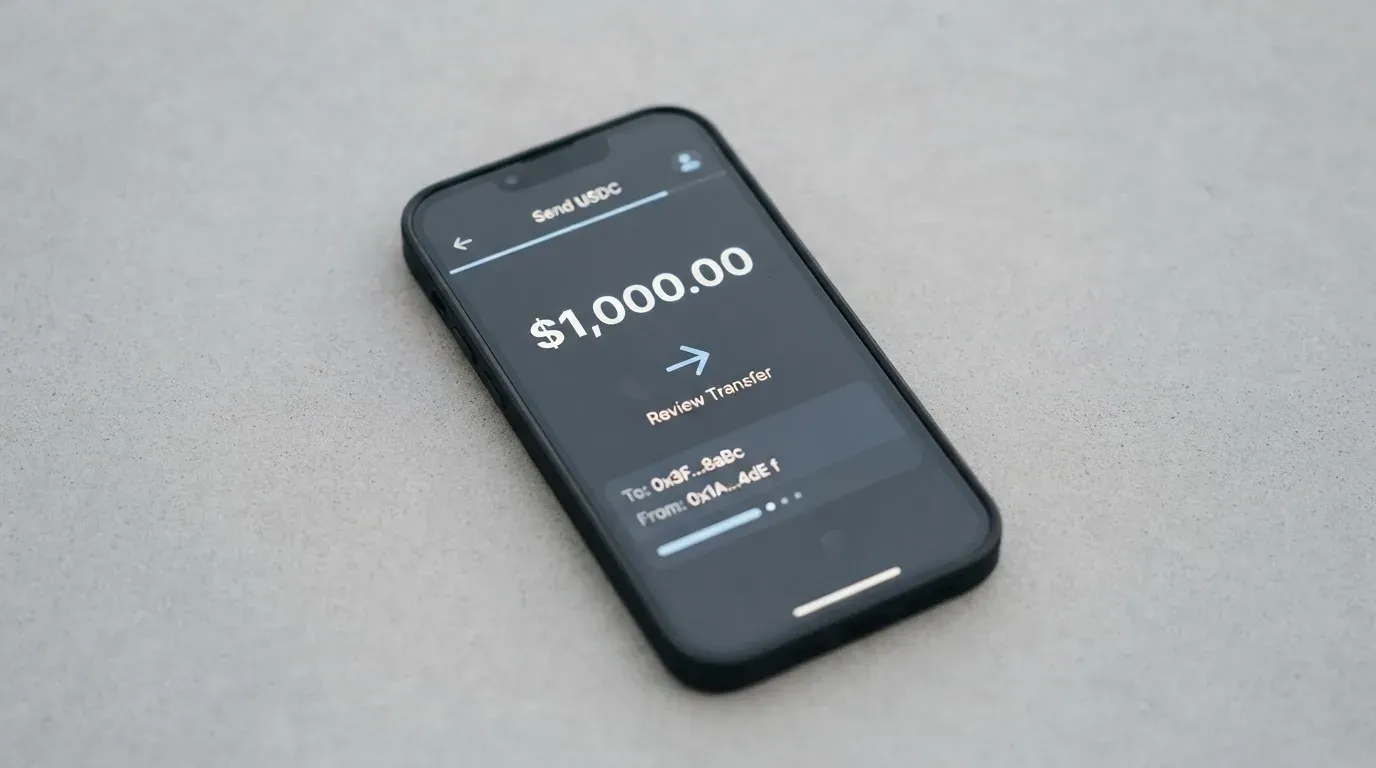
You can fund with BTC, BCH, BNB, ETH, LTC, SOL, USDT, TRX and USDC. The networks are Ethereum, BSC, Polygon, TRON and Solana. The App Store listing puts it more loosely at 40+ assets. Your pre-funded balance, your virtual card and your physical card all draw on one shared balance, so top up once and both cards see it.
Two practical points, both of which are about networks rather than about coins.
The first is that the network you pick has to be one of the supported ones, and the coin you pick has to exist on it. USDT on Tron is a different asset from USDT on Ethereum, even though they share a ticker. Sending the wrong one to the wrong address is the single most common way people lose money to crypto services, and blockchain transfers are irreversible — there is no support ticket that can undo it. Note also that Circle stopped supporting USDC on Tron in February 2024, so “USDC over TRC20” is not a native option.
The second is what the card does not say. Beyond the asset and network list, no minimum top-up is published and no fiat top-up route is described — the sources for this review did not set out how, or whether, you can add money by card or bank transfer. Third-party guides suggest loading typically costs 1% to 2%, but that figure is not itemised anywhere on Oppi’s own pages, so treat it as a third-party estimate rather than a published tariff.
Paying with it every day
Once it is loaded, the card behaves like an ordinary Mastercard, which is the point.
- Apple Pay and Google Pay both work, so the virtual card can live in your phone’s wallet and you can pay by face or fingerprint. The card number is replaced on the device by a token, and each payment generates a one-time code, so the real number is not sitting in a merchant’s system.
- ATM withdrawals are claimed — the main site says you can withdraw cash worldwide — but no fee and no allowance are published.
- Oppi Points: eligible card spending earns points that can be redeemed for top-ups. The rate and any caps are not stated. A third-party source reported that points were introduced in July 2026.
- Blocked merchants: no list of blocked merchant categories is published, so whether gambling or similar categories work is something you find out rather than read.
Two everyday costs you may not expect. A merchant can decline a prepaid or foreign-issued card, because the card’s identification number reveals what it is and which country issued it — this is why a card issued in one place can look “foreign” in a shop in another. And a declined authorisation can leave a hold on your funds for several days, typically up to seven.
On support for something going wrong: the help centre exists at the card’s support address and in-app tickets were added per release notes, and there is an email address for support. But the dispute process is not stated — the help centre shows its list of FAQ questions without the answers — and hours are not stated either. If you are relying on this card for money you cannot afford to lose the use of for a week, that is worth asking about before you need it.
What can go wrong
The good news first, because it is genuinely unusual: Oppi is self-custody. Your private keys stay on your device, and the card’s stated position is that Oppi does not hold your funds at any point. That means the classic custodial failure — the exchange that vanishes with the balance — is not the risk here. It also means all of the classic self-custody risks are yours: if you lose your keys or your seed phrase, nobody can restore your wallet for you, and crypto transfers cannot be reversed.
Now the honest list of what could go wrong, in rough order of how much it should worry you.
The issuer is not named. This is the one I keep coming back to. Every card payment involves a network that routes the messages, an issuer that holds the card programme, and often a crypto brand that is only the front end. Oppi’s public pages name neither the bank nor the e-money institution behind the card. A third-party report in August 2026 makes the same observation. That does not mean anything is wrong — plenty of programmes are run by licensed partners who prefer not to advertise the relationship. It does mean that when you ask “who has my money while I shop,” the public answer is a shrug. Freeze, spending controls and insurance are also not stated.
Programme closure. Card programmes end. Visa terminated its agreements with FTX on 13 November 2022 and the US debit card was wound down. WaveCrest, a Visa issuer that supplied crypto card brands, was suspended by Visa in Europe in 2018, closing every WaveCrest-issued Visa programme. The usual sequence is a notice period, then loading stops, then spending stops, then you are asked to withdraw what is left. One 2026 closure reported by a secondary source had new loads ending on 8 July 2026 and spending stopping on 8 August 2026 — a single unconfirmed source, but the shape of it is what you would be exposed to.
Nobody publishes your limits. The card page states no daily or monthly limits. An Oppi blog gives $100,000 a day and another page gives $10,000 a day — contradictory figures, so I am not using either. A December guide describes “several thousand dollars per day” depending on verification. The practical consequence is simple: you cannot plan a large payment from the published information, because there is none.
Wrong network, wrong address. Irreversible by design. A deposit sent on a network the provider does not support, or to an address belonging to a different network, can be lost or need manual recovery with no guarantee.
Sanctions screening. Tether states that it disables tokens in wallets on the OFAC sanctions list and has frozen funds tied to illicit activity. Stablecoins are not censorship-proof, and screening applies to nationality and country of birth, not only to where you live.
Complaints: essentially none found. One search across Trustpilot and Reddit found nothing about Oppi — only unrelated products. A third-party compilation reports that Trustpilot has a single review, and mentions one reviewer saying a physical card was never arrived. That is an anecdote, not a pattern. The App Store rating is 4.6 out of 5 from 50 ratings, with four visible 2025 reviews all positive — and that small, glowing, iPhone-only, English-only sample is the entire user-signal picture. Third-party sites quote varying App Store and Google Play figures, from 4.3 to 4.8 out of 5 depending on where in the page you read them, none of them an official read.
The app is iPhone-only and English-only. That is a real constraint, not a technicality. If you are on Android, the card’s own sources do not give you a first-party answer.
What to take instead
If Oppi’s shape appeals to you but the gaps bother you, these are the three comparisons worth making — all of them closer to a bank-grade setup in some way, all of them with their own catch.
TokenPocket (5.8 / 10). A Visa debit for a list of European countries and territories, a Mastercard debit for Australia, Canada, Hong Kong, Japan, Taiwan, New Zealand, Singapore, South Korea and the UK, with the Americas planned for Q2 2025. It runs on Arbitrum, the cards are virtual with no physical mentioned, and balances are held in EUR24 and USD24. Cost is an NFT creation fee that TokenPocket partly covers and you pay a small portion of, and otherwise “no additional fees”. But a 1% fee is charged on depositing cryptocurrency into the card, refundable later via rewards or reduced transaction fees — which means you pay now for a promise later. If your region is on its list and you want a named debit rather than a crypto-branded programme, this is the more bank-adjacent option.
MetaMask (7.1 / 10). A Mastercard that spends directly from a connected wallet, on Linea, Base, Monad and Solana, holding mUSD, wETH, EURe, GBPe, USDC and USDT. The virtual card is free with no annual or maintenance fee; the metal card is $199 a year and can be pre-ordered in the app after virtual approval, one card per user. The issuer is named — Monovate, with Crypto Life as card provider — which is more than Oppi offers. Cashback is 1% on virtual and a headline 3% on metal, though the footnote limits that 3% to the first $10,000 spent. Sign-up is open in 45 listed countries and territories with proof of residency; other regions join a waitlist, and US and UK sign-ups were temporarily closed per the FAQ. The catch is the fee: “minimal fee for each transaction”, amount not stated on the pages I read.
KAST (6.1 / 10). A membership structure rather than a flat card, with a tier for almost anyone: Standard at 0 USD a year, Premium at 1,000 USD, Private at 10,000 USD, billed annually upfront. Up to 10 cards per user, Visa Platinum, Visa Infinite metal or gold plated, and the balance in USD with stablecoin deposits converted 1:1 at 0% spread. The fee schedule is the most transparent in this group: stablecoin top-up 0%, card spend in USD 0%, transaction fee 0%, Apple and Google Pay 0%, and a non-USD foreign-exchange fee of 0.5% to 1.75% depending on your country, transaction country and programme, with a 0.10 USD minimum on sub-25 USD transactions. Cashback is 1.5% on the first 2,000 USD a month at Standard, rising to 3% on the first 40,000 at Private. Against that: a 1 USD monthly inactivity fee after 12 months, delivery fees on the Standard physical card, and a residence-based country list shown only at verification, where holding an ID from a restricted region can make you ineligible even if you live in a supported country. Its funding list also conflicts internally, with the terms saying USDT and USDC while the app lists PYUSD and RLUSD.
Where Oppi wins: the widest asset and network list of the four, no annual fee, no membership tier, and a card you actually get in plastic if you want one for 100 USD. Where it loses: the unnamed issuer, unpublished limits, the highest physical-card price in the group, and an FX charge that sits above KAST’s ceiling and well above MetaMask’s “no additional fees”.
Who I would recommend it to
I would recommend Oppi to exactly this person: someone who already keeps their own keys, already knows what a network is, and wants a Mastercard number that spends directly out of that balance — with the option of a plastic card later if the virtual one proves out. The 9 out of 10 on top-up options is not a rounding artefact; it is the strongest argument for this card, and if you hold assets across several chains, no other card in this comparison touches as many at once.
I would not recommend it to you if any of these are true. You want to know which bank holds your balance. You need published daily limits before you commit to a large purchase. You mostly spend in a currency other than dollars and would rather not pay 2% to 2.5% every time. You want cheap plastic — 100 USD is a serious price for an optional extra. You are on Android. Or you want to know, before you spend a cent, what happens when something goes wrong with a payment, because the dispute process is not published.
And a word on the company rather than the card. The app is published by Encoin Limited, the site says it is operated by Oppiwallet and describes itself as VASP-certified, and no licence number or jurisdiction is stated on the pages I read. Support is reachable by help centre and email, in English, with hours unstated. None of that is damning. It simply means you are making a custody-adjacent decision with a young app and a small public record, and the sensible way to hold that is to keep an amount on the card you would not mind losing.
Frequently asked questions
What is the Oppi card?
The Oppi card is a payment card attached to a self-custody crypto wallet. You keep your own private keys on your device, load a balance with crypto from supported networks, and spend that balance through a virtual Mastercard number in Apple Pay or Google Pay, or through an optional physical card. It behaves like a prepaid card: the balance cannot be overdrawn, and one balance funds everything.
Is Oppi a bank?
No. Oppi is a crypto wallet company — the app is published by Encoin Limited and the site says it is operated by Oppiwallet — not a bank. The card’s public pages do not name the bank or e-money institution that issues the card and holds the balance. That unnamed issuer is the single biggest open question about this product.
Do I need KYC to get the Oppi card?
Yes, to switch the card on: a government ID plus a selfie, described as taking two minutes. The wallet itself works with no verification at all. Only one verification level is described, with no tiers and no upgrade path, and the card’s public pages do not state proof-of-address or age requirements.
How much does the Oppi card cost?
Virtual activation is 10 USD one-time with 5 USD credited back, so five dollars net on the card’s own figures. There is no monthly or annual fee. The optional physical card is 100 USD including shipping. The real ongoing cost is the 2% to 2.5% charge on purchases made in any currency other than dollars.
How do I top up the Oppi card?
Send BTC, BCH, BNB, ETH, LTC, SOL, USDT, TRX or USDC on Ethereum, BSC, Polygon, TRON or Solana, and the converted value lands on one balance shared by the virtual and physical cards. Conversion happens at the real-time rate. No minimum top-up is published, and no fiat top-up route is described.
Are there fees or limits I should know about?
Swap fees are described as “low” but not quantified, ATM withdrawal fees and allowances are not stated, and no daily or monthly limits appear on the card page — an Oppi blog and another page give contradictory figures, so plan none of it. Separately, the blockchain charges its own network fee for your deposit, which is separate from anything Oppi charges.
Can I use the Oppi card in my country?
Oppi claims availability in “210+ countries”, with other pages saying 100+ and 200+, and eligibility is checked at signup. A third-party compilation lists 221 countries with Cuba, Iran, North Korea and Syria restricted, and reads “210+” as describing Mastercard acceptance rather than eligibility. Treat the unofficial list as a guide, not a guarantee.
Is the Oppi card safe to use?
The self-custody design is a real strength: your private keys stay on your device and Oppi states it does not hold your funds. Against that, the card issuer is unnamed, the app is iPhone-only and English-only, freeze and spending controls are not stated, and the dispute process is not published. No Trustpilot or Reddit complaints were found, which is reassuring but thin evidence.
Does the Oppi card earn rewards or cashback?
Eligible card spending earns Oppi Points, redeemable for top-ups, according to the card’s pages — but the rate and any caps are not stated, and a third-party report dates the points programme to July 2026. Treat the reward as a small perk rather than a reason to choose the card, since nobody publishes what it is worth.
Can I add the Oppi card to Apple Wallet?
Yes, Apple Pay and Google Pay are both supported, and the card number is replaced on your device by a token with a one-time code per payment rather than stored in the merchant’s system. The app itself is listed for iPhone on iOS 15.6 and above, also shown for M-series Macs and Vision devices, in English only.
Wallet cards in the catalogue – cryptocardcatalog
Content created by the «cryptocardcatalog» team