
MaaarPay card review
 Available in US
MaaarPay is a payment card you spend from a crypto balance, and at its core it is a simple idea: load a wallet with USDT or USDC, get a Visa number in the app, and pay anywhere Visa is taken. The card is issued by a third-party bank, not by MaaarPay itself, which is a Dubai-based technology company rather than a bank. The trade-off is that you are trusting two businesses at once: the issuer that runs the card programme and the technology provider that holds the crypto side of the balance.
If you have read other crypto card reviews, you will already know the basic shape of this product. What makes MaaarPay worth a closer look is the combination of a wide country footprint, stablecoin collateral, and an honest “coming soon” on the parts the company has not yet finished. That is also what keeps the score down: too many of the most important numbers — what the card actually costs to issue, hold, and convert — are not stated in public, and the physical card is not available yet.
Conditions are current as of October 28, 2026.
Verdict
MaaarPay scores 6.7 out of 10. That is a middling mark for a crypto card in this part of the market, and the picture it draws is uneven. The score is built from six criteria, each one capturing a different part of the user experience.
| Criterion | Mark | Why it lands there |
|---|---|---|
| Who can get it | 8 / 10 | Available in 150+ countries, but the full list is not published; US citizens are excluded and OFAC sanctions apply |
| Cost | 4 / 10 | Up to 2% FX fee, up to 3% cross-border fee, and the issuance and crypto-conversion fees are not stated |
| Top-up options | 8 / 10 | USDT and USDC, plus BTC on the homepage; collateral held as stablecoins on Ethereum, Polygon, Optimism, Arbitrum |
| Reliability and complaints | 8 / 10 | Operating company MAAAR PAY FZCO in DMCC Dubai with a published licence; no public complaints found at the time of writing |
| Everyday use | 6 / 10 | Digital card in the app immediately, Apple Pay and Google Pay, instant freeze — but the physical card and ATM access are marked “coming soon” |
| Total | 6.7 / 10 |
The card suits you if you are funding a digital Visa with USDT or USDC and you do not need a physical card yet. It is not the right pick if you want to know your all-in fee before you sign up, if you want to pull cash from an ATM today, or if you are a US citizen — the terms rule that group out.
Who will they give you the card
MaaarPay says the card is available in 150+ countries. That is a wide footprint, and it is the part of the offer that is most attractive to people who have been turned away by other providers. At the same time, the company does not publish the actual list, so you cannot check your country before you start the sign-up flow. If you are somewhere in that 150+ range, the sign-up process is where you will find out for sure.
Two carve-outs matter, and they are stated clearly in the terms. First, you have to confirm that you are not a United States citizen. The company is not telling you the rule for US residents, only for US citizens, so the wording is narrower than a blanket “US persons” rule. Second, the terms refer to OFAC sanctions, which means the company applies the usual US sanctions list when it checks eligibility. If your country is on that list, you will not get past onboarding.
The rest of the eligibility rules are thinner than you might expect. The card is for adults — that is standard for prepaid and debit cards — but the exact age, what documents you need, and whether you need a proof of address are not stated in the public pages. The sign-up flow includes “secure identity verification”, which is the KYC step every regulated card has to run, and the company publishes an AML & KYC Policy at /aml-kyc-policy. I have not read that document, so the specifics of the checks are not in this review.
A note on the wording: MaaarPay distinguishes between citizenship and residence on the US rule but not on the country list. The 150+ figure describes where the card is offered, while the US carve-out is about citizenship. If you are a US citizen living in another country, the citizenship rule applies; if you are a non-US citizen living in the United States, the question of residence is not addressed in the pages I read. Treat that gap as something to ask the support team before you sign up.
How to get it
The application is built around the digital card, and that is the form of the product you can actually get today. The sign-up includes identity verification, which is the regulated KYC step, but the company does not say in the public pages what level that verification is or what documents you will be asked for. In practice that means the application looks standard — a sign-up form, an ID upload, and a selfie in most cases — but the exact list is something the app will tell you when you get there.
Once your identity is verified, the digital card is available in the app “instantly” in the company’s own words. That is the card you spend with: a Visa number you can read in the app, copy into a checkout, or add to Apple Pay or Google Pay. The terms make a point of saying cards are issued by a third-party licensed institution, so what you hold in the app is the front of a programme that is actually run by a regulated bank. In MaaarPay’s case the issuer is named as “Third National” under a Visa licence, and the company has separately named BANEX MICROFINANCE BANK LIMITED for Nigerian users, which suggests the issuer side is fitted to the country.
The physical card is the part of the offer that is not ready. The product page describes it as “Coming soon”, and the same is true of ATM withdrawals — the help text talks about using the card at ATMs and says ATM withdrawals are available in 150+ countries, but the functionality is held back behind the same “coming soon” label. If a physical card matters to you, the product today does not have one for you.
Two practical points come up at the application stage. First, foreign transactions are converted to USD by the card association — Visa in this case — and that conversion is what carries the cross-border fee discussed in the next section. Second, the company reserves the right to suspend or cancel the card “with or without cause”, which is standard language for a card programme but is worth knowing in the small print.
Fees: what it really costs
The fees MaaarPay publishes are the ones a cardholder can see on a payment receipt. The fees that matter at the moment you sign up — what the card costs to issue, what it costs to hold, what the conversion from crypto to fiat costs — are not stated in the public pages, and that is the single biggest reason the cost score sits at 4 out of 10.
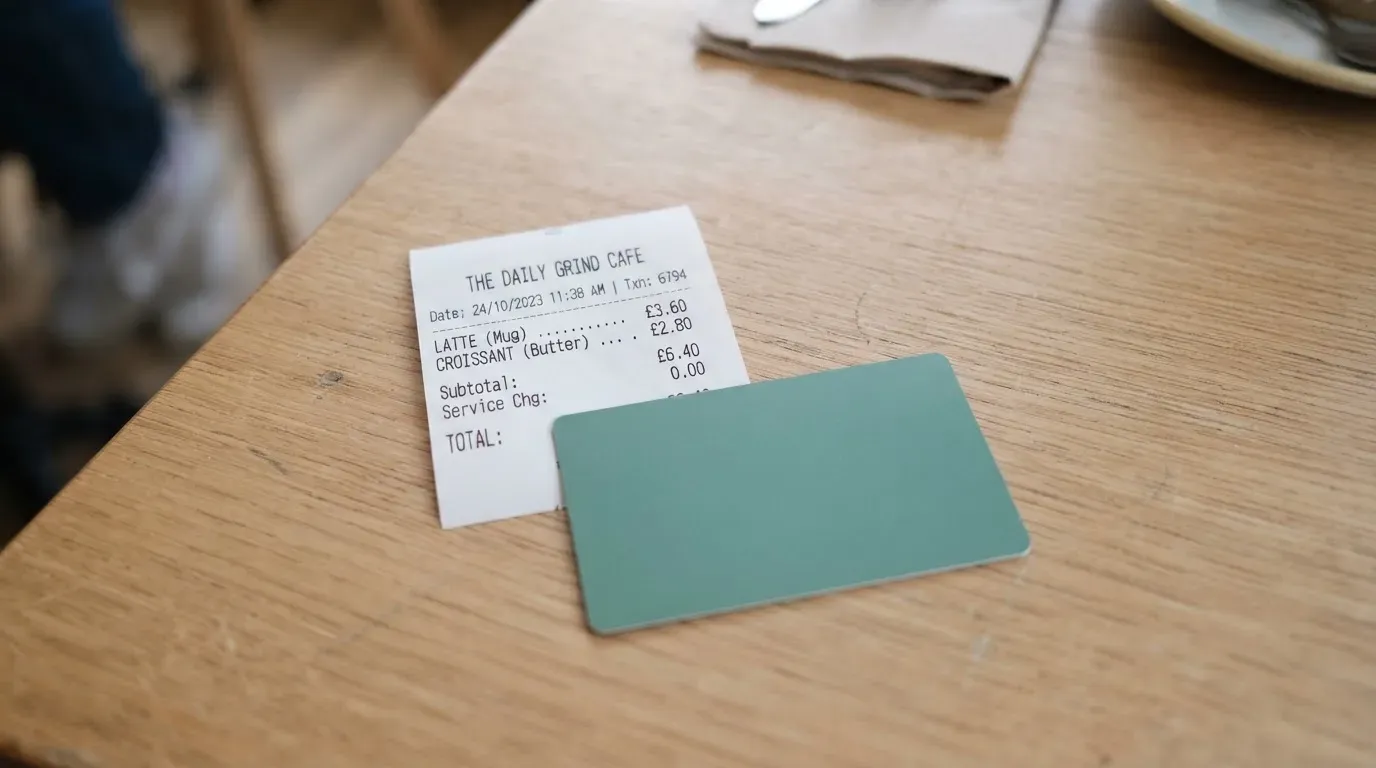
Here is the picture from the published fees. For non-USD transactions, the foreign exchange fee is “up to 2%”. The “Cross Border Fee” is “up to 3%”. Late payment can reach $40, and a returned payment is listed as “Up to $29” in one place and $00.00 in another — the two sections of the company’s own pages disagree, which is the kind of detail you should not have to ask about. Interest is 0% APR for now. The crypto conversion fee, which is the fee you actually care about when you pay from a stablecoin balance, is not stated.
| Fee or limit | MaaarPay |
|---|---|
| Issuance | Not stated |
| Monthly fee | Not stated |
| FX fee (non-USD) | Up to 2% |
| Cross Border Fee | Up to 3% |
| ATM fee | Not stated (card “coming soon”) |
| Crypto conversion fee | Not stated |
| Late payment | Up to $40 |
| Returned payment | Up to $29 (terms section 6 says $00.00 — conflicting) |
| Interest | 0% APR for now |
| Daily / monthly purchase limits | Not stated (issuer may cap by “type, number and dollar amount”) |
To make this concrete, take a €40 dinner in a European city paid with a MaaarPay digital card loaded from USDC. The merchant is paid in the local currency (euros, in this case) — the company says that happens automatically. Visa converts that euro amount into US dollars, because the card settles in USD, and the cross-border fee of up to 3% is applied on top. The FX fee of up to 2% can apply as well when the merchant’s currency is not the same as the settlement currency, and the published wording leaves room for both to be charged. So a €40 dinner could carry up to €2 in costs at the worst end of the published range, before any on-chain fee for loading the card in the first place. The crypto-to-fiat step that turns USDC into that USD balance has its own fee, and the company does not publish that number.
A second example: an online subscription billed in US dollars from a US-based service. The merchant’s currency matches the card’s settlement currency, so neither the FX fee nor the cross-border fee applies. The cost on that payment is whatever the unstated crypto conversion fee is — the only fee in the chain. If the merchant is in the UK or the EU, the cross-border fee and the FX fee are both in play, because the merchant’s currency and the card’s settlement currency differ, and the issuer’s country differs from the merchant’s.
The ATM side is not yet a real cost to calculate, because the physical card is not available. The terms are also clear that “cash advances and balance transfers are not available”, so when the ATM feature does arrive it will be a cash withdrawal from a prepaid balance, not a cash advance on a line of credit.
The unstated parts of the cost stack are the practical problem. The card’s headline is that you can pay with a stablecoin balance anywhere Visa is taken, but the price of getting in and staying in is not visible until you sign up. That is the kind of friction a cardholder should not have to put up with, and it is the reason the cost score sits where it does.
How to top up the card
Topping up MaaarPay starts in the wallet inside the app. The wallet is loaded with USDT, USDC, or other supported cryptocurrencies, and the homepage of the company also lists BTC. The full list of supported tokens, and the networks on which the wallet accepts deposits, are not stated in the public pages, which is the part of the funding flow you have to verify inside the app before you send anything.
The company is more specific about the networks that back the card’s collateral. The card’s collateral — the funds that back the card balance — is held in stablecoins on Ethereum, Polygon, Optimism, and Arbitrum. That tells you which networks the company itself uses on the back end, and it is a useful filter when you choose how to send your funds. The two big differences between the user’s deposit network and the company’s collateral network are the speed of the deposit and the cost of the gas: sending USDT on Ethereum is more expensive in gas than sending it on Polygon, and both are faster than waiting for a confirmation on a network the company has not integrated.
The help centre has an article called “Deposit crypto” that walks through the deposit flow. I have not read that article, so the step-by-step — what address the app shows, what memo or tag is needed, and how long the deposit takes to land — is not in this review. As with any crypto deposit, the rule is the same: send on the network the app tells you to use, and never send from a network the app has not named. A blockchain transfer is irreversible, so a deposit to the wrong address or on the wrong network is not something the support team can undo.
The wallet also supports withdrawing crypto to an external wallet, so the balance is not trapped. The help-centre article on that is linked but the fees have not been read, so again the practical details are inside the app. A related point: when you close your account, the treatment of the remaining balance is not stated in the pages I read. That is worth clarifying with support before you put more on the card than you can afford to leave sitting there for a while.
On the on-chain side, the cost of loading the card is the network fee — gas on Ethereum, a TRX-bandwidth-and-energy fee on Tron, and so on. Those fees are charged by the blockchain, not by MaaarPay, but they are a real cost of topping up, and they are higher on the networks that confirm fastest. The on-chain cost is the same across cards in this category, so the variable in choosing a network is the trade-off between speed and fee.
Paying with it every day
The digital card is the card you spend with day to day, and the company has built the everyday flow around mobile wallets. Apple Pay and Google Pay are both supported, and the same digital card number that you can read in the app can be added to either wallet, so a phone tap is the most common way to pay. 3-D Secure is the layer that handles online authentication, and it works in the background of the checkout when the issuer challenges a payment.
The card comes with a freeze and unfreeze switch in the app. You can stop the card at any time and start it again, which is the kind of control that matters when a card number has been typed into a checkout you are not sure about. The card details themselves are virtual, so a leak of those details does not hand over a piece of plastic that a stranger can use at a terminal.
The restrictions are also part of the everyday picture. The terms block cash-like transactions, and the list of those restrictions is specific: money orders, crypto purchases, and gambling. The gambling block in particular matters because MCC 7995 is the merchant category code for casinos, betting, and lotteries, and many issuers block it on prepaid cards by policy rather than by law. If you want to spend at a bookmaker, MaaarPay’s card will not let you.
There is no cashback, rewards, or rebate programme in the public material. A spending card without a rewards layer is fine if your main reason to use it is the funding side — paying from a stablecoin balance, rather than earning points — but it does mean the card is not competing on the everyday perks that some of its alternatives put on the table.
The complaint and dispute flow follows the standard Visa pattern. You try to resolve the issue with the merchant first; if that fails, you start a Chargeback in the account. The terms give you 60 days from the posting date of the transaction to raise the dispute, and they set out arbitration through the American Arbitration Association, with class-action rights waived. The arbitration clause is a feature of the US-style terms and is one of those things worth understanding before you sign up.
Two operational points complete the everyday picture. The app is available on Google Play and the Apple App Store, and the ratings were not read for this review. Help is offered through a Help Center, FAQs, a Contact Us form, an email at [email protected], a Telegram channel at t.me/Maaarpay_official, and a subreddit at r/maaarpay. The available languages and the support hours are not stated; the FAQ shows “Eng” only.
What can go wrong
The reliability and complaints score sits at 8 out of 10, and that is partly because no complaints have been found in the public material I have read. A clean record at this point in the product’s life is encouraging but it is not a forecast, and the risks worth thinking about are the ones that come from the structure of the product itself.
The first structural risk is the issuer question. MaaarPay is not a bank. The operating company is MAAAR PAY FZCO, registered in DMCC in Dubai, with licence number DMCC-981512 and company number DMCC202616. The company has a subsidiary, MAAAR CIRCLE PAYMENTS LTD., in British Columbia, Canada, registered as BC1585437. The company describes itself as a “technology service provider” that “does not provide banking or money transmission services”. The card is issued by a third party under a Visa licence; in this product the issuer is named as Third National, and the company has also named BANEX MICROFINANCE BANK LIMITED for users in Nigeria. The card programme can be wound down, as it was with FTX in November 2022, when Visa terminated its global agreements and the FTX US debit card was wound down by its issuer. A cardholder on a programme that is closed is told to withdraw the remaining balance; new loads stop first, spending stops second, and the timeline is set by the issuer.
The second risk is the crypto side. The balance is held by a custodian. Custodial platforms have a record of catastrophic failures: Mt. Gox, where around US$350 million was reported stolen between 2011 and 2014; Coincheck, where around US$400 million was lost in 2018; and the Ronin Network, where US$625 million was taken in 2022. None of those losses are predictions about MaaarPay, but they are the kind of counterparty and hack risk a custodial balance carries. On the other side of the same risk, a self-custody wallet that you control means the funds are yours until the moment of payment, but you carry the full weight of key loss, phishing, and clipboard-hijacking malware that swaps an address you copied. The MaaarPay model is the custodial one, and that is the trade-off you are signing up for.
The third risk is the sanctions and KYC side. The terms reserve the right to suspend or cancel the card with or without cause, and the AML and KYC policy is at /aml-kyc-policy. If the company cannot complete due diligence, EU rules require the institution to step back from the relationship, and the same pattern shows up across regulated issuers. The result, in practice, is that accounts can be frozen or closed while documents are outstanding, and the company is not obliged to give a reason that satisfies the cardholder.
The fourth risk is the operational “coming soon” layer. The physical card and the ATM access are not available, the help-centre articles on deposit and withdrawal are not in this review, and the FAQ on the help pages is in English only. The 2FA and safeguarding measures are not stated. The on-chain side has its own well-known failure mode: a deposit sent on the wrong network, or to an address on the wrong chain, is irreversible and is not always recoverable.
The fifth risk is the unstated fees. A card with fees that are not published is a card whose price you cannot compare. Even within the published fees, the terms say the foreign exchange fee is “up to 2%” and the cross-border fee is “up to 3%”, so the worst-case cost of a non-USD payment is in that band. Crypto conversion, issuance, and holding fees are not published, so the all-in cost is not knowable before sign-up.
The sixth risk is the regulatory environment. MiCA in the EU took effect in June 2023, and the e-money token rules applied from 30 June 2024, with the broader CASP rules from 30 December 2024. A crypto card often depends on two licences: one for the payment side, one for the crypto side. The transitional period for providers already operating under national law runs until 1 July 2026 or until a MiCA authorisation is granted or refused, whichever comes first. In the US, FinCEN guidance treats administrators and exchangers of convertible virtual currency as money transmitters. None of this is a verdict on MaaarPay; it is the regulatory ground the company is standing on.
What to take instead
MaaarPay is one of several cards that try to be the everyday-spending face of a crypto balance. The three alternatives below are useful comparisons, but the scores are lower than MaaarPay’s 6.7, so the read is not “switch to one of these” — it is “if you are looking at this corner of the market, here is what else sits in it”.
Cardex scores 5.6 out of 10. It is one crypto card across 200+ countries, with no country list or exclusions published. The card is a debit product on the VERVE, Visa, Mastercard, and UnionPay networks, and the App Store listing describes the card currency as Nigerian Naira. The funding side is USDT, USDC, and BTC. The cost side is a real-time crypto-to-fiat conversion at the moment of payment, with an “AI-Powered Conversion Rate” that scans global exchanges and picks the best rate when you spend. The fee percentage is not stated. The card is virtual and physical. There is no published rewards or cashback programme.
CardFlow scores 4.9 out of 10. It positions itself as “Nigeria’s smartest fintech card platform” and is aimed at “Nigerians and global users”, with no country list or exclusions stated. The card is a virtual USD Mastercard that can be created in 3 minutes. Creating the card is free according to the FAQ; the monthly fee is not stated, and other fees are not stated. Funding is Bitcoin, USDT, ETH, or Naira bank transfer. Networks are not stated, and there is no published rewards programme.
HyperCard scores 4.7 out of 10. The official pages do not state a country list; the App Store listing says the card works in “more than 176 countries”, which is an acceptance figure rather than an eligibility one. The card is prepaid, the network is not stated on the App Store page, and the card balance is in USD or EUR. Costs and fees are not stated on the pages that were read. Funding is a crypto deposit such as USDT, BTC, or ETH, converted to USD or EUR on the card. Networks are not stated, and there is no published rewards programme.
A pattern runs through all three: the funding side is in the same set of coins as MaaarPay, and the cost side is even less published. None of the three are a direct upgrade on MaaarPay’s 6.7, and the comparison is useful mainly as a way to see what the rest of the category is willing to leave unsaid.
Who I would recommend it to
If you are funding a digital Visa with USDT or USDC, you live in one of the 150+ countries MaaarPay serves, and you are not a US citizen, the card fits. The instant-issue digital number, the Apple Pay and Google Pay support, and the freeze-and-unfreeze switch are the right controls for that use. If you can accept that the physical card and the ATM access are not here yet, and that the cost picture is not fully published before you sign up, MaaarPay is a reasonable card in this corner of the market.
If you need a physical card today, or if you need to know the all-in fee before you commit, the score should not change your mind. The same is true if the cost of every non-USD payment matters to you — the up to 2% FX and up to 3% cross-border fees can stack, and the unstated crypto conversion fee is the wild card in the chain.
The product is also a good fit for someone who treats the card as one of several tools rather than a primary bank account. The dispute and chargeback flow exists, the freeze switch is real, and the freeze can be lifted in the app, but the underlying balance is held by a custodian and the company reserves the right to suspend or cancel with or without cause. If the bulk of your money lives in a self-custody wallet and the card balance is sized to a week or two of spending, the model is a reasonable way to use the crypto side without exposing the long-term stack to the card programme’s risks.
For a US citizen, the recommendation is to stop here. The terms rule that group out, and the alternative cards in this category do not always do the same. For anyone whose country of citizenship is on the OFAC sanctions list, the same applies: the issuer’s compliance check is not optional, and the way to avoid a frozen account is to avoid opening one.
Frequently asked questions
What is the MaaarPay card?
The MaaarPay card is a Visa payment card whose balance is funded from a crypto wallet. You load USDT, USDC, or another supported cryptocurrency, and the card spends that balance wherever Visa is taken. The card is issued by a third-party bank, while MaaarPay itself is a Dubai-based technology company rather than a bank.
How does the MaaarPay card work?
You sign up in the app, complete identity verification, and receive a digital Visa number instantly. You top up the wallet with USDT, USDC, or other supported crypto, and the card balance is set from that. When you pay, the merchant receives the local currency, and the card association converts the amount to USD, the card’s settlement currency. A non-USD payment carries the FX fee and the cross-border fee described in the fees section.
Is MaaarPay a bank?
No. MaaarPay is a technology service provider, not a bank, and it does not provide banking or money transmission services. The card is issued by a separate, licensed institution under a Visa licence. In the company’s own material the issuer is named as Third National, with BANEX MICROFINANCE BANK LIMITED named for Nigerian users.
Who owns MaaarPay?
The operating company is MAAAR PAY FZCO, registered in DMCC in Dubai, with licence number DMCC-981512 and company number DMCC202616. The company has a Canadian subsidiary, MAAAR CIRCLE PAYMENTS LTD., in British Columbia, registered as BC1585437. The ownership behind the FZCO is not stated in the public pages I have read.
How do I get a MaaarPay card?
You download the app, create an account, and complete the identity verification step. Once that is done, the digital card is available instantly. The physical card is listed as “coming soon”. Identity verification means KYC, but the specific documents and the level of the check are not stated in the public pages.
Does the MaaarPay card require KYC?
Yes. The sign-up flow includes “secure identity verification”, which is the regulated KYC step, and the company publishes an AML & KYC Policy. The exact level of verification, the documents needed, and whether a proof of address is required are not stated in the public pages.
How do I top up the MaaarPay card?
You load the in-app wallet with USDT, USDC, or another supported cryptocurrency, and BTC is also listed on the homepage. The full list of supported tokens and the deposit networks are not stated in the public pages, and the help-centre article on deposits has not been read for this review. The card’s collateral is held as stablecoins on Ethereum, Polygon, Optimism, and Arbitrum.
Where can I use the MaaarPay card?
Anywhere Visa is taken, online and in store. The digital card can be added to Apple Pay and Google Pay, and the app includes a freeze and unfreeze switch. Cash-like transactions, crypto purchases, and gambling are blocked by the terms. The physical card and ATM access are listed as “coming soon”.
Is the MaaarPay card safe?
The card has the safeguards you would expect: app-based freeze and unfreeze, virtual card details, 3-D Secure at online checkouts, and mobile wallet tokenisation. The trade-off is that the balance is held by a custodian, which is the standard model for this category of card and the standard model for the risks that come with it. 2FA and the safeguarding arrangement are not stated in the public material.
How do I delete my MaaarPay account?
The account is managed in the app, and the help-centre has a Contact Us form for the steps that are not self-serve. The treatment of any remaining balance on closure is not stated in the pages I have read, so the practical answer to that question is to withdraw the wallet’s crypto to an external address and spend the card balance to zero before you close the account.
Virtual cards in the catalogue – cryptocardcatalog
Content created by the «cryptocardcatalog» team