
ZexoCard is three virtual Visa cards paid from a crypto balance, with no plastic, no ATM and a $10 issuance fee
 Available in US
ZexoCard sells three reloadable virtual cards, named Everyday, Subscriptions and Campaigns, that you load with crypto and then spend through Apple Pay, Google Pay or Samsung Pay. There is no physical card and no ATM access, so if you want a piece of plastic to tap in a shop or pull cash abroad, this is the wrong product. If you want to put a virtual card behind a phone wallet and pay for streaming, ads and online subscriptions from a crypto balance, that is closer to what ZexoCard is built for, and the rest of this review walks through whether the rest of the package lines up with that purpose.
The conditions in this review are current as of October 28, 2026.
Verdict
I gave ZexoCard 7.3 out of 10. That is a respectable score for a card that is honestly positioned: it does one thing, which is issue virtual cards funded by crypto, and it is unusually open about who can get one. The strengths are accessibility, the three-card set, and the choice of networks and coins you can fund with. The weaknesses are the things the public pages leave unsaid: no issuer, no registered entity, no licence information, and no physical card or ATM. If those gaps matter to you, you will not be reassured by anything I could find on the site, and that pulls the score down on trust.
Here is how I arrived at the total:
| Criterion | Mark | Reason |
|---|---|---|
| Who can get it | 9 / 10 | Open from almost anywhere, with a short and clearly stated restricted-jurisdiction list |
| Cost | 7 / 10 | $10 to issue, no monthly fee, but transaction fees and a funding fee in the final quote |
| Top-up options | 9 / 10 | Bitcoin, Ethereum, USDT, USDC, Solana and many more, pay from MetaMask, Phantom, TronLink |
| Reliability and complaints | 5 / 10 | No named issuer, entity or licence; no complaints I could find, but also no track record to lean on |
| Everyday use | 6 / 10 | Virtual cards only, mobile wallets supported, but no plastic and no ATM |
ZexoCard suits you if you want virtual cards to put behind Apple Pay, Google Pay or Samsung Pay, and you are paying for things like streaming, advertising or other recurring online services, with crypto you already hold. It does not suit you if you need a physical card, want to withdraw cash, or need a clearly named and regulated issuer before you put any money in.
Who they will give the card to
The first thing to know is that ZexoCard is unusually open. Registration is by email, the age bar is 18, and the only people who cannot open an account, get a card, or load one are residents of a short list of restricted jurisdictions: North Korea, Iran, Syria, Cuba, Belarus, Afghanistan, Myanmar, and the Crimea, Donetsk and Luhansk regions of Ukraine. The check is on where you are, not on your citizenship, and the site warns you not to use a false location to get around the rule. That wording is friendlier than many crypto card products, where the restricted list is buried or replaced with a generic “we may decline your country” disclaimer.
If you are reading this from anywhere else, you can in principle sign up. There is no routine identity-document submission for standard onboarding, which means you do not send a passport or a selfie to get a basic card. That is a real advantage if you are a person who has been refused an ordinary bank card, or you simply do not want to upload your documents for a $10 virtual product. The trade-off is that you have to trust the company with your money on a thinner paperwork trail, and that is part of the trust calculation I come back to in the risks section.
How to get it
The process is the same four steps the site describes: register, fund your wallet in crypto, create a card, load it. There is no separate application form and no identity step in the standard flow, so the friction is mostly in getting crypto into the platform and choosing which of the three cards to create. You will be asked for an email, a password, and 2FA through an authenticator app, which I will come back to under security.
The three cards are:
- Everyday — a reloadable virtual card, network not stated, with a $0.25 fee per merchant transaction. The site notes that this card does not support subscriptions or recurring payments, so it is meant for one-off online and contactless spend, not for the streaming and SaaS bills many crypto-card users sign up for.
- Subscriptions — a reloadable Visa, no merchant transaction fee, designed for recurring payments.
- Campaigns — a reloadable Visa, also with no merchant transaction fee, positioned for advertising and campaign spend.
All three are virtual. The site does not describe any physical version, and there is no shipping step to think about. Card currency is not stated; amounts on the site are shown in dollars, which I will return to in the costs section because the absence of a stated card currency matters when you start to think about foreign-exchange fees.
The company says it offers account groups called Free, Silver and Gold, but it does not describe card tiers, and these groups set pricing rather than acting as a spending tier over a rolling 30 days. Because the public pages do not detail what the three groups give you, the practical takeaway is that you start on Free, and the others become available based on criteria that the company has not published.
Processing time and the specific reasons a registration might be refused are also not stated. You may only find out at the point of card creation or top-up, which is worth knowing if your time is short.
Fees: what it really costs
The headline number is $10, paid once, per card. After that, registration, monthly maintenance, balance checks and customer support are listed as free. There is no annual fee and no inactivity fee in the public information I could read.

The everyday costs are more nuanced. The Everyday card charges $0.25 per merchant transaction; the Subscriptions and Campaigns cards do not charge a per-transaction merchant fee. The funding fee is described as shown in the final quote, which means the percentage is not fixed on a public page; you see it before you confirm a top-up. The site warns that network and conversion costs may also apply, and FX (foreign-exchange) costs are not stated, so any time you spend in a currency other than the one your card is denominated in, the rate you get is not advertised up front.
| Fee or limit | Amount |
|---|---|
| Card issuance (one-time) | $10 per card |
| Monthly maintenance | Free |
| Registration | Free |
| Balance checks | Free |
| Support | Free |
| Everyday card merchant fee | $0.25 per transaction |
| Subscriptions and Campaigns merchant fee | None |
| Funding fee | Shown in final quote |
| Network and conversion costs | May apply |
| Foreign-exchange fee | Not stated |
| ATM | Not stated (no physical card) |
| Per-purchase limit | Up to $100,000 |
| Per-calendar-month limit per card | Up to $500,000 |
| Daily limit | No separate cap stated |
To make these fees feel real, three everyday payments:
A $50 streaming subscription paid with the Subscriptions card. The merchant fee on this card is zero. The funding fee was already paid when you loaded the card, so the only thing that can add cost here is the spread between the time you funded and the time the subscription was charged, and the FX fee if your subscription is in a non-dollar currency. If you loaded a stablecoin like USDT or USDC, the spread should be small. If you loaded with Bitcoin or Ethereum, the price moved between top-up and payment, and that is a cost you take on top of the $10 issuance.
A $200 one-off online purchase with the Everyday card. The $0.25 fee is trivial against the payment. What is harder to quantify is the funding fee, because the site does not give a number. If the funding fee on your top-up was, say, 1% on $250, that is $2.50 sitting on the top-up, plus the $0.25 on the payment itself. For larger purchases the funding fee dominates, so the rule of thumb is to top up in bigger chunks less often rather than many small ones.
A $1,000 advertising spend on Campaigns. No per-transaction fee, so the only direct cost from ZexoCard is the $10 issuance and the funding fee on whatever you loaded. The hidden cost is the gap between the crypto you sent and the fiat balance the card received, which includes the funding fee and any spread, plus the network fee on the chain you sent the crypto on. For someone running ad spend, that is the number to watch, not the merchant fee, because the merchant fee on this card is zero.
The $100,000 per purchase and $500,000 per month caps are well above what a normal consumer would spend, and there is no separate daily cap, so for ordinary use you are unlikely to bump into the limits. If you are a business paying out at scale, the monthly cap is the one to keep in mind.
Top up: how to fund the card
Funding is the part of ZexoCard that the site is most explicit about, and it is also the part with the most room for costly mistakes. The platform supports Bitcoin, Ethereum, USDT, USDC, Solana and a wider list of other cryptocurrencies (an earlier check mentioned Litecoin and around 95 tokens in total). The deposits are wallet payments, which means you can pay directly from a self-custody wallet such as MetaMask, Phantom or TronLink where the token is available.
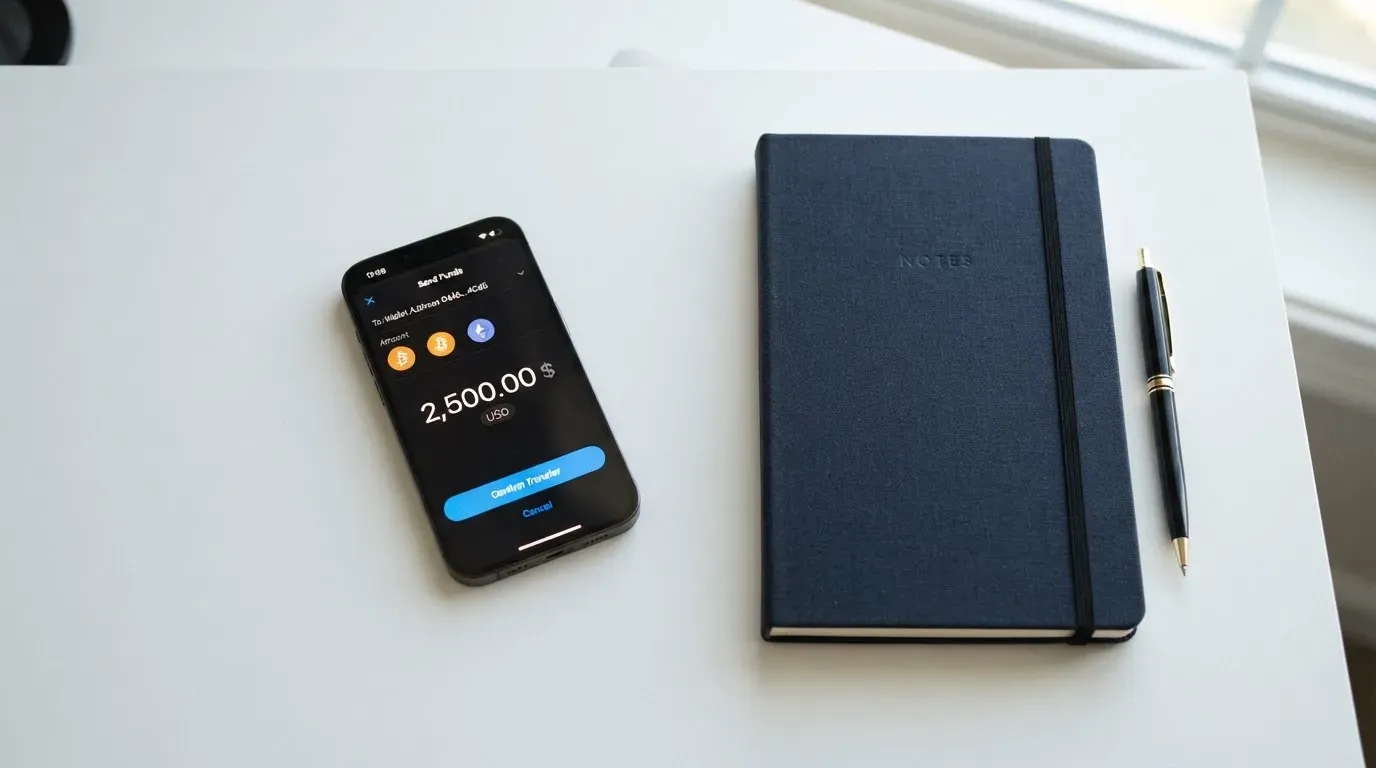
The flow is deposit first, then load the card. You do not send crypto straight to the card; you send it to a deposit address the platform gives you, and then you move the balance from your platform wallet onto a specific card. That two-step flow is important because it means each top-up has two stages where fees can apply: the on-chain transfer to the deposit address, and the platform’s funding fee when you load the card.
A few practical things to keep in mind before you top up:
- The network you send on has to match the deposit instructions. If the platform tells you to send USDT on Tron and you send USDT on Ethereum, the funds are likely to be lost, because cross-network transfers are not reversible. The site’s reminder is not optional: blockchain transfers cannot be reversed, so a wrong-network deposit may not be recoverable.
- On-chain network fees (gas on Ethereum, bandwidth and energy on Tron) are charged by the blockchain, not by ZexoCard, and they are separate from the platform’s funding fee. A USDT transfer on Ethereum is more expensive than a USDT transfer on Tron, which is why some users keep both chains in mind.
- If your wallet holds only USDT and no ETH, an ERC-20 transfer on Ethereum will fail, because gas must be paid in ETH. This is a common gotcha for first-time users.
- Stablecoins are not risk-free. Tether (USDT) and Circle (USDC) are the two largest, but stablecoins have lost their peg in the past: TerraUSD collapsed in May 2022, and USDC briefly traded below the dollar in March 2023 during the US banking crisis. Tether also says it disables tokens held in wallets on sanctions lists, so stablecoin transfers are not censorship-proof.
- The funding fee is shown in the final quote, not on a static price page, which means the cost varies with the route and the market. There is no fiat top-up option described, and no minimum top-up is stated.
The mobile side of the platform is a web panel and a Telegram bot, not a dedicated app, which is unusual for a card product. For some users that is a feature, because a Telegram bot is fast to use on the go. For others it is a reason to be cautious, because Telegram-based support and control surfaces can be spoofed or compromised if you do not verify the handle.
Paying with it every day
Once a card is loaded, you add it to Apple Pay, Google Pay or Samsung Pay on a supported device and spend as you would with any tokenised card. Because the cards are virtual and there is no plastic, contactless payments happen through the phone or watch, not by tapping a card at a till, and online payments work the same way as with any Visa or Mastercard number.
The split between the three cards maps onto three patterns of use. The Everyday card is for one-off online and contactless spend, with the caveat that it does not support recurring payments, so you cannot simply put your Netflix or your SaaS bills on it. The Subscriptions card is the one to use for streaming and other recurring charges, and the Campaigns card is positioned for advertising and campaign spend, which is where the no-per-transaction-fee structure makes a real difference on high-frequency small charges.
There are some things you do not get:
- No cashback, rewards or cashback programme is listed on the public pages, so do not expect points or a percentage back.
- No physical card, so there is no tapping at a terminal, no inserting into a chip reader, and no swiping. If the shop’s terminal does not accept mobile wallets, you cannot pay.
- No ATM, so there is no way to pull cash out, which rules out a number of travel use-cases that other crypto cards support.
A few things worth knowing about how cards of this type behave in the wild. Merchants can look up the card’s BIN (the first six or eight digits that identify the issuer) and see what kind of card it is and which country the issuer is based in. If the issuer country looks different from your billing address, some merchants apply extra checks, and a small number of merchants decline prepaid or foreign-issuer cards outright. Address Verification Service, which compares the numeric parts of the billing address you typed with the issuer’s records, is mainly used in the US, Canada and the UK, and is often unavailable for cards issued abroad, which can lead to declines on US sites even when the card is otherwise valid. 3-D Secure (Visa Secure, Mastercard Identity Check) can rescue an online transaction that would otherwise be declined, but it can also add friction, and liability for a fraudulent transaction can shift to your bank under 3-D Secure rules.
If a payment is declined, a hold may sit on the card balance for several days (commonly up to seven), so it is worth checking your balance before retrying. Holds on small balances can be a real source of frustration, because they can stop a card from working even when the underlying balance looks fine.
What can go wrong
The biggest risk on ZexoCard is also the most awkward to write about, because it is the absence of information rather than the presence of a problem. The site describes itself as a card platform connecting customers with financial and digital asset services, and says that licensed external partners provide the cards, custody and conversion. It does not name the issuer, the registered entity, or the licences under which any of this is done. The partners are said to be licensed, but the public pages do not name them, which means the only independent way to verify any of this is to register and look at the fine print, and that is not something most users will do before putting money in.
A few other risks that I would keep in mind:
- Card programme closures happen. Visa wound down its global agreements with FTX in November 2022, and the FTX US debit card programme was wound down by its issuer. In 2018, Visa suspended WaveCrest in Europe, closing every WaveCrest-issued Visa programme at short notice. Programme closures typically follow a notice period, then stop spending and loading, then ask users to withdraw their balances. The lesson is that even when a card is working today, the issuer or the network can withdraw it, and your access to the balance depends on the wind-down terms.
- Custodial risk. Because ZexoCard does not describe a self-custody path, the platform holds the balance between deposit and spend. The history of custodial platforms is not reassuring: Mt. Gox (around US$350 million reported stolen between 2011 and 2014), Coincheck (around US$400 million in 2018), Ronin Network (US$625 million in 2022). A card that holds your balance in custody is exposed to the same kind of counterparty and hack risk.
- Irreversible transfers. A blockchain transfer cannot be reversed by the network, which means a deposit sent on the wrong network, to the wrong address, or from a compromised seed phrase is very hard to recover. The site says this in its own words. Anyone who controls the private key to your sending wallet controls the funds, and a seed phrase (the 12 to 24 words that back up a wallet) should never be shared, typed into a website, or stored in plain text.
- Sanctions and frozen funds. Tether says it disables tokens in wallets on the OFAC sanctions list and has frozen funds tied to illicit activity, so even stablecoins are not uncensorable in practice. If your sending wallet has any sanctions history attached to it, your transfer can be frozen.
- Disputes and chargebacks. The site asks you to contact support with the transaction reference, and points out that crypto transfers cannot always be reversed. There is no chargeback process described on the public pages, and the site explicitly prohibits chargeback abuse. If the merchant does not sort a problem out, your practical recourse is thin.
- Security defaults. Two-factor authentication is via an authenticator app, which is good. Card details show only the last four digits in the interface, and full details are behind a PIN. Passwords and PINs are hashed, and login is rate-limited. The site does not describe an instant card-freeze feature, and does not describe the custody arrangements used by its partners, so I cannot tell you how quickly you could lock the card if your phone was stolen.
On the support side, the help is a Telegram handle (@zexocard), an email, a help centre and a knowledge base, and the team says it is available seven days a week, usually replying within 24 hours. The lack of a dedicated mobile app means there is no app-store-based channel to verify and no push-notification path for security alerts, which is one more thing I would want before putting a serious balance in.
I looked for public complaints on Trustpilot and Reddit and could not find a Trustpilot page or a Reddit thread for “zexocard”. That is not the same as the card being problem-free, because a small product with no plastic and a thin marketing footprint can simply have too small a user base to surface complaints. It is also not the same as a clean record, because the absence of complaints is a weaker signal than the presence of a track record.
What to take instead
I compared ZexoCard with three other crypto cards, each of which trades off something different. None of them dominates on every axis, and the right pick depends on which gap matters most to you.
Cardex scores 5.6 out of 10. It positions itself as one crypto card usable in 200+ countries, and it issues debit cards on the VERVE, Visa, Mastercard and UnionPay networks, with both virtual and physical cards available. The app-store listing describes a Naira-focused product, and the site says real-time crypto-to-fiat conversion happens at the moment of payment, with an “AI-Powered Conversion Rate” that scans global exchange rates and picks the best one at the point of spend. No fee percentage is stated. If a wider network of card brands and the option of a physical card matter to you, Cardex is worth a look, but you should still check the issuer and the licence before you load it.
CardFlow scores 4.9 out of 10. It is positioned as “Nigeria’s smartest fintech card platform” and is aimed at Nigerians and global users. The card on offer is a virtual USD Mastercard that is free to create. Top-up is in Bitcoin, USDT, ETH or Naira bank transfer, and the networks are not stated. If you are a Nigerian user who wants a quick virtual card in dollars and a bank-transfer top-up, CardFlow is the more direct fit. Its main weakness is that the public information is thinner than ZexoCard’s, so the trust calculation is no easier.
HyperCard scores 4.7 out of 10. The official pages do not list countries, and the app store page says the card works in more than 176 countries, which is a statement of acceptance, not of eligibility. The card is a prepaid product in USD or EUR, and the network is not stated on the app store page. You deposit USDT, BTC or ETH in the app, and the card balance is converted to dollars or euros. If a USD or EUR balance matters more than network choice, HyperCard is a fit, but again the public information is thin.
A quick comparison of what each card emphasises:
| Card | Networks | Physical card | ATM | Score |
|---|---|---|---|---|
| ZexoCard | Visa (Subscriptions, Campaigns); Everyday network not stated | No | No (no physical card) | 7.3 / 10 |
| Cardex | VERVE, Visa, Mastercard, UnionPay | Yes (virtual and physical) | Not stated | 5.6 / 10 |
| CardFlow | Mastercard (virtual USD) | Not stated | Not stated | 4.9 / 10 |
| HyperCard | Not stated on app store | Not stated | Not stated | 4.7 / 10 |
If you want a virtual-only, multi-card setup paid from crypto, ZexoCard is the strongest of the four. If you need a physical card or a wider network spread, Cardex is the one to look at next.
Who I would recommend it to
I would recommend ZexoCard to a person who already holds crypto, lives outside the eight restricted jurisdictions, and wants a virtual card to sit behind a phone wallet for online and contactless payments. The Subscriptions and Campaigns cards are the strongest case, because the absence of a per-transaction fee on recurring and ad spend matches how those payments actually work, and the $10 one-time issuance is a small fixed cost against that use. The Everyday card is fine for one-off online purchases if the $0.25 fee does not bother you, but it is not a substitute for a card that supports recurring payments.
I would not recommend ZexoCard to a person who needs a physical card, wants to withdraw cash, needs a clearly named issuer or licence before committing money, or plans to load large balances and hold them on the platform for a long time. The trust calculation is the deal-breaker here: the company says it works with licensed partners, but does not name them, and the security defaults (authenticator-app 2FA, hashed PINs, rate-limited login) are reasonable without being exceptional. If you keep the balance small, fund only what you will spend in the next few days, and withdraw back to a self-custody wallet when you are not using the card, you can use the product without taking on more risk than the rest of the category carries. If you are planning to treat it as a primary payment account, the absence of an issuer name, an entity and a licence is, in my view, a reason to look elsewhere.
A final note on taxes, which is something I want to flag without advising on. In the US, the IRS treats digital assets as property, so exchanging crypto for goods, services, or fiat is generally a taxable event, and the gain is measured in local currency at the fair market value on the date of the transaction. Each card payment funded from crypto can be a separate disposal. If you are a US taxpayer, or subject to a similar rule in your jurisdiction, keep records of the value at the time of each load and each payment. Rules vary by country, and the right place to check is a tax adviser in your own jurisdiction.
Frequently asked questions
What is ZexoCard?
ZexoCard is a platform that issues three reloadable virtual cards, named Everyday, Subscriptions and Campaigns, which you load with cryptocurrency and then spend through Apple Pay, Google Pay or Samsung Pay. There is no physical card and no ATM access, so it is built for online and contactless payments rather than cash.
How does the ZexoCard card work?
You register an account by email, set up two-factor authentication, send crypto such as Bitcoin, Ethereum, USDT, USDC or Solana to a deposit address, then load the balance onto one of the three cards. The card converts the balance to fiat at the time of load, and you spend the resulting fiat balance at any merchant that accepts the card network through a mobile wallet.
Is ZexoCard a bank?
No. ZexoCard describes itself as a card platform that connects customers with licensed partners who issue cards, hold custody and perform the crypto-to-fiat conversion. The site does not name a bank, an e-money institution, or a specific licence, so it is best understood as a programme manager rather than a bank.
Who owns ZexoCard?
The site does not name the registered entity, the issuer, or the individuals behind the platform. The companies that actually issue the card, hold the custody, and do the conversion are described as licensed external partners, but the partners are not named in the public pages I could read.
Is ZexoCard available in my country?
Registration is open from any country except North Korea, Iran, Syria, Cuba, Belarus, Afghanistan, Myanmar, and the Crimea, Donetsk and Luhansk regions of Ukraine. The check is on your location rather than your citizenship, and the site warns against using false location details to get around the rule.
Does ZexoCard require identity verification?
Standard onboarding does not require you to submit identity documents. Registration is by email, with two-factor authentication through an authenticator app, and you must be at least 18. The public pages do not describe the cases in which a higher level of verification would be triggered.
How do I top up a ZexoCard card?
You send a supported cryptocurrency to a deposit address the platform provides, paying attention to the network. You can pay from self-custody wallets such as MetaMask, Phantom or TronLink where the token is available. Once the deposit is credited, you load the balance onto a specific card. The funding fee is shown in the final quote before you confirm.
Can I use ZexoCard with Apple Pay, Google Pay or Samsung Pay?
Yes. The cards are virtual and are added to Apple Pay, Google Pay or Samsung Pay on a supported device, and the payment is tokenised through the phone or watch. Because there is no physical card, this is the only way to pay in a shop.
Is ZexoCard safe?
The platform uses authenticator-app 2FA, hashed passwords and PINs, rate-limited login, and shows only the last four digits of any card in the interface. The site does not name the issuer, the entity, the licences, or the custody partners, and it does not describe an instant card-freeze feature. As with any custodial crypto product, holding a balance on the platform exposes you to counterparty risk, and crypto transfers on the wrong network can be lost.
How do I close my ZexoCard account?
The public pages do not describe an account-closure procedure, and the site notes that the return of any remaining balance depends on the applicable law and your account circumstances. In practice, you would contact support through the Telegram handle, the email, or the help centre, and ask for closure and the return of any unused balance, but you should not rely on a specific timeline.
Virtual cards in the catalogue – cryptocardcatalog
Content created by the «cryptocardcatalog» team