
The BingX Visa debit card, tested against the fine print
 Available in US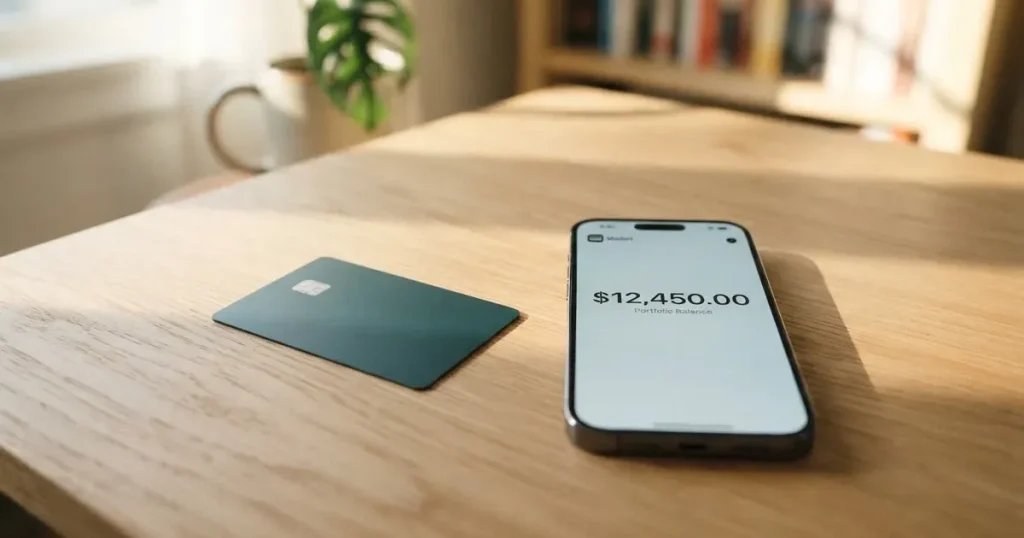
The BingX card is a Visa debit card tied to a BingX exchange account. In practice you load it with USDT from your BingX Funding Account, the platform converts that into US dollars at the moment of payment, and the merchant sees an ordinary Visa transaction. There is a virtual card you can get in seconds and a metal card mailed to you, and both work with Apple Pay and Google Pay. The card itself is one of the cleaner ideas in the crypto-card space, but the page that sells it does not tell you everything you would want to know, and the exchange behind it has a difficult public reputation. In this review I walk through the facts, the gaps, and the everyday experience, and I tell you who I think the card actually fits.
The conditions described here are current as of October 28, 2026.
Verdict
I score the BingX card 5.8 out of 10. It is a Visa debit that spends your USDT balance at the real-time rate, with a free virtual card and a $180 metal card, plus mobile-wallet support and a small cashback scheme. The mechanics are simple, and the everyday experience is fine. The score drops because the official card pages do not publish purchase fees, FX margins, monthly limits, or the issuer’s name; the launch blog names Wirex as the issuing partner, but the terms page does not. BingX’s broader Trustpilot rating is poor, the top-up method is restricted to a single token, and several everyday numbers a cardholder would check before applying are simply not stated.
The card suits you if you already hold USDT on BingX, you mainly spend in US dollars, and you want a Visa that plugs into Apple Pay or Google Pay in minutes. It does not suit you if you want a multi-currency card, if you need a published FX rate and full fee schedule before you sign up, or if counterparty risk on the exchange itself keeps you up at night.
| Criterion | Mark | Reason |
|---|---|---|
| Who can get it | 7/10 | Europe (EEA), APAC, LATAM and other selected regions; no public country list |
| Cost | 5/10 | Virtual card free, annual fee 0, Metal 180 USD; ATM first 200 USD a month free then 2%; purchase and FX rates not disclosed |
| Top-up options | 4/10 | USDT only, drawn from the BingX Funding Account; no other coins announced |
| Reliability and complaints | 4/10 | Launch blog names Wirex as issuer partner; card terms do not; BingX Trustpilot 1.5/5 across 766 reviews, complaints focus on frozen funds |
| Everyday use | 9/10 | Virtual and metal Visa, Apple Pay and Google Pay on both, ATM on the metal card |
| Total | 5.8/10 |
Who they will give the card to
The official card page lists Europe (EEA), APAC, LATAM and “other selected regions”. There is no public country list, and BingX tells you to contact support to confirm whether your country is supported. The card terms add the usual conditions: you must be at least 18, live in a supported country, and hold a BingX account; identity verification must meet local rules; and physical cards are offered only to select customers.
That older Euro Mastercard programme page that BingX still hosts in its help center says identity verification is unavailable in many countries, including Cuba, Iran, Russia, Ukraine, Pakistan, Nigeria and mainland China. That programme is the previous one, not the current Visa card, and the country list may have changed since, so the practical move is to ask support before you spend time applying.
A few practical points are not stated on the card pages. There is no public list of KYC documents the Visa card requires, no description of the KYC tiers you would pass through, and no published processing time. If the application flow is anything like the previous Mastercard programme, you should expect at least one workday for the automated review and a few more if you are asked for additional documents.
The card settles in US dollars, and the issuer is unnamed on the card’s own pages. The launch blog, dated 13 July 2026, names Wirex as the issuing partner, providing the Banking-as-a-Service and Visa principal membership behind the programme. The terms page itself only refers to “the applicable card issuer” under a Visa licence. That gap is the kind of thing a careful cardholder would notice.
How to get the BingX card
You start by opening a BingX account, passing the exchange’s identity verification, and then applying for the card inside the app or on the web. Once approved, you can issue a virtual card instantly, with no activation step. If you are offered the metal version, it is mailed in roughly 15 to 30 business days to the address you provide, and the guide says shipping is free for both card types.
A few things in this flow are not stated. The documents BingX will ask for to verify you for the Visa card specifically are not published, the cost of a replacement card is not published, and which customers qualify for the physical card is not spelled out. If you need the metal card for the ATM access and the higher cashback, plan on asking support whether your account is eligible before you build any expectations.
The application itself is the easy part. The harder question, which I will come back to, is whether the exchange you are loading the card from is one you want to keep a balance on.
What it really costs
The cost story is mixed. The headline numbers are good, the small print is thin, and a few everyday fees are simply not stated.
Here is what is and is not published:
| Fee or limit | Amount |
|---|---|
| Virtual card issuance | Free |
| Metal card issuance | 180 USD for non-VIP, non-agent users |
| Annual fee | 0 |
| Inactivity or closure fee | Not stated |
| Replacement card | Not stated |
| Conversion fee on purchases | Not stated |
| FX fee on non-USD purchases | Not stated |
| ATM withdrawals | First 200 USD a month free on the metal card, then 2% |
| Per-transaction and daily limit | 10,000 USD |
| Monthly limit | 30,000 USD |
| Metal card ATM limit | 500 USD a day, 5 transactions a day |
The card spends USDT converted at the real-time rate, so there is at least one conversion in every transaction. The rate is not published, and the cost of that conversion is not disclosed in the guide. The launch blog says there are no issuance or annual fees, which is true at the headline level, but a card that converts your USDT for every purchase has a cost somewhere, and you will not see it as a line item.
On non-USD purchases the card performs automatic currency conversion, which means an FX margin is possible. That margin is not stated. An older Euro Mastercard programme page described 1% on deposits, free inside the EEA, and 2% (minimum EUR 0.06) outside the EEA, but that is a different programme, and you should not assume the new Visa card behaves the same way.
A few everyday scenarios are worth walking through, because they show where the undisclosed numbers could matter to you.
Coffee in New York, 5 USD. The merchant charges in dollars, the card settles in dollars, USDT converts to USD at the real-time rate. The published cost is zero aside from the spread on that conversion, which is not stated. If you would otherwise have sold USDT on the exchange and then paid with a regular debit card, this saves you the second spread.
A hotel in Paris, 300 EUR. The merchant charges in euros, BingX converts USDT to USD, then the Visa network converts USD to EUR at the wholesale rate, and BingX may apply its own FX margin. The two conversions are the part to watch, and you do not have a published number for either.
ATM withdrawal in Bangkok, 100 USD equivalent. Only the metal card supports ATM. The first 200 USD in a calendar month is free; after that it is 2%. A 100 USD cash withdrawal costs you nothing in fees, but the exchange rate is the rate at the time of the ATM transaction, and there is no published spread.
The cashback scheme is a separate consideration. Virtual card holders get 2% to 3% a month in cashback, metal card holders get 3% to 5%, and the tiers rise with monthly spend rather than with VIP status on the exchange. At tier 3, the monthly cashback cap is 100 USD on the virtual card and 150 USD on the metal card, and eligible subscriptions earn 20% within the same cap.
How to top it up
The BingX card draws on USDT held in your BingX Funding Account, and that is the only funding method described. There is no multi-currency balance, no separate card wallet you top up with euros or dollars, and no list of other supported tokens.
To load the card in practice, you have a few paths. You can deposit USDT from an external wallet, you can buy USDT through BingX’s Quick Buy, or you can buy USDT through P2P trading and then transfer it to your Funding Account. From there the card pulls USDT as it spends, converting it at the moment of payment.
Two things are not stated: the top-up fee for the Visa card, and the minimum top-up amount. In general, sending USDT in costs you a network fee on the blockchain you are sending it on, plus whatever the exchange charges to credit your Funding Account. If you are funding from another wallet, you also need to send on a network BingX supports for USDT deposits, on an address that matches that network, because a wrong-network transfer can be lost or stuck in manual recovery with no guarantee.
The reverse path is the exit question. If you want to stop using the card and get your balance back, the terms say you end participation by contacting Customer Support and completing closure, verification, repayment or cancellation steps. The terms do not give a timeline for returning your balance, and they do not give a fee for doing so. The practical implication is that you should not leave meaningful funds sitting on the card if you might want them back on a deadline.
Paying with it every day
The everyday experience is the strongest part of the product. Both card types are Visa debit, both work with Apple Pay and Google Pay, and the metal card adds ATM access. The virtual card is issued instantly, so you can be paying with it in your phone wallet within minutes of being approved.
You can freeze the card in Card Management inside the BingX app, and the platform highlights 3D Secure, two-factor authentication, end-to-end encryption, and the BingX Shield Fund as part of the safety stack. The card is custodial, which is the trade-off I will come back to in the next section.
There are gaps a cardholder would notice. Some merchants, regions, or industries may decline the card for compliance reasons, and BingX does not publish a list of blocked merchant categories. The card is denominated in US dollars, so any non-USD purchase goes through an automatic currency conversion, and the FX cost of that conversion is not stated. If you travel, that last point is the one to keep an eye on.
If something goes wrong with a transaction, the terms say you should report unauthorized or incorrect transactions as soon as you notice, BingX will investigate and may credit your account “within a reasonable period”, and there are no day counts. Refunds are not guaranteed and can be reversed. If you cannot settle a dispute with BingX directly, the next step is 30 days of negotiation, then arbitration at the Singapore International Arbitration Centre. The terms do not mention chargeback rights through Visa, and that is another piece of the dispute story that is not stated.
The mobile app itself is the part I cannot evaluate from the card pages. The App Store and Google Play listings were not part of my sources, and the BingX app is mentioned in the card materials only for card management. In practice, this is the surface you will be using to freeze the card, change your PIN, and check your transactions, so it is worth opening the app store and reading recent reviews before you commit.
What can go wrong
The biggest risk on a BingX card is not the card, it is the exchange.
The launch blog from 13 July 2026 names Wirex as the issuing partner, providing the Banking-as-a-Service and Visa principal membership that the card sits on. The card’s own terms page does not name the issuer, only “the applicable card issuer” under a Visa licence. The mismatch is worth noticing, because the issuer is the regulated entity behind your card, and you usually want to know who it is.
The platform behind the card has a difficult public reputation. The whole-BingX Trustpilot rating, read on 20 October 2026, is 1.5 out of 5 from 766 reviews, with 64% of those reviews at one star. The aggregator rfp.wiki has reported BingX Trustpilot figures ranging from 1.3 to 1.6, with some reports of the rating being pulled after fake-review enforcement. None of the complaints I saw were specifically about the card. They were about the exchange: restrictions and frozen funds blocking withdrawals, deductions for alleged improper gains or promotion violations, repeated ID and video verification, slow or generic support, forced liquidations, and a missing fiat deposit. The card perks and rewards are described positively in forums, which is a useful counterweight, but the exchange is the counterparty for the balance your card spends from.
A few other risks sit in the small print. Authorization holds on a transaction can last up to 30 days, which means a hold on a hotel or car rental can lock up part of your card balance for a month. The card is custodial, so your USDT sits in your BingX Funding Account, not in your own wallet, and you are trusting BingX to keep it safe. The platform’s stated safeguards are reasonable for a custodial product: BingX Shield Fund, 3D Secure, two-factor authentication, end-to-end encryption, instant transaction alerts, and a freeze button inside the app. None of that changes the fact that the balance is on the exchange, and the history of custodial platforms includes Mt. Gox, Coincheck, and the Ronin Network hack.
Finally, support. The card pages list Customer Support and the Help Center, but no email, no Telegram, and no hours. The slow or generic support that shows up in the Trustpilot complaints is the same support channel you would use to recover a stuck card.
What to take instead
The alternatives worth comparing to the BingX card are the ones that share its shape: a Visa or Mastercard that spends a crypto balance, with a published fee schedule and a known issuer.
The Young Card is one option. Its headline number is 5.7 out of 10, which puts it in the same band as BingX. The shape is different. Young pays cashback in its own YNG token, and the rate depends on your Club tier. Essential holders get 0.1%, Gold gets 1.8%, and Platinum gets 3.6%, with Bronze and Silver not stated. If you want token-based rewards and are happy to hold YNG, it is worth a look.
The MSX card sits at 6.4 out of 10 and edges past BingX on the score, but official card information is not detailed. Availability, fees, and rewards are not officially disclosed. It is a name to keep on the watchlist until more clarity is published.
The Bybit Card is the most direct comparison. It scores 6.0 out of 10. The supported regions are Argentina, AIFC (Kazakhstan), Georgia, Kazakhstan, Australia, Mexico, Brazil, Peru, and Asia Pacific. The cards page is explicit that it is “not meant for European Economic Area customers” and that EEA participation is “strictly prohibited”. Cards come in both virtual and physical form, with regional variations: a Mastercard prepaid in Argentina, Mastercard “credit card” in the AIFC, Georgia, Kazakhstan, Australia, Mexico and Asia Pacific group, Visa prepaid in Brazil and Peru, and Visa credit in Asia Pacific. Card fiat currency follows the region: USD in the AIFC, Georgia, Kazakhstan, Australia, and Asia Pacific; ARS in Argentina; MXN in Mexico; BRL in Brazil; and PEN or USD in Peru. Validity runs from three years in the faster-issue regions to six years in Argentina.
Bybit’s fee schedule is more transparent than BingX’s. Virtual card issuance is free in every region “until further notice”, and there are no annual fees. Physical card issuance or replacement is 29.99 USD in Australia, 5 USD or USDT in Argentina, 29.99 USDT in Georgia and the AIFC, 5 USDT in Asia Pacific, and free in Brazil and Mexico; VIPs in Australia, the AIFC, Georgia, and Asia Pacific pay nothing. Crypto conversion is 0.9% on top of the One-Click Sell rate in most regions, 0.5% in Argentina, and not supported in Peru. FX fees are 2% in Australia, Asia Pacific, Georgia, and Mexico, 2% on international purchases in the AIFC, 7% in Argentina, 1.5% in Brazil, and 1% in Peru, with a 0% to 5% FX padding that is refunded as the excess.
Bybit funds the card from the Funding Account and a Flexible Easy Earn balance, with fiat spent first and crypto sold at the One-Click Sell rate plus a conversion fee if fiat is short. The supported tokens are BTC, ETH, XRP, USDT, USDC, and GRAM, with a default priority of USDT over USDC, GRAM, BTC, ETH, and XRP that you can reorder. The rewards structure is points-based: from 5 October 2026 only crypto-funded transactions earn points or cashback, with tiers from Base at 2% to Infinite at 10%, monthly caps from 5 to 600 USD, and monthly spend thresholds from 0 to 25,000 USD to unlock them. There is a welcome offer of 10% cashback up to 110 USDT in the first 30 days, and a “100% cashback on must-have subscriptions” for VIPs and Alpha tier and above.
If you are choosing between these three, the trade-off is straightforward. BingX is the simplest if USDT is the only token you want to spend and you are happy with the cost numbers you can see. Young is the play if you want a token-based reward. Bybit is the better-supported card with a real fee schedule, more regions, and more token choices, but it is closed to the EEA.
Who I would recommend it to
I would recommend the BingX card to a specific person, and I would point the rest of the crowd somewhere else.
The card fits you if you already keep USDT on BingX, you spend mostly in US dollars, and you want a Visa that you can add to Apple Pay or Google Pay within minutes of approval. The free virtual card and the mobile-wallet support are the genuinely good parts of the product, and the cashback scheme, modest as it is, returns a small percentage on what you spend.
The card does not fit you if you want a published FX rate and a full fee schedule before you sign up, if you want to spend tokens other than USDT, if you need a card that handles multiple currencies without an FX conversion every time, or if a custodial balance on an exchange with a 1.5 out of 5 Trustpilot rating is something you would rather avoid. For most of those situations, the Bybit Card is the more honest comparison, with the caveat that it is closed to the EEA. If you are in the EEA and BingX is your exchange, the right move is to ask support whether the card is actually available to you before you apply, and to keep only the balance you would be comfortable leaving on the exchange for the months you plan to use the card.
Frequently asked questions
What is the BingX card?
The BingX card is a Visa debit card that spends the USDT balance in your BingX Funding Account. There is a free virtual card issued instantly and a $180 metal card mailed in 15 to 30 business days, and both work with Apple Pay and Google Pay. The card converts USDT at the moment of payment and settles in US dollars, so a merchant sees an ordinary Visa transaction.
How does the BingX card work?
When you pay, BingX converts USDT from your Funding Account at the real-time rate, the card settles in US dollars, and Visa routes the payment to the merchant. On non-USD purchases, an automatic currency conversion applies. The card is custodial, so the balance sits on the exchange rather than in your own wallet, and the card is issued under a Visa licence with Wirex named as the issuing partner in BingX’s launch blog.
Who can get the BingX card?
The card page lists Europe (EEA), APAC, LATAM, and “other selected regions”, with no public country list. The terms require you to be at least 18, live in a supported country, and pass identity verification. Physical cards are offered only to select customers, and the previous Euro Mastercard programme marked identity verification as unavailable in countries including Cuba, Iran, Russia, Ukraine, Pakistan, Nigeria, and mainland China, so it is worth asking support to confirm your country before you apply.
Does the BingX card require KYC?
Yes. The terms require identity verification that meets local rules, and the guide says documents must satisfy the country’s requirements, but the specific documents the Visa card asks for are not published. An older Euro Mastercard programme page described the review as automated and usually completed within one workday, though the new card’s processing time is not stated.
How do I top up the BingX card?
You top up the card by holding USDT in your BingX Funding Account. The paths into the Funding Account are depositing USDT from an external wallet, buying USDT through Quick Buy, or buying USDT through P2P and transferring it. There is no separate card balance and no other token is supported, and the top-up fee and minimum are not stated.
Is the BingX card free?
The virtual card is free, the annual fee is 0, and shipping is free for both card types. The metal card costs 180 USD for non-VIP, non-agent users. The first 200 USD of ATM withdrawals in a calendar month is free on the metal card, and 2% after that. Purchase fees, conversion fees, and FX margins are not published on the card pages, which is the part of the cost story the official materials do not cover.
Where can I use the BingX card?
You can use it anywhere Visa debit is accepted, including in Apple Pay and Google Pay on both card types. Some merchants, regions, or industries may decline the card for compliance reasons, and the list of blocked categories is not published. The card settles in US dollars, so any non-USD purchase goes through an automatic currency conversion at a rate that is not disclosed.
Is the BingX card safe?
The card has the standard safety stack for a custodial product: 3D Secure, two-factor authentication, end-to-end encryption, instant transaction alerts, and a freeze button in the app. BingX also points to the BingX Shield Fund. The trade-off is that the balance is held by the exchange, and the exchange’s whole-business Trustpilot rating, read on 20 October 2026, is 1.5 out of 5 from 766 reviews, with 64% at one star, and the complaints focus on frozen funds and slow support. The card itself is issued under a Visa licence with Wirex named as the partner in the launch blog.
How do I add the BingX card to Apple Wallet?
Once your virtual card is issued, you open the card in the BingX app, choose to add it to a wallet, and follow the prompts to add it to Apple Wallet or Google Pay. The card pages confirm Apple Pay and Google Pay support for both card types. If the option does not appear, it usually means the card is not yet active or your device or region is not supported by the wallet provider, and the right next step is to check the latest help article for your platform.
How do I get my money off the BingX card?
The terms say you end participation by contacting Customer Support and completing closure, verification, repayment, or cancellation steps. There is no published timeline for returning your balance and no published fee for doing so, so it is worth asking support for both before you start. In practice, the easier path is to convert your USDT balance on the exchange and withdraw through a normal crypto withdrawal, since the card itself is just a spending surface on top of the Funding Account.
Exchange cards in the catalogue – cryptocardcatalog
Content created by the «cryptocardcatalog» team