
A virtual Visa that spends your USDC balance, with no plastic in sight
 Available in US
The Currency.com card is a virtual Visa Platinum issued instantly inside the Currency.com app, and it spends only the USDC sitting in your account. There is no physical card, no credit line, and no multi-currency wallet behind it: you top up with USDC, the card debits the equivalent in USD at the till, and you pay the network’s foreign exchange fee if the merchant is outside the US. The trade-off is simplicity: one stablecoin, one card, no tiers to chase and no cashback structure to memorise. Whether that fits depends on whether you already keep USDC on Currency.com and are happy converting from that pool every time you buy a coffee or pay a bill.
The conditions described here are current as of October 28, 2026.
Verdict
I would score this card 6.5 out of 10. That is not a bad score; it is a card with a clear job and a few edges I would want you to see before you order it. The everyday usability and the global reach are genuinely good, but the funding is narrow and the complaint history is uneven, so a fair rating has to reflect both.
Here is how the breakdown lands in my view.
| Criterion | Mark | Why it lands there |
|---|---|---|
| Who can get it | 8 / 10 | Globally available, but the final decision sits with Currency.com and sanctioned territories are out |
| Cost | 6 / 10 | Card and account are free, but a 1% processing fee and up to 1% FX add up on small tickets |
| Top-up options | 4 / 10 | USDC only, on-chain to a Currency.com wallet or bought inside the app; networks are not listed on the help page |
| Reliability and complaints | 6 / 10 | Two regulated entities back the platform, but Trustpilot reviews include frozen accounts and slow checks, and the issuing bank is not named on the card pages |
| Everyday use | 8 / 10 | Virtual card issued instantly, Apple Pay and Google Pay work, $750 per ATM transaction |
The reader this card fits is, in plain words, a Currency.com account holder who already keeps USDC on the platform and wants to spend it without first off-ramping to a bank. The reader it does not fit is someone who wants a physical card in their wallet, someone who wants cashback or rewards in anything other than the absence of those things, and anyone who needs a card that holds a multi-currency balance or a non-stablecoin balance.
Who will they give you the card
Currency.com says the card is available globally, with the caveat that the country you live in matters and that the card cannot be used in certain countries, including sanctioned territories. The list of those territories is not published on the help pages, so the safe reading is that US, EU, UK, UN and similar sanctions regimes apply and the card will not work where those regimes are enforced.
The decision is case-by-case. “The ability to receive the card may depend on multiple factors, including but not limited to the country of residency of the applicant. The final decision will be made on a case-by-case basis.” That is corporate language for: you can apply, but you cannot assume approval, and if you are living somewhere unusual or in a country that is not in the standard onboarding list, the answer may only come after you have uploaded your documents.
You also need to be a verified Currency.com account holder before the card is available to you, and the help pages are clear that this is a precondition rather than a step that runs in parallel. If your account is still on the entry tier or has not completed identity verification, the Cards section will not be the place to start. Citizenship and residence are screened separately in regulated onboarding (the platform is registered with FINTRAC in Canada and authorised by the Gibraltar Financial Services Commission as a DLT Provider), so dual nationals and people who have moved recently should expect more questions.
One more thing that is easy to miss: the help pages do not state a minimum age. That is unusual for a card product, and the practical reading is that the underlying Currency.com account rules apply, not a separate card-level rule.
How to get it
The flow is short, and the slow part is the KYC, not the card order. You verify your Currency.com account, you make sure the minimum USDC balance is sitting in it, and you order the virtual card from the Cards section. There is no separate application form, and there is no physical card to wait for, so what takes time is the upstream part of the process.
The KYC itself is described as automated and an average of 5 minutes. In practice that five minutes is the part the platform controls, not the part you control; you are still the one uploading a valid ID or passport, sometimes a proof of address (bank statement or utility bill, not a mobile phone bill, the help page is specific on that), and then doing a liveness test. If anything in those documents needs a second look, the five minutes becomes longer and the review moves to a human.
Once the account is verified and the balance is there, the virtual card is issued instantly. There is no shipping address, no courier, no signature on delivery; the card details are revealed inside the app, and the same card can be added to Apple Pay or Google Pay. There is no physical version of this card, and the help pages do not describe one. If a card in your wallet is what you are looking for, this is not that product.
The account side has three verification tiers, and they change deposit and withdrawal limits rather than card features. You do not pick a tier; you go up tiers as you upload more documents and meet more checks. The minimum tier that lets you order the card is the one where your account is simply verified.
Rejection reasons are not stated. That is normal for this category, because compliance teams do not publish a checklist of what fails, but it does mean you should not assume a clean application equals approval.
Fees: what it really costs
The card itself is free. There is no order fee for the virtual card, no monthly fee, no annual fee, and no account maintenance charge, which is the cleanest part of the cost picture. The cleanest part, but not the whole part, because every spend carries a processing fee and any non-USD merchant adds an FX fee on top of that.

Here is what the published fee table looks like.
| Fee or limit | Value |
|---|---|
| Card order | None (minimum USDC balance required) |
| Monthly / annual fee | None |
| Processing fee | 1% |
| FX fee (non-USD) | Up to 1% |
| Cross-border fee | Up to 1% |
| ATM fee | 2% |
| ATM per-transaction cap | $750 USD (including any ATM surcharge) |
| ATM daily cap | Up to $750 USD |
| ATM attempts | 3 in a rolling 24 hours, including declines |
| Free allowance | None stated |
A few things in that table are worth sitting with for a moment. The processing fee is 1% on every transaction, which is higher than a typical debit card and noticeably higher than a no-foreign-transaction-fee credit card. The FX fee is up to 1% on top of the network’s wholesale rate, and the cross-border fee is up to 1% in addition to that. A non-USD purchase in a foreign country could in principle stack all three of those, so the all-in cost on a coffee in a non-USD country is meaningfully above 1%.
The ATM fees are the ones to watch if you ever need cash. A 2% ATM fee, on top of whatever the ATM operator charges, plus a $750 cap per transaction, plus a daily cap, plus a three-attempt limit, is a setup that wants you to plan cash withdrawals rather than treat them casually. And the free allowance line is blank: there is no monthly free withdrawal amount. Every cash withdrawal is full-price.
Three everyday payments, to make those percentages land.
A $50 supermarket shop in the US. Processing fee 1%, no FX fee, no cross-border fee, total card cost 1%, or 50 cents on a fifty-dollar shop. The card does the job; the fee is small in absolute terms.
A 100 euro restaurant bill in Spain. Processing fee 1%, FX fee up to 1%, cross-border fee up to 1%. Realistically the merchant country differs from the card’s USD base, so cross-border applies. The all-in cost on a 100 euro bill is the sum of those percentages, and that is where you can see the difference between this card and a low-fee travel card.
A $200 ATM withdrawal abroad, charged in local currency. ATM fee 2%, FX fee up to 1%, cross-border fee up to 1%, and the ATM operator’s own surcharge on top. Plus the per-transaction cap of $750 means larger cash needs are not even possible from a single withdrawal, and the three-attempt limit in 24 hours means a card glitch and a re-try at a different machine uses two of those three.
The point is not that the card is unaffordable. It is that the headline “free card” hides a structure where the percentage fees are the main cost, and you should expect those percentage fees on every single transaction you make.
Top up: how to fund the card
The card only spends USDC. There is no fiat balance attached to the card, no euro pocket, no BTC option; if you want to pay with the card, you either deposit USDC on-chain to your Currency.com wallet or buy USDC inside the platform, and the card draws on whatever USDC balance is there.
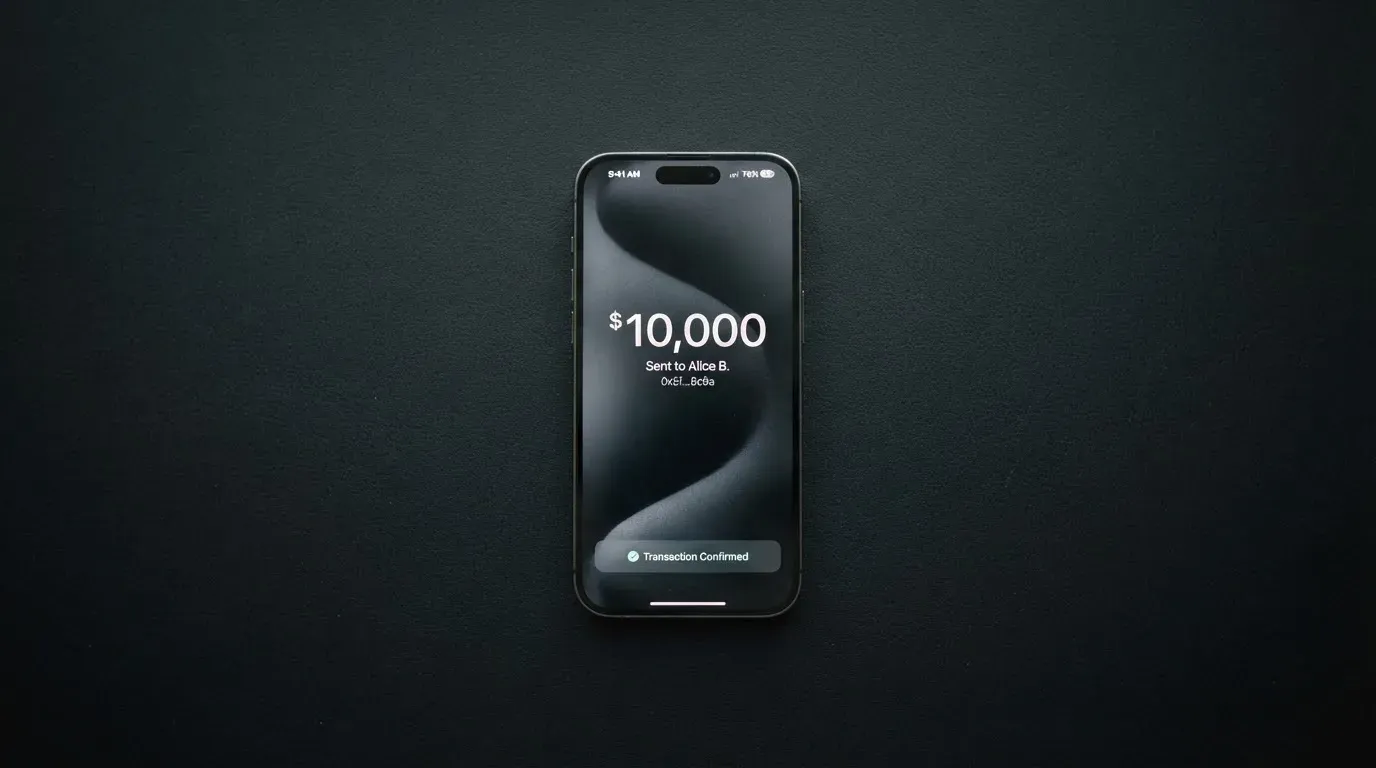
The on-chain route is the more common one for people who already hold USDC elsewhere. The help page says the deposit becomes available “within minutes” of the on-chain confirmation, and that the USDC balance is automatically used to “collateralise” the transaction (the platform’s word; what it means in practice is that the USDC is converted and the card spends the USD equivalent). There is no Currency.com fee for the USDC deposit itself. Standard blockchain gas fees do apply, and those are charged by the network, not by Currency.com, so if you are sending USDC on Ethereum mainnet during a busy hour the gas can dwarf the deposit itself.
The second route is buying USDC inside the Currency.com platform. That carries the platform’s separate crypto exchange fee, which the help pages put at 1% per transaction, so the cost of topping up via in-app purchase is the 1% exchange fee plus whatever the spread is on the price at the moment you click. For someone who already holds USDC on another wallet, the on-chain deposit is clearly cheaper; for someone who is funding the account from a bank, the in-app purchase is the only path described on the card pages.
Two things the help page does not say. It does not list which networks the deposit address supports, and that is a real gap because USDC lives on many networks and sending on the wrong one is the most common way users lose funds in this category. The platform does not state a minimum top-up amount for the card either, only that a minimum USDC balance is required before you can order the card in the first place.
Fiat top-up is not described on the card pages. USDC can be purchased inside the platform, and that is the closest thing to a fiat on-ramp for the card, but a direct “send euros to top up the card” path is not in scope here.
Account withdrawal is separate from card top-up. The balance that funds the card is a USDC balance inside the Currency.com account, and you can withdraw from the account under the published tier limits, but the help pages do not state a withdrawal fee for the card portion specifically. What is published is that account deposit and withdrawal limits scale with the verification tier, and that the third tier is generous enough for most retail users.
Paying with it every day
Once the virtual card is in your app, everyday use is the smoothest part of the experience. The card can be added to Apple Pay and Google Pay as soon as it is issued, and because the card details only exist inside the authenticated session, the practical way to use it in a shop is to tap your phone rather than type the card number into a website.
Online payments use 3-D Secure, which is the standard identity check at checkout, so the first time a card is used at a new merchant you can expect a verification step. Pending authorisations normally clear in one to three business days; the help pages say to contact support if a hold is still on the card after five business days.
The blocked categories section is short and worth reading. Certain merchant categories, such as gambling and adult content, are blocked at the card network level rather than by Currency.com’s policy. That means you cannot work around those blocks by switching card or by appealing to the issuer, because the network itself will not route the transaction.
A few things you might expect are simply not described on the help pages. There is no published rewards or cashback structure, so the headline is that there is no cashback. There is no published list of which ATM networks are cheaper or where the $750 cap becomes a problem in practice. The iOS app on the App Store has not collected enough ratings to show an overview, and the Android app on Google Play has 1K+ downloads and was updated on 21 September 2026, so the apps exist and are maintained but the user base is small enough that I would not treat them as a community resource.
For disputes, the platform points at standard Visa processes. If you do not recognise a transaction, freeze the card in the app and write to support. If you paid a merchant and did not get the goods, contact the merchant first, then request a Visa dispute with the date, amount, merchant name and a description of what went wrong. The dispute deadline is not stated, and that is the kind of detail that matters if a transaction goes bad; Visa’s own dispute rules apply on top, but the issuer-specific window is the one the help page does not publish.
What can go wrong
A crypto card has two layers of risk: the card-payment layer (fraud, chargebacks, declined authorisations, support quality) and the platform layer (the company holding your USDC). Both deserve a few minutes.
On the card-payment layer, this is a custodial product, which means Currency.com holds the balance. The help pages describe Currency.com as a custodial service, and that you do not manage private keys. The trade-off is that you give up control of the USDC in exchange for the convenience of spending it, and the platform can freeze your account or limit withdrawals for compliance reasons. The card itself can be frozen and unfrozen in the app instantly, and 3-D Secure is on, and Visa’s fraud monitoring is in the background. Two-factor authentication and the safeguarding of customer funds are not described on the card pages, which is a gap in the published security story.
On the platform layer, the two operating companies are CURRENCY COM INTERNATIONAL INC. (Ontario, Canada; FINTRAC Money Services Business registration C10001741, registered in Mississauga) and Currency Com Limited (Gibraltar, company 117543; DLT Provider authorised by the Gibraltar Financial Services Commission, Licence No. 25032). Currency.com describes itself as a financial technology company, not a bank, which means the funds are not covered by a bank deposit guarantee. The card-issuing bank or institution is not named on the help pages, so the chain of responsibility for a disputed card transaction is partly hidden. A third-party source (TradeInformer, 12 March 2026) says the card is powered by Rain, a Visa Principal Member, and that Rain settles with Visa in stablecoins, which is consistent with the way the card behaves but is unofficial and not confirmed by the card’s own pages.
Trustpilot reviews of Currency.com (not card-specific) sit at 4.2 out of 5 from 2,006 reviews, with about 69% five-star and about 10% one-star, read on 21 October 2026. The one-star reviews cluster around a few recurring themes: frozen or locked accounts and slow compliance review (a 4 May 2026 review describes business funds held for over 15 days), accounts terminated without a clear reason (August 2023), unclear balances and dormant fees (October 2023), and a 2023 redirect of the site to Dzengi.com that left some users unsure which platform they were on. These are user reports, not adjudicated findings, but the pattern matters because the help pages do not describe a service-level commitment for how long a compliance review takes.
Two more risks worth naming. Stablecoins are not risk-free: USDC has depegged before (briefly, in March 2023 during the US banking crisis) and the price of USDC is the price of USDC; the card does not give you a hedge against a depeg. And on-chain transfers are irreversible, so a USDC deposit sent on a network the platform does not support, or to an address of a different network, can be lost or stuck in manual recovery with no guarantee of return.
If you are reading this from a sanctioned country, or from a country where Currency.com does not onboard, this is the section where the answer is that the card is not for you; the help page is explicit that the card “cannot be used in certain countries, including sanctioned territories”.
What to take instead
The honest comparison is short, because the three alternatives in this catalogue cover different jobs, and Currency.com’s job is narrow enough that you have to know what you are shopping for.
| Card | Score | What it is, in one line |
|---|---|---|
| Currency.com | 6.5 / 10 | Virtual Visa that spends a USDC balance; no physical card, no rewards |
| MSX | 6.4 / 10 | Crypto card with a slightly higher mark, very thin official information on country rules and fees |
| Bybit Card | 6.0 / 10 | Multi-region Mastercard and Visa with multi-currency balances, points and cashback tiers, but a regional list and extra taxes for some countries |
| Young Card | 5.7 / 10 | Card with token-based cashback and a Club tier system; fees and availability are not stated officially |
If you want a USDC-only card and the Currency.com account is already where you hold USDC, there is not a like-for-like replacement in this list; you would be looking at a different product, not a different card. If you want cashback and tier-based rewards, Bybit Card is the one with the published structure (Base 2.00% up to Infinite 10%, paid in USDT, on crypto-funded spending from 5 October 2026). If you want a card that is also a token-economy product, Young Card pays cashback in YNG tokens, with rates from 0.1% at Essential to 3.6% at Platinum, and the Bronze and Silver tiers are not published. MSX is the harder one to compare from official information, because the published facts on who can get it, what it costs and how it funds are not stated on an official page I could read.
Two practical differences to keep in mind if you are switching from Currency.com to one of the others. Bybit Card has both virtual and physical cards in most regions, and its funding model is different: the card has no balance of its own, it draws on a Funding Account and a Flexible Easy Earn balance, and crypto is sold at the One-Click Sell rate plus a crypto conversion fee. Young Card’s published material is mostly about the rewards structure, so the cost and funding pictures have to be confirmed with the issuer directly.
Who I would recommend it to
I would recommend this card to a reader who already has a verified Currency.com account, who keeps a working balance of USDC on the platform, and who wants to spend that USDC without first off-ramping to a bank. For that reader, the card is the simplest path from balance to payment, and the percentage fees are the cost of that simplicity.
I would not recommend it to a reader who wants a physical card in a wallet, who wants cashback or any kind of rewards, who wants to hold a balance in anything other than USDC, or who plans to use the card as a primary travel card with frequent non-USD spending. The 1% processing fee plus the FX and cross-border fees add up to a higher all-in cost than a low-fee travel card, and the ATM structure is built for occasional cash rather than regular withdrawals.
If you are reading this from a country where Currency.com does not onboard, or from a sanctioned country, the answer is simply that the card is not available to you. If your account is on the entry tier, the answer is to finish verification first; the card is not a parallel track. And if you do not already hold USDC on the platform, the 1% in-app purchase fee plus the on-chain gas to deposit USDC makes this a more expensive card to feed than its headline free structure suggests.
The final word is that the Currency.com card is a clean, narrow product for a narrow audience. It does that job without a lot of moving parts, and the score reflects that it does the job well while leaving the wider payment-card feature set on the table.
Frequently asked questions
What is the Currency.com card?
It is a virtual Visa Platinum card issued inside the Currency.com app, available globally subject to case-by-case approval, and it spends only the USDC balance on a verified Currency.com account. There is no physical card, and it does not draw on a credit line.
How does the Currency.com card work?
The card is funded by USDC, either deposited on-chain to the Currency.com wallet or bought inside the platform. At the till the USDC balance is converted and the merchant is paid in USD; if the merchant is in a non-USD country, an FX fee and a cross-border fee apply on top of a 1% processing fee.
Is Currency.com a bank?
No. Currency.com describes itself as a financial technology company, not a bank, and the help pages are explicit on that point. The operating entities are CURRENCY COM INTERNATIONAL INC. (registered with FINTRAC in Canada) and Currency Com Limited (authorised by the Gibraltar Financial Services Commission as a DLT Provider).
Who owns Currency.com?
Currency.com is operated by two named companies, CURRENCY COM INTERNATIONAL INC. in Ontario, Canada, and Currency Com Limited in Gibraltar. The card-issuing bank or institution is not named on the help pages.
Is the Currency.com card available in my country?
The card is described as globally available, with the final decision made on a case-by-case basis and the card not usable in certain countries, including sanctioned territories. The list of those countries is not published, so the safe answer is to apply and let the platform tell you.
How do I get the Currency.com card?
Verify your Currency.com account (KYC, including ID and sometimes a proof of address, plus a liveness test), keep the minimum USDC balance in the account, and order the virtual card from the Cards section. The card is issued instantly, with no shipping step.
Does the Currency.com card require KYC?
Yes. KYC is a precondition for the card, because only verified Currency.com account holders can order it. The platform describes the automated KYC as taking an average of 5 minutes, with the timeline moving out when documents need a manual review.
How do I top up the Currency.com card?
The only way to top up the card is with USDC. You can deposit USDC on-chain to your Currency.com wallet (the deposit becomes available within minutes of the on-chain confirmation, and there is no platform deposit fee) or buy USDC inside the platform, which carries a 1% exchange fee.
How do I add the Currency.com card to Apple Wallet?
The card is virtual and exists inside the Currency.com app, so you open the app, find the card, and add it to Apple Wallet or Google Pay from there. The card details are not displayed in plain form on the help pages; they are revealed inside the authenticated session, which is the only place to read them.
Is the Currency.com card worth it?
It is worth it if you already keep USDC on Currency.com and want a fast, virtual way to spend that balance. It is not worth it if you want a physical card, cashback, multi-currency support, or a low all-in cost on non-USD spending, because the percentage fees and the USDC-only balance work against those use cases.
Exchange cards in the catalogue – cryptocardcatalog
Content created by the «cryptocardcatalog» team