
What you really get for $350 with Goblin — and the things nobody tells you
 Available in US
If you have ever been turned away from an ordinary bank account, a crypto card with no identity checks will look like a door that was previously locked. The Goblin card is one of the more prominent examples of that pitch: a physical Mastercard, a virtual Visa, no KYC for the plastic one, and a product page that is confident on the surface but noticeably thin underneath. I went through the card’s public pages, its own fee and limit tables, and what can be found about the company behind it, and this is what I can actually verify — plus the places where the card simply does not say.
Here is my short version. The Goblin is not a bad card in the sense of being a scam: it functions, it lists real fees, and the everyday-use mechanics are unusually good. But it is expensive to enter, thin on published detail, and light on third-party history. The $350 is the story most people will feel first, and everything after that is a series of smaller numbers stacked on top.
The conditions described here are current as of October 28, 2026.
What the score tells you about the Goblin card
I rate the Goblin card 5.5 / 10. That is not a scathing mark; it is a card that works, with a purchase price and a trust problem. It suits a narrow band of people — those who want a physical and a virtual crypto card, who genuinely cannot pass KYC, and who value that over paying less. It does not suit a person who wants the cheapest way to spend crypto, who wants a regulated bank behind the plastic, or who expects a well-documented support system.
The score is not one opinion but a sum of several, and the shape of that sum is the most useful thing I can tell you. Let me show you the parts.
| Criterion | Mark | Why |
|---|---|---|
| Who can get it | 8 / 10 | The card says “Country and merchant restrictions apply” and publishes no country list; an earlier check suggested worldwide, 18+, about 50 restricted countries |
| Cost | 1 / 10 | Physical + Virtual kit is $350; renewal and replacement are $100 each; topping up costs 3.5% (BTC, ETH, SOL, USDT) or 4% (XMR); FX on the Virtual card is about 1.5% including a 1% markup; cash withdrawal is 2% |
| Top-up options | 6 / 10 | BTC, ETH, SOL, XMR and USDT through the web portal or the Telegram bot, converted to MXN or USD; the USDT network is not named |
| Reliability and complaints | 5 / 10 | Operated by Goblin Solutions LLC; country of registration and issuer not named; no complaints or reviews found; refundable before first use |
| Everyday use | 9 / 10 | A physical Mastercard and a virtual Visa, Apple Pay and Google Pay on the Virtual, and an ATM with a $500 daily limit |
Read that table twice, because it explains the total better than any paragraph could. The 9 and the 8 are the reasons to look; the 1 is the reason to hesitate. A card can be pleasant to use every single day and still be wrong for you because the price of getting in is high.
There is one group the Goblin is genuinely built for, and I want to be clear about them before anything else: privacy-focused users who want a plastic card plus a virtual card without KYC. If that is you, the Goblin does something few comparable products do. If you are not in that group — if you could open a normal bank account but want a crypto-linked one, say — then the “no KYC” part is a bonus you are not using and the $350 is a cost you are paying for nothing.
Will they give you the card?
The direct answer is: probably, but not everywhere, and the card will not tell you where. The Goblin’s public pages do not publish a country list. What they do say is the phrase “Country and merchant restrictions apply.” An earlier check I ran on the same material suggested the card was broadly worldwide, 18+, and had a list of restricted countries — but that is the older note, and the current readable pages simply do not confirm a list. So the honest position is: eligibility exists, the boundaries are unpublished, and if your country is one of the restricted ones you would find out at the worst possible moment.
There is also a merchant side to that same sentence, and it matters more than the country side for most people. “Merchant restrictions apply” means certain categories of shop can decline the card even where the country is fine. A crypto-linked card’s BIN identifies it as such to a merchant’s system, and some merchants treat unfamiliar or prepaid-style instruments more carefully. That is not a Goblin quirk; it is a property of how card numbers are looked up. But it does mean a decline in an unfamiliar shop is not necessarily a fault in the card.
The age floor is 18+. No card hierarchy to reason about here — there is a single product pair, the Physical and the Virtual, with no tiers to upgrade into.
How to get it
The Goblin Physical needs no ID, no passport, no driving licence. The card states “No KYC” outright for the plastic card, and the KYC level for the Virtual card is simply not stated — I want to flag that as an absence, not as permission. Nobody should read “the Virtual is fine too” into silence.
The sequence the card describes is unusual, and it is worth understanding before you pay. You pay first. Then you deposit crypto through the web portal or the Telegram bot. Then — and this is the part that catches people out — you contact support to register the cards after the physical card arrives. The registration is a conversation with support, not a button.
Delivery is worldwide, seven to fourteen days. Tracked international shipping is included. A replacement card costs $100. There is no app; the web portal and the Telegram bot are the whole interface.
So the practical checklist before you commit is short. Be sure you are in a country the card will actually serve, since that list is unpublished. Be sure you are comfortable paying $350 for a pair of cards with no subscription attached. Be sure you can wait about a week, and can open a Telegram conversation in English when it turns up.
Fees: what it really costs
This is where the Goblin earns its low cost score, and I would be doing you no favours by burying it. The headline is $350 for the Physical plus Virtual set as a limited-time offer. There is no subscription and no monthly fee after that. Validity is three years, and then renewal is $100, and a lost-card replacement is also $100. Those are the entry costs. Everything after that is percentage.

Here is the whole fee picture in one table, so you can see how the layers stack.
| Fee or limit | Physical | Virtual |
|---|---|---|
| Kit price | $350 USD for Physical + Virtual (limited-time offer) | included in kit |
| Monthly fee | none | none |
| Validity | three years, renewal $100 | not stated separately |
| Replacement | $100 | not stated |
| FX | 0% | approx. 1.5% versus reference rates, including a 1% markup |
| Deposit fee | 3.5% (BTC, ETH, SOL, USDT), 4% (XMR) | 3.5% / 4% |
| ATM / cash | Goblin ATM fee 0%, cash withdrawal fee 2%, ATM operators may charge their own | no cash withdrawal limit, 2% fee |
| Per transaction | $2,500 USD | tap-to-pay $20,000; online $200,000 |
| Daily spending | $5,000 USD | $20,000 tap-to-pay; $200,000 online |
| Daily ATM | $500 USD | no limit |
| Monthly spending | none | none |
Limits on the Physical reset twenty-four hours after each transaction. Note how the two cards differ in character: the Physical is deliberately modest ($2,500 a transaction, $5,000 a day, $500 a day from an ATM), while the Virtual is generous ($20,000 tap-to-pay, $200,000 online). Balances differ too — the Physical runs on MXN, the Virtual on USD — so which card you are holding changes what currency you are spending.
Now let me walk three everyday payments through this, because the fee names mean nothing until you see them move.
Buying a coffee on the Physical. The FX fee is 0% on this card, so the only cost is whatever the network fee already baked into the coffee. This is the best case the Goblin offers, and it is a genuinely good one.
Paying an online subscription with the Virtual. Here the FX cost lands: about 1.5% versus reference rates, and part of that is a 1% markup the card names explicitly. On a $100 annual subscription that is roughly $1.50 you did not plan for. Small, but it is not zero, and it is the fee people notice first.
Taking $200 out of a Goblin ATM on the Physical. The stated cash withdrawal fee is 2%, so $4 — and that is before the ATM operator’s own charge, which the card says may apply on top. If you are planning to live on ATM withdrawals, that operator fee is the part that will actually vary month to month.
The pattern: topping up and currency conversion are where the money goes, and if you stay on the Physical and mostly spend MXN without touching an ATM, the cost is close to the top-up fee alone.
Top up: how the money gets in
Topping up is the part the Goblin does most clearly, and it is one of the better reasons to consider it. You can fund with BTC, ETH, SOL, XMR or USDT, and you do it through the web portal — which the card recommends — or the Telegram bot. Whatever you send is converted into MXN for the Physical card or USD for the Virtual card, so the balance you hold is in the card’s own currency, not in crypto.
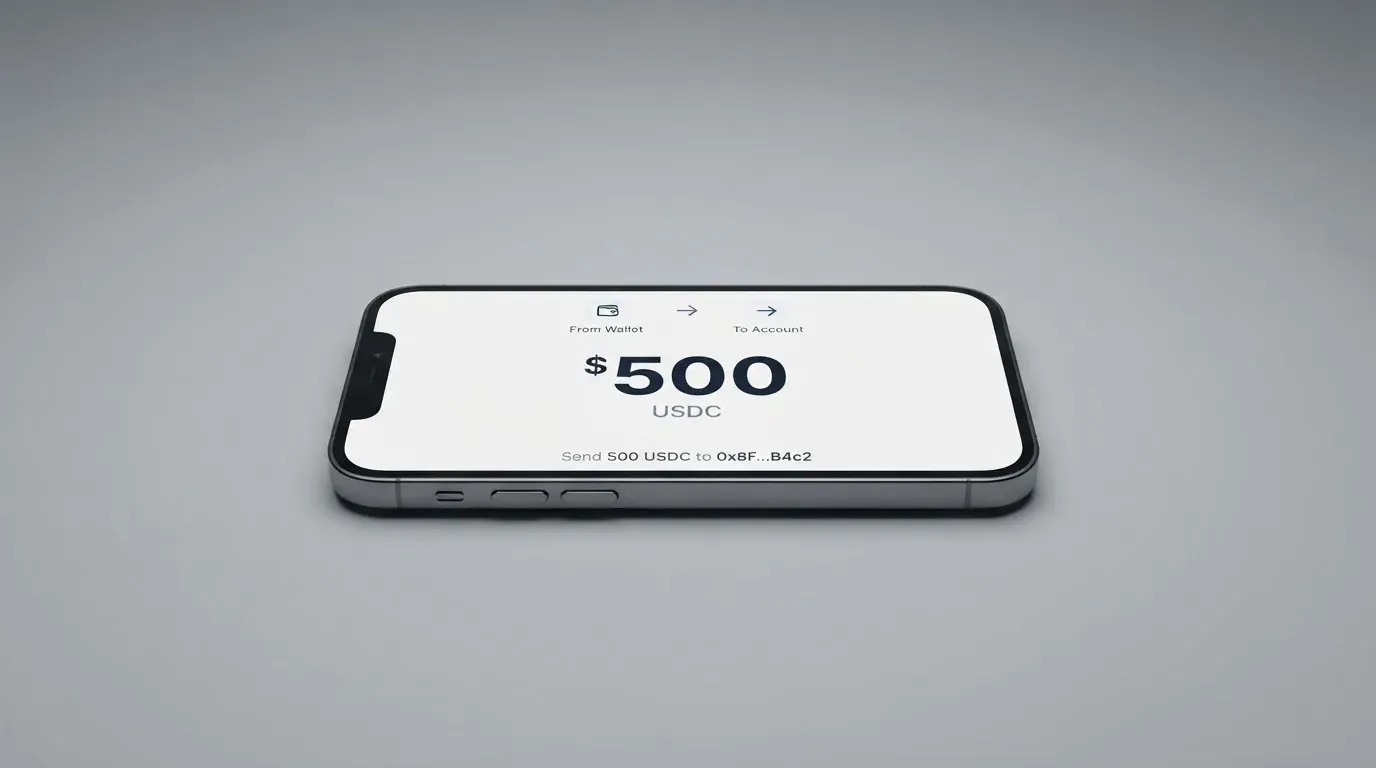
The deposit fee is 3.5% on BTC, ETH, SOL and USDT, and 4% on XMR. The minimum deposit is $100 USD. One thing the card does not tell you: who pays the blockchain network fee for the transfer. That is a real question, and I could not find it answered, so treat it as a small unknown rather than assuming it is free.
The USDT point deserves a second look. Several stablecoins exist across many networks, and the card lists USDT as acceptable without naming which network to send it on. Getting that wrong is expensive — a transfer sent on a network the provider does not support can be lost or need manual recovery, with no guarantee. Before your first deposit, confirm the network directly with support rather than assuming. That is a question to ask, not a trick to avoid.
There is also a withdrawal question the card leaves open: how to take crypto back off the card, if that is something you want to do. Only cash withdrawals are described, and the balance-on-closure situation if you close the account is not stated. Not a blocker for spending, but a gap if you think of the card as a two-way bridge.
Paying with it every day
Everyday use is the Goblin’s strongest suit, and 9 out of 10 is not flattery. The physical card is a Mastercard and the virtual is a Visa, so between them they cover essentially every terminal and online checkout you will meet. Apple Pay and Google Pay work on the Virtual card, which is the single most convenient thing about it: you top up once and then pay by phone without touching the plastic. There is no app to open, because there is no app — the web portal and the bot do the job.
Limits are forgiving on the Virtual. Twenty thousand dollars tap-to-pay per transaction and per day, two hundred thousand online — far beyond what a person will move in a day. If you are paying for something expensive and want to do it on the Virtual, that is the card to use.
There is no cashback or rewards programme mentioned. There are no blocked categories named either, beyond the general “merchant restrictions apply” — so the honest read is that gambling and similar categories are not specifically called out as blocked, but that is silence, not permission.
What can go wrong
The Goblin is not without documented disaster, which is unusual and worth crediting. I found no complaints, no official incidents, and no Goblin card reviews on Trustpilot or Reddit in a search dated 21 October 2026; there is not even a Trustpilot page for the official site. Read that carefully, though. The absence of complaints on a service with no visible third-party history is much weaker evidence than it looks — it may mean nothing has gone wrong, or it may mean nobody has written it down yet. I would not treat a clean search as a trust signal.
The company’s own details are thin. The operator is Goblin Solutions LLC. The country of registration is not stated, and the issuer behind the cards is not named — for a card network like Mastercard or Visa, the actual issuing institution is normally a licensed bank or e-money firm, and the Goblin brand is typically the front that markets it. Not knowing who that licensed entity is means you cannot check its regulatory status, and that is the single gap I would most want closed.
Support exists and is reachable, but it is thin: SimpleX and Telegram, English only, 8am–10pm CST. No phone, no email, no ticket system described. Security details — how the web portal and bot are secured — are not stated.
The refunds position is clear at least. Before you successfully use the card, it is refundable for any reason. Before shipping, you get a full refund; after shipping, the refund is minus the shipping fee. After successful use, it is no longer refundable. There is one sharp edge: publicly sharing your card BIN earns an indefinite suspension with no refund. And if the card simply never arrives, you can get a free reship or an eligible refund. Chargebacks are not stated.
What to take instead
Three alternatives came up in the same category, and none of them offers the Goblin’s no-KYC physical-and-virtual combination. That is the honest headline of this comparison: you are not choosing between equals, you are choosing between “expensive and private” and “cheaper or better-documented but more conventional.”
Cardex scores 5.6 / 10, fractionally above the Goblin. It describes itself as “one crypto card, 200+ countries,” with no country list or exclusions published. It is a debit crypto card on the VERVE, VISA, Mastercard and UnionPay networks, with both virtual and physical options, and its app listing is Naira-focused. It converts crypto to fiat in real time at the moment of payment, and claims an “AI-Powered Conversion Rate” that scans global exchange rates and picks the best one — though no fee percentage is stated. Cost and rewards are not stated.
CardFlow scores 4.9 / 10 and is aimed squarely at Nigeria, though it also mentions “Nigerians and global users.” It is a virtual USD Mastercard you can create in about three minutes, free to create according to its FAQ. You can fund with Bitcoin, USDT, ETH or a Naira bank transfer. Fees and rewards are not stated.
HyperCard scores 4.7 / 10. Its official pages list no country, though the App Store says the card works in “more than 176 countries” — that is about acceptance, not who can sign up. It is a prepaid card, network not stated on the App Store page, balance in USD or EUR. You deposit crypto like USDT, BTC or ETH in the app, converted to USD or EUR. No fees are stated on the readable pages.
Here is the comparison at a glance.
| Goblin | Cardex | CardFlow | HyperCard | |
|---|---|---|---|---|
| Score | 5.5 | 5.6 | 4.9 | 4.7 |
| KYC | “No KYC” for Physical; Virtual not stated | not stated | not stated | not stated |
| Physical card | yes (Mastercard) | yes | virtual only (Mastercard) | not stated |
| Virtual card | yes (Visa) | yes | yes | prepaid |
| Networks | Mastercard, Visa | VERVE, VISA, Mastercard, UnionPay | Mastercard | not stated |
| Entry cost | $350 kit | not stated | free to create | not stated |
| Balances | MXN, USD | Naira per listing | USD | USD, EUR |
| Top-up | BTC, ETH, SOL, XMR, USDT | USDT, USDC, BTC | BTC, USDT, ETH, Naira | USDT, BTC, ETH |
The pattern across all four is the same and it is worth saying plainly: almost nobody in this category publishes a clean fee table. The Goblin’s is the most complete of the four, which is a genuine point in its favour even while its numbers are high. If your priority is documented costs rather than privacy, this set of alternatives has more to say to you. If your priority is a plastic card with no identity check, the Goblin is the one you are looking at, and the price is part of that product rather than a flaw in it.
Who I would recommend it to
I would recommend the Goblin to one person: someone who cannot pass KYC, needs a physical card as well as a virtual one, and has a specific reason to want both without handing over documents. For that person the Goblin does something the alternatives do not, and the fact that everyday use scores so highly means the money, once loaded, moves smoothly.
I would not recommend it to a person who just wants the cheapest way to spend crypto. At $350 to enter, then 3.5% to top up and 4% on XMR, then 1.5% FX on the Virtual card, the arithmetic is unforgiving, and a plain exchange account will beat it. Nor would I recommend it to anyone who needs a regulated bank behind the card: the issuer and the country of registration are both unstated, and until that is published you are trusting a front-end company named Goblin Solutions LLC.
Before you commit, I would do three things. Ask support, in writing, which country you are in and whether they will serve you. Ask which network USDT must be sent on. And ask who the licensed issuer behind the Mastercard and Visa actually is. Those three answers will tell you more than any review, including this one. If the answers come back clearly, the Goblin is a reasonable tool for the person it was built for. If they come back vague, that vagueness is itself the answer.
Frequently asked questions
What is the Goblin card?
The Goblin card is a crypto payment card sold as a set: a physical Mastercard that holds an MXN balance, and a virtual Visa that holds a USD balance. You load it with crypto, which is converted into the card’s currency, and then spend it like an ordinary card. The physical card costs $350 together with the virtual one as a limited-time offer, with no subscription afterwards.
How does the Goblin card work?
You pay for the kit, deposit crypto through the web portal or the Telegram bot, and the funds are converted to MXN for the physical card or USD for the virtual. When the physical card arrives you contact support to register both cards. From then on you spend the stored balance — it behaves like a prepaid card, so it cannot overdraw, and it only spends what you have loaded.
Does Goblin card require KYC?
The card states “No KYC” for the Goblin Physical, and the Goblin Physical needs no ID, passport or driving licence. For the Virtual card, the KYC level is not stated — meaning the card’s pages do not say, rather than saying there is none. The minimum age is 18+, and country and merchant restrictions apply.
Is Goblin a bank?
Not on the evidence available. The card is operated by Goblin Solutions LLC, and while the country of registration is not stated, the licensed issuer behind the Mastercard and Visa is also not named. Cards like this are typically issued by a bank or e-money institution licensed under the network’s rules, with the crypto brand as the programme manager — but here you cannot verify that entity’s regulatory status.
Is the Goblin card free?
No. The Physical plus Virtual kit is $350 USD as a limited-time offer. There is no subscription and no monthly fee after that, but renewal after three years is $100 and a lost-card replacement is $100 as well. On top of those, topping up costs 3.5% (4% for XMR) and the Virtual card’s FX is about 1.5%.
What are the Goblin card fees?
On the Physical, FX is 0% and the Goblin ATM fee is 0%, with a separate 2% cash withdrawal fee and possible operator charges. On the Virtual, FX runs about 1.5% versus reference rates, including a 1% markup, and cash withdrawals have no limit but cost 2%. Deposit fees are 3.5% on BTC, ETH, SOL and USDT, and 4% on XMR, with a $100 USD minimum.
How do I top up the Goblin card?
Send BTC, ETH, SOL, XMR or USDT through the web portal — which the card recommends — or the Telegram bot. The amount is converted into MXN for the physical card or USD for the virtual one. The minimum deposit is $100 USD. One thing to confirm first: the card does not name which network USDT must be sent on, so ask support before your first transfer.
How do I add Goblin card to Apple Wallet?
Apple Pay and Google Pay work on the Goblin Virtual card, not the physical one. So the route is to provision the virtual Visa in your wallet and top up the virtual balance in USD. Note that the physical card has 0% FX while the virtual carries about 1.5%, which matters if you are choosing which card to bind to your phone for everyday spending.
Is the Goblin card safe?
There are no published hacks or complaints that I could find — no Trustpilot page for the official site and no Goblin card reviews on Trustpilot or Reddit in a search dated 21 October 2026. But with so little third-party history, that clean record proves very little. Support is English-only, 8am–10pm CST, over SimpleX and Telegram; security details are not stated.
Is Goblin card worth it?
That depends entirely on why you want it. If you need a physical and a virtual card without any KYC, it does something the alternatives do not and its everyday use is genuinely good. If you simply want to spend crypto cheaply, $350 to enter plus 3.5% to top up is poor value, and an exchange-linked card or a plain prepaid account will cost you far less.
Virtual cards in the catalogue – cryptocardcatalog
Content created by the «cryptocardcatalog» team