
Zambulay Card Review — What the Virtual Card for USDT Actually Costs
 Available in US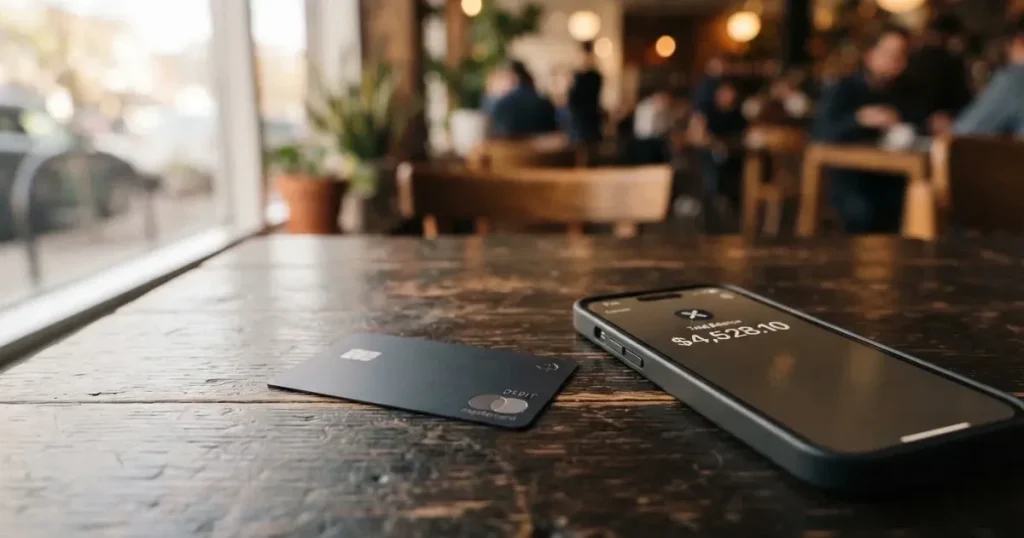
Zambulay is a virtual payment card that you load with USDT on the TRC-20 network and spend like an ordinary card number, with two variants aimed at two very specific jobs: a Black card for Google and Meta advertising accounts, and a Platinum card for Apple Pay. On paper that is a narrow product, and after working through the card’s public pages, its pricing, its company details and its review history, that narrowness is the honest story. I scored it 6.2 out of 10. It is a competent tool for one job, priced at issuance from $3, but the parts of the fee picture that would matter most to a daily spender are simply not published, and the Trustpilot record includes a specific, quantified complaint about fees running several times higher than competitors.
The conditions described here are current as of October 28, 2026.
Verdict: what you get, and who it suits
Six point two out of ten is not a dismissal. It is a card that does a narrow job well, with real gaps around it that you should price into your own decision before you commit any money.
The strongest thing about Zambulay is the fit between the product and a genuine problem. If you are paying for advertising on Google or Meta from a USDT balance, the Black card is close to a purpose-built tool: no country or spend limits are advertised, and the card is described as compatible with Google and Meta ad accounts. The Platinum card answers a different gap, connecting to iPhone and Apple Watch in seconds for Apple Pay. Instant USDT top-ups and withdrawals reported within 30 minutes make it feel quick in use, at least on paper. Issuance from $3 and a 0% fee on account top-up are genuinely good headline numbers.
The weaknesses cluster in two places. The first is cost disclosure. Conversion and foreign-exchange fees are not stated, monthly fees are not stated, ATM access is not stated, and the card itself is virtual only — no plastic, no ATM. The single conversion path, USDT TRC-20, is convenient but leaves you exposed if you hold other assets or on other networks. The second is reliability and accountability. The operator is a Costa Rica company that states plainly it is not a bank or a licensed financial institution and that its services come from third parties, and the card issuer is not named. Its review profile is thin and not flattering, with fees called “several times higher than that of competitors” and a first card that reportedly did not work.
Who does this suit? You, if you are paying ad-platform and subscription bills from a USDT balance and you can live with a virtual card and a single funding network. Who does it not suit? You if you need a physical card, cash withdrawals, several funding assets, or a clear published conversion rate before you commit. The audience this product seems built for is straightforward: people paying for ads and subscriptions with USDT TRC-20.
Score breakdown
| Criterion | Mark | Why |
|---|---|---|
| Who can get it | 9 / 10 | Black has “No country or spend limits”; Platinum “Works worldwide”, with no country list |
| Cost | 7 / 10 | Issuance from $3, 0% account top-up, card top-up from 1.5%; Trustpilot complains fees run several times higher than competitors; conversion not disclosed |
| Top-up options | 4 / 10 | USDT (TRC-20) only, instantly |
| Reliability and complaints | 4 / 10 | Operator 3-102-944750 SRL (Costa Rica), issuer unnamed; Trustpilot 4.1 from 10 reviews, complaints about fees and a non-working first card |
| Everyday use | 5 / 10 | Virtual only: Black for ad accounts, Platinum with Apple Pay; Google Pay not named, no plastic, no ATM |
| Total | 6.2 / 10 | A narrow tool that does its one job, with undisclosed fees and a thin reliability record |
Will they give you the card?
Yes, on the card’s own account this is the easy part. The Black card advertises “No country or spend limits” and the Platinum card “Works worldwide”, and there is no country list anywhere on the public pages to sit behind that. There are also no stated nationality or residency conditions, so there is no published basis on which your country would disqualify you at the point of application.
I want to be careful about what that does and does not mean. It means no gate is published. It does not mean the product is endorsed, licensed or regulated in your country, and it is not a statement that the funds you load are protected the way bank deposits are. The company behind the card says outright that it is “not a bank, credit institution, financial intermediary or financial advisor”, and that its “are provided by third-party companies”. That is a candid and unusual thing for a financial product to say on its own page, and you should read it as the warning it is.
What is not stated is as important as what is. The public pages do not say what verification tiers exist, and they do not publish a set of eligibility conditions you can check yourself against. If your question is whether you personally will be approved, the honest answer is that the card does not tell you, and you would find out by trying. In the wider category, national origin is recorded and screened separately from residence, because sanctions screening and issuer risk policy often follow citizenship and country of birth as well as your address, so a card with no country list today is not a guarantee against a country-based decision later.
How to get it
The path to a Zambulay card is short, which is also why the identity side of it is worth understanding before you start. There is no standalone app; you work in a web workspace at client.zambulay.com. From there the process runs through a contact-details form, and the card arrives as a virtual card rather than something in the post. Two cards are offered, and they are not variants of the same thing:
- Black — described as compatible with Google and Meta ad accounts.
- Platinum — described for Apple Pay use.
Because the card is virtual only, delivery in the ordinary sense does not apply; there is no delivery window to wait for and no card to arrive. The card network and the card currency are not stated, which is a gap you may notice the moment you try to pay somewhere: without knowing whether you are on a Visa-class or Mastercard-class rail, or which currency the card is denominated in, you cannot predict how a foreign purchase will be treated.
On verification, the card’s own pages do not mention KYC at all — only a contact-details form. That is worth stating plainly rather than dressing up: the public pages simply do not describe an identity check. Unofficial reports are more reassuring still, with a Trustpilot reviewer in 2026 praising a quick sign-up and no complicated verification, but that is one person’s account on a third-party site, not a confirmation from the card.
You should draw your own conclusion from that combination. A frictionless sign-up is convenient for the narrow purpose this card serves, and it also means you should not treat the account as carrying the weight of a fully verified bank relationship. What is not stated includes the verification tiers, so nobody can tell you what level you would be placed at.
Fees: what it really costs
The published numbers here are good in the places the card chose to publish, and silent in the places that decide your real cost. Issuance is “from $3”. Funding your account is “0% fee for account top-up”. Loading the card itself is “from 1.5% for card top-up”. That last one matters more than it first looks: topping up the card is a separate action from topping up the account, and it carries a fee where the account top-up does not.

What is not stated is the bigger half of the picture. There is no published conversion fee, no published foreign-exchange fee, no monthly fee, and nothing at all about ATM use — which sits oddly against the fact that the card is virtual only, so cash access is not on the table in the first place. No currency is named, so there is no published reference currency against which to think about conversion.
Costs and limits
| Fee or limit | What the card states |
|---|---|
| Issuance | From $3 |
| Monthly fee | Not stated |
| Account top-up | 0% fee |
| Card top-up | From 1.5% |
| Conversion fee | Not stated |
| Foreign-exchange fee | Not stated |
| ATM | Not stated |
| Card format | Virtual only |
| Card currency | Not stated |
| Card network | Not stated |
| Black card limits | “No country or spend limits”; no numeric limits given |
| Tiers / price-feature table | None; Black for Google/Meta ad payments, Platinum for Apple Pay use |
Let me show you how to read that table as someone deciding whether to use this for daily spending. Take a purchase in a currency that is not your own, or simply any purchase where your stablecoin is converted at the moment of payment. What you pay is the card top-up fee from 1.5%, plus a conversion or FX cost that the card does not publish. Multiply that by the number of payments in a month and you get your cost, minus the part you cannot see. This is why I read the fee section as the weakest part of an otherwise tidy offer: not because the published fees are high, but because a card aimed at advertising and subscription payments will be used for many small transactions, and it is precisely the per-transaction conversion cost that a daily spender needs and cannot find.
A Trustpilot review from May 2026 makes the same point from the user’s side, reporting that the commission came to “several times higher than that of competitors”, with $100 costing about $20. That is one unverified report, and it is not the same as a published tariff. But it is a specific number, from a specific month, about exactly the cost I cannot verify from the card’s pages — which is reason to test small amounts yourself rather than load heavily on trust.
One thing to keep separate: network fees for the transfer you send to fund the card are charged by the blockchain, not by Zambulay. That cost is not the card’s, and it is not what the 0% and 1.5% figures refer to.
How to Top up
Topping up runs through USDT on the TRC-20 network, and the card describes the process as instant. That single line is the whole of it: one asset, one network, immediate. The account top-up carries the 0% fee and the card load carries the fee from 1.5% mentioned above.
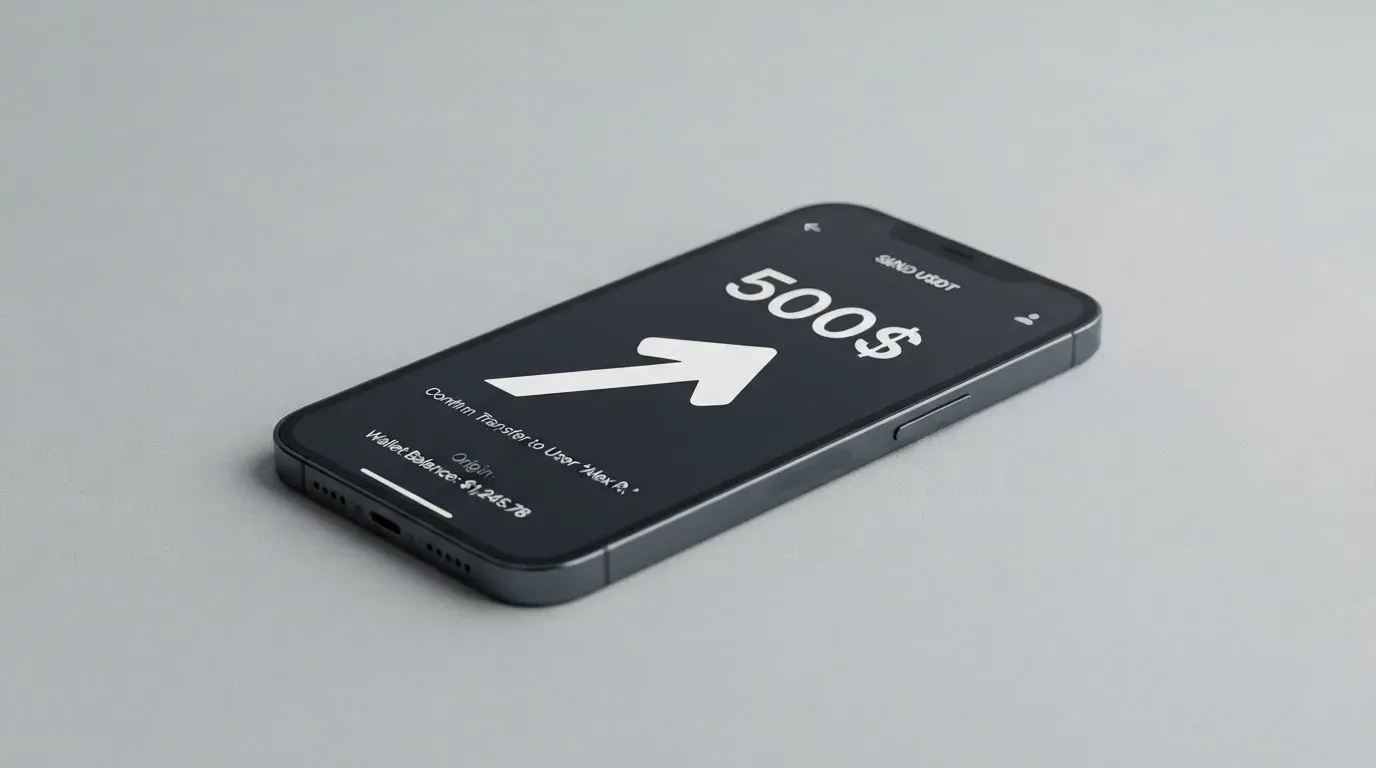
What is not stated matters here more than it does elsewhere. The minimum top-up is not published. Whether you or the network bears the transfer cost is not stated. The wider risk of committing to one network is worth understanding plainly. A blockchain transfer is irreversible, so a deposit sent on a network the provider does not support, or sent to an address belonging to a different network, can be lost, or can need manual recovery through support with no guarantee of outcome. Getting the network right is not a formality here; it is the difference between a working balance and a support ticket.
One capability sits alongside top-ups rather than with it: the platform is described as providing withdrawals within 30 minutes, though the fees for withdrawals are not stated. If you hold the view that you will want to move funds back out at some point, that 30-minute window is attractive, and the missing fee detail is the reason to test it before you scale up.
The single-network design is the price of the convenience. USDT TRC-20 is fast and widely issued, but it means your other assets and other networks are one transfer away from being unusable with this card, and any mistake on that transfer is expensive to unwind.
Paying with it every day
Everyday use is where the two-card split becomes most useful, because the card is not trying to be one thing. If your daily spend is ad budgets on Google or Meta, the Black card is the one you want, described as compatible with those ad accounts and carrying no country or spend limits. If your daily spend runs through your phone and watch, the Platinum card connects to iPhone and Apple Watch in seconds and is built around Apple Pay.
That second point is worth expanding, because the mechanism explains why the card behaves the way it does at the till. Apple Pay replaces the card number with a device-specific number kept in the phone’s Secure Element, not on Apple’s servers, and each payment carries a one-time dynamic code. In practice this is what makes a virtual card usable in a physical world at all: a card number that never leaves your phone can be presented to a contactless terminal as securely as a piece of plastic. It also lets the issuer restrict the number itself, for example by blocking use on magnetic stripe, on websites, or on a phone. Google Pay is not mentioned, so if your wallet habits are Android-based, this card’s published compatibility does not extend to you.
Beyond that, the card’s public pages are quiet on the details that govern daily spending. There is no standalone app; everything runs through the web workspace at client.zambulay.com. Blocked merchant categories are not stated, so you cannot tell from the pages whether gambling, or any other restricted category, will be declined. Rewards or cashback are not stated. Dispute handling is not stated. And the practical consequence of a virtual card with no ATM is that there is no cash option at all.
None of that makes the card unusable day to day for its intended job. It makes it a narrower instrument than its marketing line suggests, and it means you should decide based on the two use cases it names rather than on the word “worldwide”.
What can go wrong
I found no official incidents to report. That is worth saying, and worth saying carefully: absence of a public record of problems is not a positive record. What exists is a thin and mixed third-party picture, plus some structural risk that follows from how the card is built.
Fees higher than expected. The May 2026 two-star Trustpilot report describes the commission as “several times higher than that of competitors”, with $100 costing about $20, and a first card that did not work, leading to a second purchase. A four-star review notes that support is sometimes slow. The Trustpilot aggregate itself is imperfect: a 4.1 out of 5 from 10 reviews, with the display showing 5 of 43 reviews and the sources disagreeing. Small sample, unresolved. Treat the fee figure as a warning to test, not as an established tariff.
You do not know who is behind it. The operator is 3-102-944750 SRL, a Costa Rican company at Provincia Puntarenas 06, Canton 11 Garabito, Jaco, 61101, with a stated ultimate beneficial owner of Stanislav Mickevic. The card issuer is not named. The company’s own site says it is not a bank, credit institution, financial intermediary or financial advisor, and that services are provided by third-party companies. Naming a Costa Rica registration is not nothing, but it is not the reassurance of a named, licensed issuing bank.
Virtual only, with no fallback. No plastic means no ATM, no drawer at home, and no way to use the card if the web interface is down. A card that only exists inside a browser is also a card whose compromise has no physical boundary.
One wrong transfer can be final. Blockchain transfers are irreversible. A deposit on an unsupported network, or to an address of another network, may be lost or require manual support recovery with no guarantee. The platform’s own page is the first place to confirm the correct network and address before you send.
Providers in this category can close. Crypto card programmes have been wound down before. Visa terminated its global agreements with FTX on 13 November 2022, and the FTX US debit card was wound down by its issuer. WaveCrest, a Visa card issuer that supplied crypto card brands, was suspended by Visa in Europe in 2018, closing all WaveCrest-issued Visa programmes. Closures typically mean a notice period, then loading and spending stopping, then a request to withdraw remaining balances. It does not mean this card will close. It means you should not hold a large idle balance here.
What is not stated about protection. Security arrangements are not described, and no claim about funds being safeguarded is published. In this category, where a provider is an electronic money institution, safeguarding is a real obligation, with funds segregated or insured; but such funds are not bank deposits and are not covered by deposit guarantee schemes. Zambulay does not publish any equivalent, so I would not assume one. Fraud and dispute handling is not stated either, and prepaid-card coverage varies by jurisdiction and should not be assumed to apply.
Support, when it does respond, is published as a live chat from 10:00 to 19:00 Moscow time, “handled within 1 minute”, with a Telegram channel and an email address at [email protected]. That is a reasonable published commitment. It is also the only practical route if a transfer goes wrong.
What to take instead
None of the three alternatives I compared scores higher than Zambulay’s 6.2, which tells you something about this corner of the market: narrow, lightly disclosed crypto cards are a weak field. I include them because the differences in shape matter more than the marks.
| Card | Score | What it is | Funding | Cost and fees |
|---|---|---|---|---|
| Zambulay | 6.2 / 10 | Two virtual cards: Black for Google/Meta ad accounts, Platinum for Apple Pay | USDT (TRC-20), instant | Issuance from $3; account top-up 0%; card top-up from 1.5%; conversion not stated |
| Cardex | 5.6 / 10 | Debit crypto card on VERVE, VISA, Mastercard and UnionPay; virtual and physical; “One crypto card, 200+ countries”; App Store listing is Naira-focused | USDT, USDC and BTC wallets; networks not stated | Issuance not stated; real-time crypto-to-fiat conversion at payment, an “AI-Powered Conversion Rate” picking the best rate; no fee percentage stated |
| CardFlow | 4.9 / 10 | Virtual USD Mastercard created in about 3 minutes; aimed at Nigeria, “Nigerians and global users” | Bitcoin, USDT, ETH or Naira bank transfer; networks not stated | Creating a virtual card is free; monthly fee not stated; other fees not stated |
| HyperCard | 4.7 / 10 | Prepaid card, balance in USD or EUR; App Store says works in “more than 176 countries” (acceptance, not eligibility) | Crypto such as USDT, BTC, ETH in the app, converted to USD or EUR; networks not stated | No fees listed; costs not stated |
Reading across the row, the honest picture is that Zambulay is the most specific of the four. Cardex is broader on paper — 200-plus countries, four networks, virtual and physical, three crypto funding options — but it publishes no fee percentage and its app-store listing is Naira-focused, so a non-Nigerian reader is extrapolating. CardFlow is free to create and fast, and pitches itself to Nigeria and global users, with funding in Bitcoin, USDT, ETH or Naira. HyperCard converts deposits into USD or EUR balances and claims acceptance in more than 176 countries, though that is acceptance where the card works, not a statement about who may hold one.
What I would draw from this comparison is not that you should switch, but that you should ask sharper questions of whichever card you pick. Which asset and network do you actually hold? Do you need a physical card or cash? Is the conversion rate published, and if not, how much will a round of conversions cost you over a month? Zambulay’s answer to the first question is clean — USDT TRC-20 — and to the others is silence. That silence is the thing to weigh against its very reasonable $3 entry point.
Who I would recommend it to
I would recommend Zambulay to someone in a specific position: you already hold USDT, you are comfortable with the TRC-20 network, and your regular payments are advertising budgets on Google or Meta, or subscription bills you would rather charge to Apple Pay from a crypto balance rather than to a bank card. You accept a virtual card with no cash option, you can live with a single funding path, and you are willing to send a small test amount and measure the true cost before you scale.
I would not recommend it, and would point you elsewhere first, if any of the following is true of you. You need a physical card or cash. You hold assets other than USDT, or on networks other than Tron. You intend to make many small payments a month and need a published conversion rate to forecast your costs. You want to know the name of the institution that issues the card. You want deposit-style protection or a clear dispute process. Or you simply cannot work with a provider that states it is not a bank and that its services come from third parties.
If you are in that second group, the alternatives above are not automatically better — none of them outscores this card — but at least two of them publish something Zambulay does not: CardFlow publishes a free virtual card creation and its funding assets, and Cardex publishes its card networks and a real-time conversion feature. Publishing is not the same as being good, but it is something you can evaluate, and Zambulay asks you to evaluate blind on exactly the point that costs you the most.
Frequently asked questions
What is the Zambulay card?
Zambulay is a virtual payment card funded with USDT on the TRC-20 network, offered in two versions. The Black card is described as compatible with Google and Meta advertising accounts, and the Platinum card is built for Apple Pay, connecting to iPhone and Apple Watch. There is no physical card and no ATM access. It is best understood as a targeted spending tool for paying ad and subscription bills from a crypto balance, not a general everyday card.
How does the Zambulay card work?
You top up the account with USDT on TRC-20, the platform describes top-ups as instant, and the balance is loaded onto a virtual card that you then use as an ordinary card number or through Apple Pay. Loading the account is described as free, while loading the card carries a fee from 1.5%. There is no standalone app; the service runs through a web workspace at client.zambulay.com. The card network and card currency are not stated on the public pages.
Is Zambulay a bank, and who owns it?
No. Zambulay’s own site says it is “not a bank, credit institution, financial intermediary or financial advisor”, and that services are “provided by third-party companies”. The operator is 3-102-944750 SRL, a company registered in Costa Rica with an address in Garabito, Jaco, Puntarenas, and a stated ultimate beneficial owner of Stanislav Mickevic. The card issuer is not named. You are therefore relying on a programme whose issuing institution is not disclosed to you.
Can I get the Zambulay card in my country?
The card’s public pages give no country list. The Black card advertises “No country or spend limits” and the Platinum card “Works worldwide”. That means no gate is published, not that the card is licensed or endorsed where you live. Nationality is often screened separately from residence in this industry, and the card says nothing about it, so the practical answer is that eligibility is not stated and you would find out by applying.
Does getting a Zambulay card require KYC?
The card’s public pages do not mention KYC at all, describing only a contact-details form, and they do not publish any verification tiers. A Trustpilot reviewer in 2026 praised quick sign-up with no complicated verification, but that is an unofficial third-party account rather than a confirmation from the card. If a light-touch sign-up matters to you, that is a plus; if you want a fully verified banking relationship, this is not it.
What does the Zambulay card cost to use?
Issuance is from $3, the account top-up is 0%, and loading the card is from 1.5%. Conversion and foreign-exchange fees are not stated, the monthly fee is not stated, and no currency is named. Network fees for the transfer you send are charged by the blockchain, not by the card. A May 2026 Trustpilot report described the commission as “several times higher than that of competitors”, so test small amounts and measure your real monthly cost before loading heavily.
How do I top up the Zambulay card?
You send USDT on the TRC-20 network, which the card describes as an instant top-up, and the card is loaded from your account balance. The minimum is not stated and it is not published whether network fees are on you or the provider. Transfers are irreversible, so sending on an unsupported network or to another network’s address can mean lost funds or a manual support recovery with no guarantee. Confirm the network and address on the platform’s own page before sending.
Can I add the Zambulay card to Apple Wallet?
The Platinum card is described for Apple Pay and connects to iPhone and Apple Watch in seconds. Apple Pay stores a device-specific number in the phone’s Secure Element rather than the card number itself, with a one-time dynamic code per payment, which is what allows a virtual card to be used at a contactless terminal. Google Pay is not mentioned, so if you are on Android this card’s published compatibility does not reach you.
Is the Zambulay card safe and reliable?
No official incidents came to my attention, and the Trustpilot picture is thin and mixed: a 4.1 out of 5 from 10 reviews, with the display showing 5 of 43 and the sources disagreeing, including a two-star report about high fees and a first card that did not work, and a four-star note that support is sometimes slow. The card is virtual only, so there is no physical fallback. Published support is a live chat from 10:00 to 19:00 Moscow time plus Telegram and email.
Is the Zambulay card worth it?
For its intended user, plausibly yes: $3 issuance, free account top-ups, instant USDT funding and a card that fits Google and Meta ad payments or Apple Pay. Outside that, the undisclosed conversion fee, virtual-only format, single funding network and unnamed issuer make it hard to forecast or to hold seriously. I scored it 6.2 out of 10. If you cannot state your monthly payment volume and its true conversion cost, test it small first.
Virtual cards in the catalogue – cryptocardcatalog
Content created by the «cryptocardcatalog» team