
A prepaid crypto card with real ATM reach and thin paperwork — and a wall of user complaints
 Available in US
HyperCard is a prepaid card you load with crypto and spend like an ordinary payment card. The idea is simple and, in the abstract, useful: convert USDT, BTC or ETH in the app, hold the balance as USD or EUR, and pay at shops and ATMs. On paper it looks like a bridge for anyone who cannot get a normal bank card, or who wants to spend crypto without touching an exchange.
I went through the card’s public pages, its app listings and what users say about it, and my honest score is 4.7 out of 10. That number is not a punishment for the concept. It reflects a specific gap: the card’s own pages leave the important things — who issues it, what it costs, which countries can hold it, what the limits are — unstated, while its users file serious complaints about money disappearing and support that does not answer. A prepaid card is not a hobby. When the terms are blank, you are the one carrying the risk.
Who suits it: existing HyperPay wallet users who want a prepaid USD or EUR card for day-to-day spending, and readers who have already decided that a prepaid crypto balance suits how they handle money. Who it does not suit: anyone who needs documented fees, a named issuing bank, a clear eligibility answer for their country, or reliable recourse when a payment goes wrong.
| Criterion | Mark | Why |
|---|---|---|
| Who can get it | 5 / 10 | No country list on the official pages; the App Store says it works in “more than 176 countries”, which is acceptance, not eligibility |
| Cost | 6 / 10 | No fees named officially; unofficially “0 KYC fee”, with no annual or transaction fee for certain cards |
| Top-up options | 6 / 10 | USDT, BTC and ETH deposited in the app and converted to USD or EUR; networks not named |
| Reliability and complaints | 2 / 10 | App Store reviews accuse it of being a scam — unexpected charges, withdrawal problems, automated support; 3.3 out of 135 ratings; issuer and licences not named |
| Everyday use | 4 / 10 | Prepaid card, balance in USD or EUR; “tens of thousands of ATMs”; Apple Pay and Google Pay, card type not named |
| Total | 4.7 / 10 | Strong concept, undocumented issuer and fees, and a complaint record that has to be weighed before you deposit anything |
Conditions here are current as of October 28, 2026.
Will they give you the card?
Yes in the sense that you can probably apply — no in the sense that nobody will tell you in advance whether your country qualifies. The official pages state no country list at all. The App Store listing says the card works in “more than 176 countries”, and that phrase is doing a lot of work it should not be doing: it describes where the card is *accepted*, not who is *eligible*. A card can work in a hundred countries and still be closed to residents of the one you live in. Nothing on the pages I could read ties acceptance to eligibility.
There is no stated citizenship or residence rule either. No list of excluded countries, no sanctions language, no age statement. So if your question is the one people actually type — is HyperCard available in my country — the honest answer from these pages is that they do not say. You would be applying to find out, which is the wrong order for anything involving money.
That blank matters more than it sounds. A crypto card depends on a licensed issuer somewhere, and that issuer’s risk policy normally applies screening to citizenship and country of birth as well as to a customer’s address, not only to where you live. When a provider’s pages say nothing about which regulator holds it, you cannot tell whether any such policy exists or who applies it. The only company detail published is the app developer, CIPHERBC PTE. LTD., with a copyright line reading “HYPER BC PTE. LTD.” The issuing bank is not stated, and no licences are named.
If you need a yes or no before you commit any money, the practical move is to ask the company directly and to read the answer for specifics: which entity issues the card, under whose licence, and which nationalities are excluded. A reply that stays at brand level is itself information.
How to get it
The route is the app. You download it, create an account, pay, and your application goes into a review. Here is where I have to be blunt about the sourcing: what identity checks the card requires is not stated officially. The card’s public pages say nothing about KYC levels, and I could not find a document, passport or selfie requirement described anywhere official.
What does exist is an undated HyperPay tutorial on Medium, which is not the same thing as an official term. According to that tutorial, after payment the status becomes “Applying” while a bank reviews, approval can take up to 24 hours on working days, and activation is then immediate. I am passing that on as unofficial and unconfirmed by the card — treat the timing as an indication, not a commitment, especially since no bank is named anywhere to be the reviewer.
Beyond that, the physical side is a blank. Whether delivery is free or paid, how long it takes, and which countries ship are all not stated. The card itself is prepaid, the network is not named on the App Store page, and the card balance is in USD or EUR. What “network not named” means in practice is that I cannot tell you whether this is a Visa card, a Mastercard card, or something else. That is not a small gap: it affects where the card works, how much a merchant can look up about it, and which chargeback and dispute routes exist if a payment goes wrong.
The application flow itself, as far as it is described, is short — account, payment, review, activation. The length of the flow is not what should decide it. What should decide it is that you are entering a relationship with an unnamed issuer on the strength of an app listing and a tutorial.
Fees and what a payment really costs
Let me be direct about the number, because you will not find it here or anywhere else official: the card’s costs are not stated. The App Store page lists no fees. The pages I could read name no conversion fee, no foreign-exchange fee, no ATM fee and no monthly or annual charge. Officially, that means the honest position is that nobody has published a price list you can check against.
Unofficially — and this comes from the same undated HyperPay tutorial, not from the card — there is a “0 KYC fee”, with no annual fee and no transaction fee for certain cards. “For certain cards” is doing the work there, since the card range is not described anywhere official. I would not build a budget on that sentence.
| Item | What the card states |
|---|---|
| Issuance fee | Not stated |
| Monthly or annual fee | Not stated; unofficially no annual fee for certain cards |
| Conversion fee (crypto to USD or EUR) | Not stated |
| Foreign-exchange fee | Not stated |
| ATM fee | Not stated; “tens of thousands of ATMs worldwide accept it” |
| ATM allowance | Not stated |
| Daily spending limit | Not stated; unofficially “50,000 US dollars / no limit” |
| Monthly limit | Not stated |
| Card balance currency | USD or EUR |
| KYC fee | Not stated; unofficially “0 KYC fee” |
That last row of the limits table deserves a note. The unofficial wording is internally inconsistent — “50,000 US dollars / no limit” reads as two different limits in one line. An ambiguous limit is worse than a high one, because you cannot plan against a sentence that contradicts itself.
Now, three ordinary payments, and what is known about what they cost.
A coffee bought in your own country, in your card’s currency. The cleanest case, and the one where the fee layer is smallest: your balance is already in USD or EUR, so no crypto conversion happens at the till and no currency change happens if you are spending in that same currency. What you may still meet is a decline. Some merchants refuse prepaid or foreign-issued cards because the BIN lookup shows the card type and issuer country. And a card whose network is not named gives you no way to anticipate any network-specific restriction.
An online purchase in a currency your balance does not hold. Here you are exposed to the foreign-exchange and conversion charges that the card does not disclose. You have two possible conversion points — crypto into your balance when you top up, and balance into local money at the payment — and the card names the price of neither. If you are in the US, address verification is generally unavailable for foreign-issued cards, which is a common cause of declines at checkout.
Withdrawing cash at an ATM. The card says “tens of thousands of ATMs worldwide accept it” and then says nothing about the fee or the allowance. That sentence describes reach, not price. Cash withdrawal is also where a decline can leave a hold on your balance for several days, typically up to 7. If you plan to live on ATM withdrawals, this is the single line in the table you most need a real number for, and it is the one that is blank.
Two more everyday costs that are not fees but behave like them. A declined online authorisation can hold funds for days, which is money you cannot spend elsewhere in the meantime. And spending from crypto may be a separate taxable disposal each time, because digital assets are treated as property — that is a question for a tax professional in your country, not something a card review can settle.
How to top up
Topping up is the part of this card that is clearly described, and it is also the part with the sharpest edges. You deposit crypto — USDT, BTC or ETH — in the app, and it is converted to USD or EUR on the card. Which networks are supported is not stated, and that single missing word carries most of the risk.
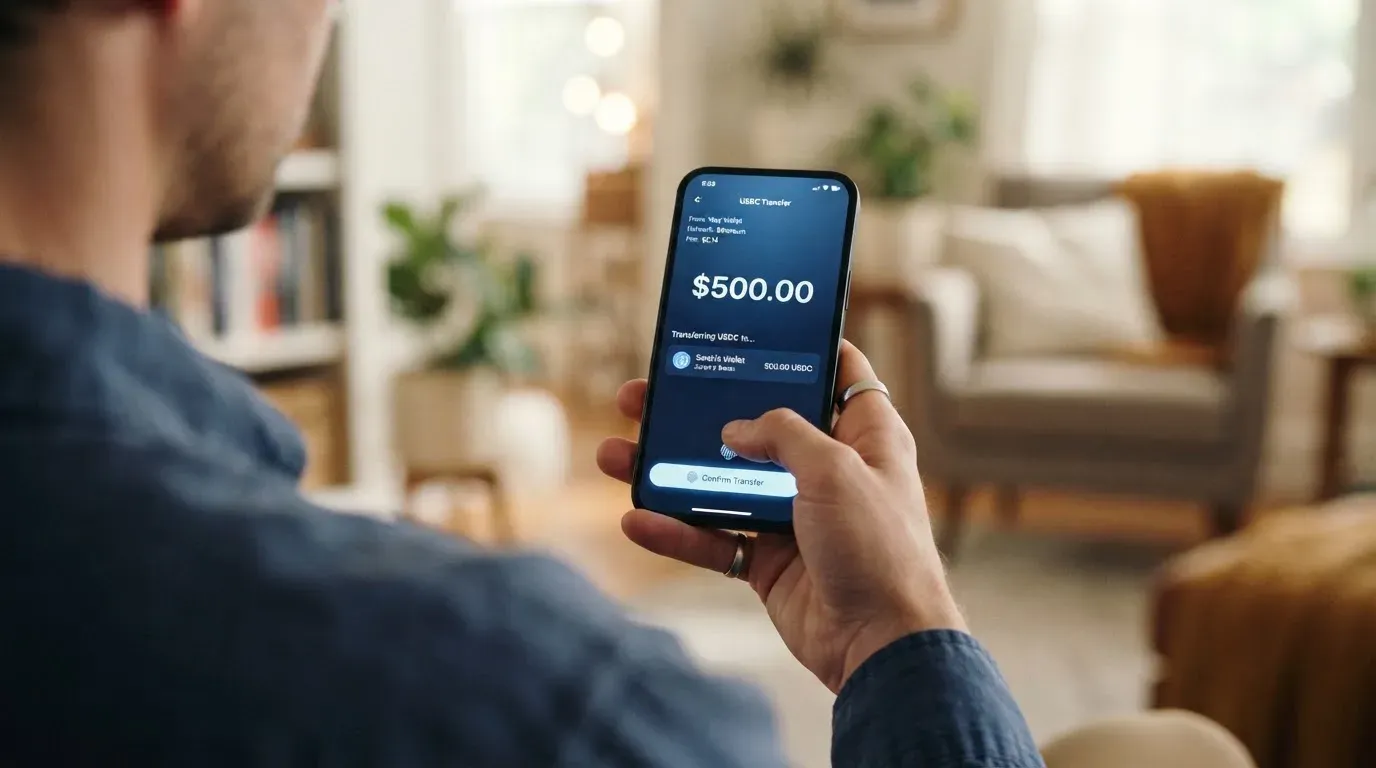
It carries it because blockchain transfers are irreversible. A deposit sent on a network the provider does not support, or sent to an address belonging to a different network, can be lost or may need manual recovery with no guarantee. There is no customer service department that can reverse a blockchain transfer, because the technology offers no reverse. So “networks not stated” is not a documentation gap; it is the difference between a deposit that arrives and a deposit that is gone.
Some practical context that is worth knowing before you send anything, because it explains why network choice is not a detail you can guess. USDT has been issued on networks including Ethereum, Tron, Solana, Polygon and Avalanche, and it exists on several of these at once with different addresses. USDC is listed as natively supported on 38 networks, including Ethereum, Solana, Base, Polygon PoS, Avalanche, Arbitrum and Stellar — and Circle stopped supporting USDC on Tron in February 2024, so USDC over TRC20 is not a native option. On Ethereum, ERC-20 transfers need gas, which is paid only in ETH: a wallet holding USDT and no ETH cannot send at all. Stablecoins can also lose their peg — TerraUSD collapsed in May 2022, and USDC wobbled in March 2023 — so the asset you convert may not hold the value you assumed when you send it.
Then there is the currency question. Your balance becomes USD or EUR. Sending a euro-denominated habit into a dollar balance exposes you to the dollar rate at the moment of conversion, and the card does not say when that moment is or what it costs.
Where to top up from, how to withdraw from the balance, and whether there are any limits on funding are all not stated. I would treat the funding page as the one part of this product that shows its working, and treat the missing network list as the one part that can cost you money outright.
Paying with it every day
The intended shape is a prepaid card: you load a balance, and the card spends only that balance. That has one genuine advantage over a normal debit card — it cannot overdraw, because there is nothing to overdraw from. It is worth keeping that in mind when you weigh the complaints below, because “I lost money I did not have” is not one of the failure modes people describe.
In daily use the card supports Apple Pay and Google Pay, and the balance sits in USD or EUR. Whether the physical card exists in a tap-to-pay form is not stated — the card type is not named. When you add a card to a mobile wallet, the number is replaced with a device-specific token stored in the Secure Element rather than on Apple’s servers, and each payment uses a one-time code; the issuer can still restrict that token, for example blocking it on magnetic stripe, phone or web payments.
The app is iOS. Google Play is not stated, which in practice means: check before you assume you can use it on Android. The two App Store listings I read on 2026-10-21 differ sharply — the AE storefront showed 4.2 out of 5 from 5 ratings, the main listing 3.3 out of 5 from 135 ratings. Five ratings is not a signal; 135 is. No wallets beyond the app, no rewards, and no dispute procedure are stated.
What can go wrong
This is where the card scores 2 out of 10, and it is worth reading carefully if you are still considering it.
Users accuse the app of being a scam. Reading the App Store reviews and an aggregate of 135 reviews on Justuseapp on 2026-10-21, the recurring themes are: unexpected credit card charges, problems with withdrawals, and support that is automated or unreachable. One user describes a BTC balance stuck in “reviewing” for three days; others report failed deposits. Two-thirds of the 135 reviews on Justuseapp are negative. I found no official incident report to weigh against this, and I am not asserting that any individual accusation is proven — I am saying the volume and consistency of it is itself a fact you should price in.
Alongside that, some structural gaps create risk without any wrongdoing at all:
- The issuer is unnamed. No issuing bank, no licences. If the card is issued by an e-money institution, it holds your balance under safeguarding rules — segregated accounts or insurance — but those funds are not bank deposits and may not sit under a deposit guarantee scheme. You are trusting an entity you cannot name.
- Custody is unclear. The wallet is described in two modes: off-chain (exchange, multi-signature) and on-chain with private-key import. Whether the card balance itself is custodial is not stated. If it is custodial, you are trusting the provider with the credentials entirely; a seed phrase is 12 to 24 words in plain form, and anyone who obtains it can restore the wallet and spend the funds.
- Stablecoins are not censorship-proof. Tether states it disables tokens in wallets on the OFAC sanctions list and has frozen funds tied to illicit activity. A frozen balance on a prepaid card is a real possibility, not a theoretical one.
- The brand has already moved. HyperPay was renamed to HPX, and hyperpay.tech now redirects to the HPX website as of 2026-10-21. A rebrand and a domain migration are not themselves wrongdoing, but they do mean older links, tutorials and community threads may point somewhere different from where the service now lives.
- Programme closures are normal in this category. Visa terminated its global agreements with FTX on 13 November 2022 and the FTX US debit card was wound down; WaveCrest, a Visa issuer supplying crypto card brands, was suspended by Visa in Europe in 2018, closing all its programmes. A closure typically means loading stops, then spending stops, then you are asked to withdraw what remains. I found one 2026 closure reported by a secondary source — new loads ending 8 July 2026, spending stopping 8 August 2026 — and I am flagging it as a single unconfirmed source rather than presenting it as fact.
- Chargebacks may not apply. A chargeback is a refund the issuer orders to settle a dispute. US debit card reversal rights come from Regulation E and credit card rights from Regulation Z, and prepaid-card coverage varies and should not be assumed. That is exactly the situation this card is in.
- Account closure is a live possibility. If due diligence cannot be completed, EU rules require an institution to decline the transaction or relationship and, where needed, end existing relationships. Accounts are closed or frozen pending documents as a matter of routine compliance, not as a warning sign.
Support itself is thin: an in-app Help Center and a “My Work Order”, plus a Telegram “Contact Us” group per the developer’s own reply. Languages and hours are not stated.
What to take instead
If the draw of this card is a prepaid crypto balance you can spend anywhere, the alternatives differ in how much they tell you up front. Three for comparison, all scored on the same basis.
Cardex — 5.6 / 10. Positioned as one crypto card for 200+ countries, with no country list and no exclusions stated; the App Store listing is Naira-focused, paying in Naira. It is a debit crypto card on the networks VERVE, VISA, Mastercard and UnionPay, with virtual and physical cards. Conversion happens in real time at the moment of payment, and the site describes an “AI-Powered Conversion Rate” that scans global exchange rates and picks the best one when you spend — but states no fee percentage. Funded from USDT, USDC and BTC wallets, networks not stated. Fees and rewards not stated.
CardFlow — 4.9 / 10. Aimed at Nigeria (“Nigeria’s smartest fintech card platform”) and at “Nigerians and global users”, with no country list or exclusions stated. A virtual USD Mastercard, created in about 3 minutes. Creating a virtual card is free according to its own FAQ; the monthly fee is not stated, nor are the transaction fees. Funded from Bitcoin, USDT, ETH or a Naira bank transfer, networks not stated. Rewards not stated.
Card.fi — 6.6 / 10, and the most transparent of the three on both eligibility and price. Cards ship to “200+ countries”, and its terms bar residents of, or orders from, a country subject to sanctions that would prohibit the service. Four card types: Virtual Classic and Virtual Premium, physical Classic and Premium, and metal in stainless steel; every physical order includes a virtual card. Cards are issued under licence from the relevant card schemes, with Visa and Mastercard not named, and the card currency is not stated.
Card.fi is also the only one of the three that publishes its numbers, which is the main reason it scores higher. One-time: Virtual Classic $49, Virtual Premium $249; physical and metal prices are not listed; no monthly, annual, inactivity or minimum-balance fee. Top-up fees: Classic 1.5% + $1.00, Premium 1%. FX fees: Classic 3.5%, Premium 2.5%, with the conversion fee shown before each top-up. Funding covers 32 coins across 5 networks — Ethereum, Base, BNB Chain, Solana, Kaanch — including USDT, USDC, ETH, BNB, SOL and KAANCH, with a deposit address per card, conversion at market rate on arrival, and an explicit warning that the wrong chain risks permanent loss. Cashback on spending only: Classic 0.8% capped at 10 USDT a month, Premium 1%, Metal 1.2% (cap 100 USDT a month, 5,000 USDT) or 2% (cap 250 USDT a month, 20,000 USDT); a headline 10% at coffee shops capped at 10 USDT a month; and interest on balances “up to 18%” on Metal, variable.
| HyperCard | Cardex | CardFlow | Card.fi | |
|---|---|---|---|---|
| Score | 4.7 / 10 | 5.6 / 10 | 4.9 / 10 | 6.6 / 10 |
| Card type | Prepaid, network not named | Debit on VERVE, VISA, Mastercard, UnionPay | Virtual USD Mastercard | Virtual and physical, plus metal |
| Eligibility published | No country list | “200+ countries”, no exclusions | Aimed at Nigeria and global users | “200+ countries”, sanctions bar in terms |
| Fees published | None | None | Free virtual card only | Full schedule, plus pre-top-up display |
| Networks named | No | No | No | Yes, 5 networks |
The pattern is worth stating plainly: the difference between these cards is not mostly about crypto handling. It is about disclosure. Card.fi tells you what it charges and which chains to send on; the other three ask you to fund an account first and find out.
Who I would recommend it to
I would recommend HyperCard to two kinds of reader, and warn the rest.
To an existing HyperPay wallet user who wants a prepaid USD or EUR card and has already tested the app with small amounts: the concept fits, the top-up flow works as described, and Apple Pay and Google Pay are supported. Just size your deposits to the fact that fees are unpublished and the complaint record is poor.
To someone who wants crypto spending without a bank relationship and treats the balance as spendable cash rather than savings: the prepaid structure means no overdraft, and that is a genuine benefit.
I would not recommend it to anyone whose income depends on this card, to anyone in a country not listed anywhere official, to anyone who needs to raise a dispute when a charge goes wrong, or to anyone holding meaningful sums in USDT. The reasons are all the same reason: the issuer is not named, the fees are not published, the limits are self-contradictory in the only unofficial source, and the people who have used it most publicly describe losing money and reaching no one. Four out of five ordinary payments on this card cannot be costed in advance from anything the card itself says.
My own threshold would be simple. Test it with an amount you would not mind losing entirely, on the correct network, which you must confirm in the app before sending. If the response is unclear, or if your money sits in “reviewing”, that is your answer.
Frequently asked questions
What is the HyperCard card?
HyperCard is a prepaid payment card connected to the HyperPay crypto wallet. You deposit crypto such as USDT, BTC or ETH in the app, it is converted into a card balance in USD or EUR, and the card spends that balance. It is not a bank account, and the balance behaves more like e-money than like a current account.
How does the HyperCard card work in practice?
You top up, then spend as you would with any card, in stores, online, at ATMs or through Apple Pay and Google Pay. Because it is prepaid, it can only spend what is already on it. Crypto is converted when it lands on the card, and the card does not publish the exchange rate or conversion fee it applies at that moment.
Is HyperCard a bank, and who owns it?
No, it is not presented as a bank, and no issuing bank is named. The app developer is listed as CIPHERBC PTE. LTD., with a copyright line reading “HYPER BC PTE. LTD.”, and the brand HyperPay has been renamed HPX. No licences are stated on the pages I could read, so the entity actually issuing the card cannot be confirmed.
Can I get a HyperCard card in my country?
Nobody will tell you from the official pages, which is the honest answer. The App Store says the card works in “more than 176 countries”, but that describes where the card is accepted, not who is eligible to hold it. No country list, exclusions or nationality rule are published, so you would have to apply and find out.
Does the HyperCard card require KYC?
The card’s public pages do not say, which is not the same as saying it does not. Any regulated service will run checks under anti-money-laundering law, and an unofficial, undated tutorial mentions a bank review taking up to 24 hours on working days. I have not found any official statement about documents, and I would not treat the absence of one as permission.
How much does HyperCard cost to use?
Officially, the costs are not stated — the App Store page lists no fees at all. An unofficial tutorial mentions a “0 KYC fee”, no annual fee and no transaction fee for certain cards. The conversion rate, foreign-exchange charges, ATM fee and spending limits are all unpublished, so you cannot cost a payment in advance from anything the card publishes.
How do I top up the HyperCard card?
You send USDT, BTC or ETH to a deposit address in the app, and it is converted to USD or EUR on the card. The networks supported are not stated, and that is the trap: blockchain transfers are irreversible, so sending on the wrong chain can lose the funds or require manual recovery with no guarantee. Confirm the network in the app before you send anything.
Is the HyperCard card safe to use with real money?
The safest characterization is that nobody has published enough for you to judge it. The wallet supports on-chain private-key import, which means you hold the key yourself, but whether the card balance itself is custodial is not stated. Users also report balances stuck in “reviewing”, failed deposits and unexpected charges, and there is no named issuer or dispute process.
Can I use HyperCard in Apple Wallet or Google Pay?
Apple Pay and Google Pay are both listed as supported. When you add the card to Apple Wallet the number is replaced with a device-specific token stored on the device, and each payment uses a one-time code. Whether the physical card itself is tap-to-pay is not stated. The app is iOS only — Google Play is not listed.
Is HyperCard worth it compared with other crypto cards?
On current evidence, probably not as a first card. Card.fi scores 6.6 out of 10 and publishes what it charges and which five networks to send on; Cardex scores 5.6 and CardFlow 4.9. HyperCard’s 4.7 reflects a working concept with an unnamed issuer, no published fees and a heavy volume of user complaints against it.
Virtual cards in the catalogue – cryptocardcatalog
Content created by the «cryptocardcatalog» team