
A USDC and USDT Visa you can fund from eight networks, but the issuer and licences are left unsaid
 Available in US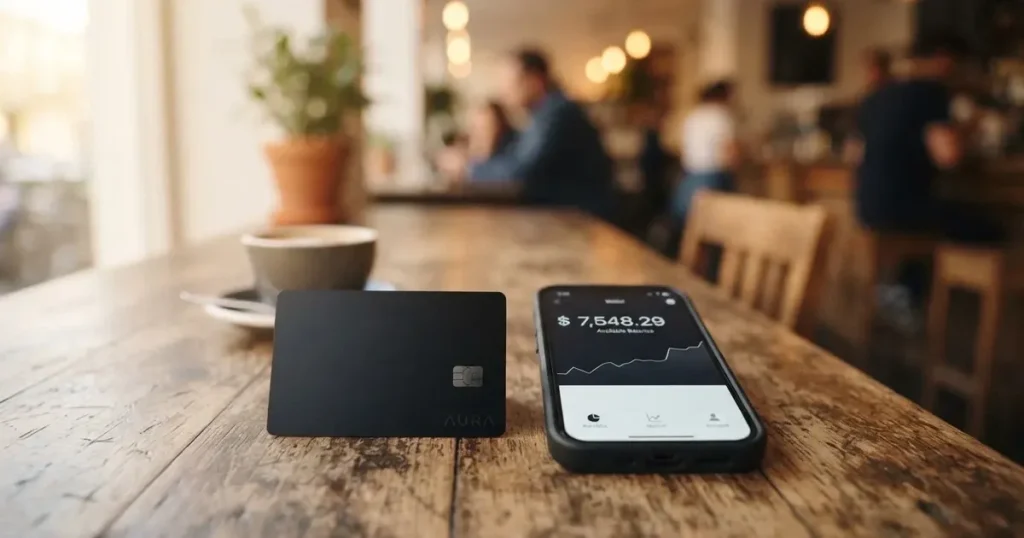
Cashi is a virtual Visa debit card whose balance is held in USDC and USDT stablecoins, topped up from eight blockchain networks or in 20-plus fiat currencies. The headline number on it is strong: 0% on USD payments, 1% on non-USD, and no Cashi fee on the crypto leg. What gives me pause is everything Cashi does not say. The issuer is unnamed, the licence jurisdiction is unnamed, there is no country list, no physical card, and the app has only been in public beta since August 2026. You will see those gaps come up again and again below. I went through the official site, the help centre and the press release, weighed them against three alternatives (Cardex, CardFlow and HyperCard) and scored the card 6.6 out of 10.
The information in this review reflects Cashi’s public pages and help articles as of October 28, 2026.
Verdict
Cashi sits in an awkward middle. The product itself is well thought out for someone who already holds stablecoins and wants to spend them at a Visa terminal without converting to dollars first, but the company has left a great deal of the boring but important detail unanswered. There is no published list of supported countries, no named issuer, no licence number, and the public beta only opened in August 2026, so there is no track record of complaints to weigh. Score: 6.6 out of 10.
The breakdown below follows the same weighting I used to arrive at that number.
| Criterion | Mark | Why |
|---|---|---|
| Who can get it | 5 / 10 | Cashi does not publish a list of supported countries; sign-up flows hint at a long list of jurisdictions but the card help centre only says it works “anywhere Visa is accepted” and that some merchant categories may be blocked for regulatory reasons |
| Cost | 9 / 10 | A $5 activation fee is refunded as a $5 Spending Credit, so it nets to zero; USD spending is 0%, non-USD 1%; crypto deposits have no Cashi fee, only the blockchain’s network fee; disputing a transaction costs $50 |
| Top-up options | 10 / 10 | USDC and USDT on Tron, Solana, Polygon, BNB Chain, Arbitrum, Ethereum, Bitcoin and Base, plus BTC, ETH and SOL natively and cash in 20-plus currencies; no minimum on digital-asset deposits |
| Reliability and complaints | 5 / 10 | Cashi says it provides technology services only and the issuer, registration country and licences are not named on the public site; the public beta began in August 2026 and I could not find any user reviews on Trustpilot or Reddit |
| Everyday use | 4 / 10 | Only a virtual Visa exists today, Google Pay works in store on Android, Apple Pay is on the roadmap, and ATMs are not supported because the card has no plastic |
The audience this card fits best is a stablecoin holder who wants to fund a Visa from many networks without paying platform fees. If you are a beginner looking for your first payment card, or someone who needs cash from ATMs, you should look elsewhere.
Who they will give the card to
Cashi does not publish a country list. The help centre simply says the card works “anywhere Visa is accepted” and adds that “certain merchant types may be restricted for regulatory reasons”. I went through the public sign-up flow and the drop-down hints at a long list of jurisdictions (Argentina, Bangladesh, Brazil, Colombia, the Dominican Republic, Spain, Ghana, Kenya, Malaysia, Nigeria and Saudi Arabia among them) but Cashi does not confirm that as an eligibility list, and it is a list of the countries the form supports, not of the countries the card is licensed to operate in.
There is also no public statement of the age minimum, the residency requirements, or the proof-of-address documents you might be asked for. Cashi says only that the KYC is “a quick check with your ID and a selfie” and that most people finish in minutes but some checks take up to 24 hours. If you are a US or UK resident used to filling in detailed address history, expect a thin application. If you are in a country where the law treats stablecoin card programmes as a payments service rather than a money-transmission business, the application will probably pass through faster; if your jurisdiction requires full registration, you may not be able to sign up at all.
There is no publicly stated list of blocked nationalities, and the press release datelined Sharjah, UAE, with one secondary report placing Cashi in Hong Kong, does not settle the issuer’s home regulator. The practical answer is that you only find out by trying: sign up, complete the KYC, and see whether the card is issued to you.
How to get it
Signing up takes four steps.
- Download the Cashi app from the Apple App Store or Google Play and create an account.
- Complete identity verification with an ID and a selfie. Most checks finish in minutes, a small share take up to 24 hours.
- Add at least $5 to your Cashi balance. You can do this with a USDC or USDT transfer from a supported wallet, a deposit in one of 20-plus fiat currencies, or a top-up from a USD account.
- Tap “Activate card for $5”. The $5 is taken from your cash balance and returned as a $5 Spending Credit, so the activation is effectively free.
Once the activation completes, a virtual Visa debit card appears in the app with a number, expiry and CVV. Cashi says a physical card is “on the roadmap” along with Apple Pay, but neither is shipping today, so for now you have a card number that you enter into websites or add to Google Pay. If your card details are exposed you can email support and ask for a replacement, but that is the only path the help centre describes.
What it really costs
The fee table is short and mostly friendly.
| Fee or limit | Amount |
|---|---|
| Card issuance | Free, $5 activation fee refunded as Spending Credit |
| Monthly fee | Not stated |
| USD payment | 0% |
| Non-USD payment | 1% conversion fee |
| Crypto deposit | No Cashi fee, only the blockchain’s network fee |
| Cashi-to-Cashi transfer | Free |
| Crypto conversion spread | Not stated |
| ATM withdrawal | Not supported on the virtual card |
| Daily spending limit | User-set in the app, up to $50,000 per day |
| Monthly limit | Not stated |
| Cashback monthly caps | Per category, amounts not stated |
| Dispute fee | $50 to raise a chargeback, asking the merchant is free |
To make that concrete, three everyday payments look like this.
A $40 Spotify subscription in USD is charged at 0% and earns 3% cashback, so the net cost is the subscription price. A €30 dinner in Paris is converted to USD at the network rate plus 1%, so the charge is roughly $32.30 at a 1.08 EUR/USD rate, and the 1% travel cashback does not apply because restaurants are not in the travel category. A purchase in a foreign currency is converted to USD with the same 1% fee and a Mastercard or Visa foreign-exchange margin baked in, so the charge includes that conversion fee and no cashback applies unless it is an eligible category.
There is one further detail that trips people up: when a merchant takes an authorisation hold above the final amount, for example at a car-rental desk or a hotel, the hold is deducted from your spending limit at the time of authorisation and adjusted a few days later. If you budgeted for the final amount, the hold can look like a phantom transaction for a few days.
How to top it up
Cashi accepts USDC and USDT on eight networks, plus BTC, ETH and SOL natively, and cash in 20-plus fiat currencies. The full list of supported networks for stablecoin deposits is Tron, Solana, Polygon, BNB Chain, Arbitrum, Ethereum, Bitcoin and Base. The exact same set is used for sending assets back out to your own wallet.
A few rules apply across the funding options.
- Digital-asset deposits and sends have no minimum and no Cashi fee. The only fee is the blockchain’s network fee, which the sending wallet pays on the way out, or which is deducted from your Cashi balance when you send.
- Cash deposits and sends in local currencies carry a Cashi fee that depends on the currency, the method and the amount, and the fee is quoted in the app before you confirm.
- A USD account can receive funds for free but is limited to sends and receives of $3,000 in any rolling 7-day window.
- $5 must be in your Cashi cash balance to activate the card, regardless of how much crypto you hold.
Two warnings from the wider category of stablecoin cards apply here. First, blockchain transfers are irreversible, so a USDC deposit sent on the wrong network or to the wrong address cannot be recovered automatically. Second, the cheapest network fee is not always the right one. Circle stopped supporting USDC on Tron in February 2024, so a USDC transfer on TRC20 is not a native option, and the Cashi support list of eight networks is broader than the networks Circle actively maintains, which is worth keeping in mind.
Paying with it every day
Cashi behaves like a prepaid card backed by stablecoins: you top up a balance, the card spends that balance, and the card cannot overdraw. The 1% conversion fee applies only when the merchant charges in a currency other than USD, which is most of the world.
Cashback is paid as Spending Credit and runs at 3% on eligible subscriptions, 2% on eligible online shopping and 1% on eligible travel. The 3% rate applies to monthly subscription services only — Amazon Prime, Google One, Canva and Uber One are named explicitly, and only one charge per service per month counts. The 2% rate applies to a list of named online stores, capped at the first $500 spent per store per calendar month and $10 cashback per store, with other eligible stores sharing a separate $500 / $10 pool. The 1% travel rate is capped at $20 cashback per month and each booking counts up to a $2,000 ticket.
Mobile wallet support is uneven. Google Pay works for in-store tap-to-pay on Android, and that is the only in-store payment path today. Apple Pay is “on our roadmap” per the help centre, with no shipping date. iPhone users who want to pay online have to type the card number into the merchant’s checkout, which works fine but is the older, less secure way. There is no physical card yet, so ATMs are out of reach. The list of merchant categories the card refuses to authorise is not stated; in practice, that means you only know a category is blocked by trying and seeing the decline.
What can go wrong
The biggest risk is structural. Cashi says it “provides technology services only” and that the financial products are issued and managed by licensed third parties, but the issuer, the registration country and the licences are not named on the public site. That is not unusual for a young card programme in beta, but it means you cannot check the issuer on a regulator’s register before you sign up, and you do not know which law governs the funds held against your card.
A few specific risk points are worth weighing.
- Counterparty and safeguarding risk. The card is a prepaid arrangement backed by stablecoins held with the issuer, not by deposit insurance. If the issuer fails, recovery goes through the issuer’s estate, not a deposit guarantee scheme.
- Stablecoin depeg risk. USDC and USDT have each lost their peg briefly in recent years. Cashi does not state a spread or a haircut policy if that happens, so a 1% depeg could leave the card balance worth less than the dollar amount shown in the app.
- Programme closure risk. Card programmes can be wound down by the network or the issuer. Visa terminated its global agreements with FTX in November 2022 and the FTX US debit card was wound down by its issuer. A similar notice period would apply if Cashi’s issuer is suspended.
- Operational gaps. Cashi only began its public beta in August 2026, so there are no Trustpilot or Reddit reviews to compare notes on. The help-centre articles on cashback, Apple Pay and refunds are listed but were not all readable in full, which leaves some details still in the “not stated” bucket.
- Dispute cost. Raising a chargeback through Cashi costs $50. Asking the merchant for a refund is free, and is the path most likely to succeed at this scale.
On the safety side, the app offers 2FA, a PIN, biometrics, an instant card freeze, user-set daily limits, online payment controls, real-time activity alerts, and “secure account controls and continuous monitoring”. That covers the everyday account-security checklist. It does not substitute for missing information about who is actually safeguarding the funds.
Customer support runs through email at [email protected], a help centre at help.cashi.com, a Telegram channel at t.me/cashi, and an account on X. The site itself is published in English, Chinese, Arabic, French, Spanish, Portuguese, Japanese and Korean, and the support staff speak a subset of those. There is no live chat and no phone line listed.
What to take instead
Cashi’s score sits above the three alternatives I compared it with, but the gaps in its public information make the alternatives worth a look if any of those gaps worry you.
| Card | Score | Country fit | Card form | Funding |
|---|---|---|---|---|
| Cashi | 6.6 / 10 | No country list; sign-up hints at 12+ | Virtual Visa only | USDC and USDT on 8 networks plus 20+ fiat currencies |
| Cardex | 5.6 / 10 | “200+ countries” claimed; App Store is Naira-focused | Virtual and physical on VERVE, Visa, Mastercard, UnionPay | USDT, USDC, BTC; networks not stated |
| CardFlow | 4.9 / 10 | Marketed in Nigeria; “Nigerians and global users”; no country list | Virtual USD Mastercard, free to create | Bitcoin, USDT, ETH, Naira bank transfer; networks not stated |
| HyperCard | 4.7 / 10 | “More than 176 countries” per App Store; no country list | Prepaid “HyperCard”, network not stated; USD or EUR balance | USDT, BTC, ETH in app; networks not stated |
Cardex’s pitch is the “AI-Powered Conversion Rate” that scans global exchanges and picks one at the moment of payment, which is interesting if you live in a country with multiple exchange rates. CardFlow is essentially a Naira-first product, so it is the better fit if you are in Nigeria and want a free virtual card in three minutes. HyperCard is the most geographically inclusive, though the network on the card is not stated publicly, which is a meaningful unknown for anyone whose bank blocks lesser-known card schemes.
None of the three publish fee tables as detailed as Cashi’s, so for the “every cost spelled out” experience Cashi still wins.
Who I would recommend it to
I would recommend Cashi to a stablecoin holder who already manages their own wallet on multiple networks and wants a simple way to convert USDC or USDT into a Visa balance for everyday spending, especially in the US or in any country that uses dollars. The lack of a country list, the unnamed issuer and the missing physical card are real drawbacks, but for the use case of “spend my stablecoins at a Visa terminal without paying a platform fee”, Cashi does the job more cleanly than any of the three alternatives I compared it with.
I would not recommend Cashi if you need any of the following: cash from an ATM, a physical card to hand over at a restaurant, Apple Pay, a card in a currency other than USD, a published list of which countries are eligible before you start the sign-up, or a named issuer you can look up on a regulator’s register. For each of those, the Cashi product is either missing or unconfirmed today.
Frequently asked questions
What is the Cashi card?
The Cashi card is a virtual Visa debit card whose balance is held in USDC and USDT stablecoins. You add funds by sending stablecoins from a wallet you control or by depositing cash in one of 20-plus supported currencies, then spend at any merchant that accepts Visa online or in store. It launched in public beta in August 2026 and there is no physical card yet.
How does the Cashi card work?
You top up a balance inside the Cashi app, the app issues a virtual Visa number, and the card spends that balance at merchants. Crypto is converted to a cash balance at the moment of deposit, USD payments cost nothing in fees, and non-USD payments cost 1%. The card cannot overdraw because the balance is pre-funded.
Is Cashi a bank?
No. Cashi says it provides technology services only, and the financial products, including the card, are issued and managed by licensed third parties. The issuer, the country of registration and the licences are not named on the public site, so Cashi is best understood as a card programme manager, not a bank.
How do I get a Cashi card?
Download the app, sign up, verify your identity with an ID and a selfie, add at least $5 to your balance, then tap “Activate card for $5”. The $5 is taken and returned as Spending Credit. The whole flow usually takes a few minutes for the KYC and a moment to load funds.
Does the Cashi card require KYC?
Yes. Cashi requires an ID and a selfie, and most checks finish in minutes, though some take up to 24 hours. The help centre does not describe tiered KYC, does not list the proof-of-address documents, and does not publish the reasons a check might be rejected.
How do I top up the Cashi card?
Send USDC or USDT to your Cashi deposit address from any of eight supported networks — Tron, Solana, Polygon, BNB Chain, Arbitrum, Ethereum, Bitcoin or Base — or deposit cash in 20-plus fiat currencies from a bank or local method. BTC, ETH and SOL are accepted natively as well, and there is no minimum on the crypto leg.
Can I use the Cashi card with Apple Pay or Google Pay?
Google Pay works for in-store tap-to-pay on Android. Apple Pay is “on our roadmap” per the help centre but is not available yet, so iPhone users pay online by entering the card number at checkout. There is no NFC contactless path on iPhone today.
Is the Cashi card safe?
The app offers the standard safeguards: 2FA, a PIN, biometrics, an instant freeze, user-set daily limits, online payment controls and real-time alerts. The unresolved safety question is who actually holds the funds. Cashi does not name the issuer, the registration country or the licences, and safeguarding or insurance of those funds is not stated.
How do I close my Cashi account?
The help centre says to “transfer any remaining balance out of your Cashi account” before deletion, and warns that after deletion “you won’t be able to access your funds”. The card itself cannot be permanently closed yet, only frozen, and the press release says the closure flow is still being finalised.
Is the Cashi card worth it?
It depends on what “worth it” means to you. For a stablecoin holder who wants to fund a Visa on many networks and is comfortable with an unnamed issuer, it scores well. For a beginner, a cash user or anyone who needs a physical card, ATMs or Apple Pay, the gaps in the product make it harder to recommend today.
Virtual cards in the catalogue – cryptocardcatalog
Content created by the «cryptocardcatalog» team