
Bix card, reviewed from the outside — a self-custody Visa with a thin public footprint
 Available in US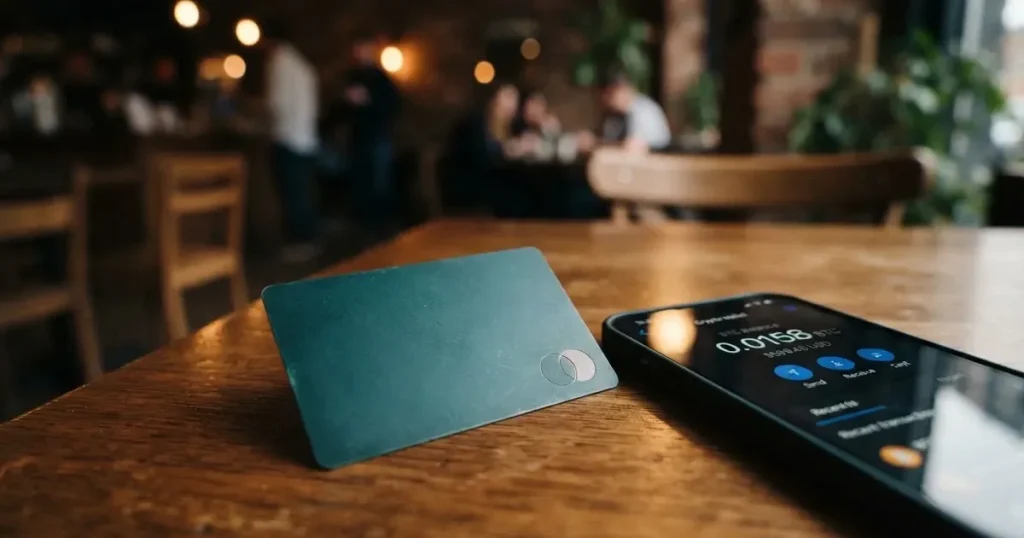
I spent time going through Bix’s public pages, the help centre, the press material from September 2026 and what users have said in app stores, then sat with the numbers and wrote this review the way I would want to read it if I were weighing up whether to hand over a copy of my ID and lock collateral into a card I had not used before. The product is small, the public surface is small, and the two things are connected: there is not much to verify, and the things that are easy to verify do not all line up.
Bix is a payment card programme that sits on top of a self-custody wallet. You hold USDT or USDC in your own wallet on one of five supported networks, you use that as collateral, and the card spends against it. It is a Visa debit card in the prepaid sense — your balance, your spending. The interesting angle is that the funds are not rehypothecated: the wallet stays in your name and your keys never leave your device in a complete form. The trade-off is that the product is thin in places ordinary cardholders take for granted — no published country list, no named issuer, no physical card yet — and the score reflects that.
The conditions described below are current as of October 28, 2026.
Verdict
I would score the Bix card 5.2 out of 10. That is not a failing grade, but it is a middling one, and middling for a card product usually means “the core idea is fine, the rest is either unannounced or in motion”. Bix gets credit for a real self-custody model and a wide choice of networks for the collateral, and it loses marks because the help centre, the press release and the app store do not always agree, and because eligibility, the issuer and the physical card are all in a “coming soon” state.
The card suits you if you already keep USDT or USDC in a self-custody wallet, you live in one of the 29 US states where Bix says the programme is live, and you are happy with a virtual-only Visa for the next few months. It does not suit you if you are outside the United States, if you need a card today rather than in a planned rollout, or if you need a card programme that names the bank behind it.
Here is how the individual criteria break down.
| Criterion | Mark | Why |
|---|---|---|
| Who can get it | 2 / 10 | 29 US states live, 49 targeted, no country list on the site |
| Cost | 5 / 10 | Virtual Visa $9.99, standard membership free, 3% purchase fee, 1% FX, free in the press release |
| Top-up options | 8 / 10 | USDT and USDC on five networks, no funding fees, fiat “coming soon” |
| Reliability and complaints | 6 / 10 | Cayman company, Dubai office, issuer not named, no complaints found, iOS app 4.4 of 5 |
| Everyday use | 7 / 10 | Virtual now, physical and metal “soon”, Apple Pay and Google Pay, ATM $1 + 0.6% |
| Total | 5.2 / 10 |
The audience Bix seems to be courting, judging from the press release and the help centre, is self-custody wallet users in eligible US states who want to spend their stablecoin balance without first sending it to a centralised exchange. If that is you, the card does the job. If you are anywhere else on the spectrum — outside the US, looking for a physical card today, expecting a named bank on the back of the card — the answer is wait, or look elsewhere.
Will they give you the card
The honest answer is that the site does not really tell you. The way Bix phrases eligibility on its public pages is that “service availability depends on your location, eligibility and the relevant provider’s terms”. There is no country list to check your name against, no residency checker, no quick “is my state live” form. The only concrete numbers come from the press release dated 25 September 2026, which says the card is live for residents of 29 US states and that the target is 49 states within six to eight months.
For someone outside the United States, that is essentially the conversation ending early. The press release frames the card as a US growth story, and the help centre does not show a different country list, so until Bix publishes one the safe assumption is that the card is not available where you are.
What the help centre and the app store do not tell you is the level of KYC applied. The site says “identity verification and programme requirements” for eligible users, and stops there. There is no published list of accepted documents, no address-proof threshold, and no minimum age printed on the public pages — you would learn this only when you actually go through the application. That is normal for some products and uncomfortable for others, and it sits on a spectrum I would want you to know about before you start the sign-up flow.
What is also worth knowing: the press release makes a point of saying the card targets 49 US states, not 50. That usually means either a regulator-imposed hold (some US states have money-transmitter licensing that the issuer has not yet obtained) or a deliberate commercial decision to skip a state. Either way, the message is the same — there is a list, you are probably not on it, and Bix has not published the list.
So if you are reading this from outside the US, or from a US state not in the first 29, the section you should care about is short: the card is not for you today, and the site will not tell you when it will be.
How to get it
The sign-up flow is not described in detail in any of the public sources I could check, so the following is what I can put together from the help centre and the press release rather than a step-by-step.
The card is a Visa debit card linked to the BIX Wallet. The wallet is a self-custody wallet: your keys are stored using Shamir’s Secret Sharing, the live application logic runs inside AWS Nitro Trusted Execution Environments, and BIX says it never holds your keys in complete form. Audits are listed for Cure53, Zellic and Doyensec, and the company holds SOC 2 Type II. None of that is the same as a guarantee, and I will come back to that under risks, but it is the architecture the card sits on.
For the card itself, what is actually available right now is a virtual Visa. Physical and metal cards are listed as “coming soon” on the help centre, with planned prices of $99 for the physical card and $119 per year for BIX Plus, the membership tier that sits above the standard plan. Until those go live, the only thing you can apply for is the virtual card, and that is a $9.99 one-off.
What is not stated, and where I would want you to slow down, is the delivery time for the future physical card, the documents the identity check will ask for, the level of due diligence (basic versus enhanced KYC), and the supported card currency. The card almost certainly settles in US dollars given that Bix is a US programme, but the public page does not say so.
If you are going to apply, the practical order is: download the BixPay app, create the self-custody wallet, complete identity verification, deposit USDT or USDC as collateral, then order the virtual card from inside the app. The order of these steps may not be strict, and the app may rearrange them. The part I would not skip is reading the fee table in the help centre before you tap “order”, because some of the numbers there (3% on purchases, 1% on currency conversion) are not obvious from the marketing.
Fees
This is the section where the help centre, the press release and the eventual in-app experience most need to be reconciled, because the public materials do not all say the same thing. I have read both and used the help-centre figures as the more conservative ones, since those are the ones that govern if there is a dispute.
Issuance of the virtual card costs $9.99. Standard membership is free. Planned future costs are $99 for a physical card and $119 per year for BIX Plus, the membership tier that unlocks the metal card and other benefits.
The fees you actually pay when you use the card are listed in the help-centre table as: 3% on card purchases, 1% on currency conversion, $0.75 for small authorisations (charges under $50), and $0.65 for a declined transaction. The press release, by contrast, says there are no funding fees and 1% FX in the US programme, and does not mention the 3% purchase fee. The footnote on the help-centre table — “Fees may vary depending on the transaction type or payment network” — is honest, and it is also exactly the kind of language that lets a provider change its mind. I would plan on the help-centre numbers, and treat the press-release numbers as the best-case scenario.
ATM withdrawals cost $1 plus 0.6% per transaction according to the help centre, with no free allowance. The press release describes the planned physical-card ATM fee as 0.6%, which suggests the percentage is firm and the $1 fixed leg might be the part that disappears with the future card. Daily and monthly limits are described as “configurable” and “flexible and customizable based on the user’s deposited collateral”, with no published amounts. That is honest — your limit is your balance — but it also means you cannot tell from the outside what a typical user can spend.
| Fee or limit | Amount |
|---|---|
| Virtual card issuance | $9.99 (one-off) |
| Standard membership | Free |
| Physical card (planned) | $99 |
| BIX Plus (planned) | $119 per year |
| Card purchase | 3% |
| Currency conversion | 1% |
| Small authorisation (under $50) | $0.75 |
| Declined transaction | $0.65 |
| ATM withdrawal | $1 + 0.6% |
| Daily and monthly limits | Configurable; not stated |
To make the fees feel real, three everyday situations:
You buy a $40 coffee with the virtual card. Because the charge is under $50, you pay the small-authorisation fee of $0.75 on top of the purchase price. If the merchant settles in a non-US currency, you also pay the 1% conversion fee. The 3% purchase fee is the largest line, and at $40 that is $1.20. A $40 coffee becomes a $41.95 transaction before tip.
You buy a $400 laptop online in US dollars. The 3% purchase fee is $12. The transaction is in US dollars, so no FX fee applies. Total $412. There is no small-authorisation fee because the amount is over $50.
You take out $200 from an ATM in your home country. The 0.6% is $1.20, plus the $1 fixed leg, so $2.20 in fees. The press release’s 0.6%-only figure for the future physical card would be cheaper, but is not what the help centre says today.
The card currency is not stated on the public pages, and that matters for FX. If the card settles in US dollars and you spend in euros, the 1% conversion fee applies. If it settles in your local currency, the FX leg might be folded into the merchant’s rate and the 1% would not show up. I would not assume either way without seeing the cardholder agreement.
How to top it up
Top-up is the cleanest part of the Bix pitch, and it is the part of this review where I would lean forward and say “this is the actual product”.
The card is funded by USDT or USDC held as collateral in your own self-custody wallet. The help centre lists five supported networks: Ethereum, BNB Smart Chain, Base, Solana and Optimism. The combinations that are accepted vary, and the app will tell you which one to use at the moment of deposit. Fiat on-ramp — buying crypto with a bank card and topping up that way — is listed as “coming soon”.
There is no funding fee on the company side, according to the press release. That is not the same as saying the deposit is free end-to-end, because the blockchain you send on will charge a network fee. On Ethereum that is a gas fee paid in ETH, so you will need a small ETH balance in the same wallet to make the transfer go through. On Solana the fee is a small amount of SOL; on Base and Optimism the fee is again ETH; on BNB Smart Chain it is a small amount of BNB. The card provider does not set that fee, the network does, and the user pays it, not Bix.
What is not stated is the minimum top-up amount, the time it takes for a deposit to be available for spending, and who pays the network fee on the receiving side. With self-custody collateral models, the user usually does, but I would want to see that confirmed in writing before sending a meaningful amount.
Withdrawal of unused balance back to the wallet is not stated on the public pages. The card is a debit card against your collateral, so in principle your wallet is always whole; but if the product behaviour is to hold a float on the card side, I would want to know that before relying on it as a payment method.
To put this in everyday terms: you keep USDT in your own wallet, you point the wallet at the Bix card, and the card draws on that balance when you pay. The card is the spending surface; the wallet is the source of truth. That is a different shape from a custodial crypto card, where you deposit into the provider’s balance first and then spend from that balance. With Bix, the wallet is the balance.
The trade-off is the usual self-custody trade-off: if you lose your seed phrase, you lose the collateral that funds the card, and no customer-support agent can restore it. I will come back to that under risks, but it is worth saying here as well, because the “how to top up” question is also, in a real sense, the “how to lose your money” question if you are not careful.
Paying with it every day
For everyday use, the card behaves like a Visa debit card. The virtual card can be added to Apple Pay or Google Pay, and the help centre lists that explicitly. The company has not published a list of blocked merchant categories; in practice that means the usual crypto-card exclusions — gambling, some adult-content merchants, a handful of high-risk MCCs — probably apply, but you would only know for certain by trying.
Card benefits are listed under BIX Rewards, which is described as “coming soon”, and under Visa Signature benefits, which are listed now. The Visa Signature list includes lounge access, travel and rental car insurance, hotel discounts of up to 65% and a concierge service. Whether all of these are active on the Bix card at the moment, or only on the planned physical and metal tiers, is not made clear on the public pages.
The BixPay app on iOS holds a 4.4 out of 5 score from 7 ratings, read on 21 October 2026. That is a small sample — seven ratings is not a population — and the Google Play listing was not read, so I cannot speak to it. The iOS number is not a red flag, but it is also not a green flag: it is too thin a signal to draw conclusions from.
What is not stated, and where the everyday experience could surprise you, is how the card behaves on declined authorisations (the $0.65 fee applies, the help centre says, but the cause of the decline — foreign BIN, AVS mismatch, MCC block — is not documented), how disputes are handled, and whether chargeback rights are available on a prepaid-style card. I would not assume Regulation E protection just because the card has a Visa mark.
To put this in a day-in-the-life form: you tap to pay at a café, the authorisation goes through in US dollars, the conversion fee is not applied because the merchant settles in dollars, the 3% purchase fee is deducted from your collateral in the background, and your wallet balance drops. That is the happy path. The unhappy path is harder to describe, because the public materials do not describe it.
What can go wrong
I want to break this into three buckets: the company, the technology and the things outside Bix’s control.
The company. Bix is operated by Bix Ltd, a Cayman Islands entity with operating offices in Dubai. The app is listed in app stores under Bit One Ventures Inc. The card issuer is not named on the public pages I read. Bix is clear that it is a technology company, not a bank, and that regulated services are provided by third-party partners. None of this is unusual for the sector — most crypto card programmes sit on top of a licensed issuer — but it does mean you are trusting a chain of counterparties, not a single named bank, when you load the card. The trade-off is that the funds in the wallet are yours and the keys are yours; the cost is that the fiat leg of the card is someone else’s balance sheet.
The technology. The wallet is self-custodial. The wallet architecture uses Shamir’s Secret Sharing, so the key is split into parts and reconstructed only at signing time. The signing environment is an AWS Nitro Trusted Execution Environment. Audits have been done by Cure53, Zellic and Doyensec. The company holds SOC 2 Type II and says it monitors 24/7. Bix says it does not hold or control assets in your wallet. None of this makes the wallet unhackable — there is no such thing — but it does set a higher bar than the average custodial crypto card.
The things outside Bix’s control. Stablecoins can depeg. USDT and USDC have both held their peg through recent shocks, but USDC briefly lost its peg in March 2023 during the US banking crisis and the broader category has form. Blockchain transfers are irreversible, so a deposit sent on the wrong network or to an address of a different network can be lost, and Tether has confirmed that it disables tokens in wallets on the OFAC sanctions list and has frozen funds tied to illicit activity. Stablecoins are not censorship-proof.
Complaints. There are no official incident notices, no Trustpilot page, and no user-report threads available for Bix. The iOS app rating is 4.4 of 5 from 7 ratings. While this does not mean complaints do not exist, none have surfaced in available public information.
Support is through the help centre at help.bix.fi, and 24/7 concierge is listed as a card benefit for the higher tiers. What is not stated is the response time, the languages supported, and whether the concierge covers account-recovery issues, which in a self-custody model it usually does not, because the provider genuinely cannot help with a lost seed phrase.
The one risk that is structural to the category, not to Bix specifically, is programme closure. Programmes do close — Visa terminated its global agreements with FTX in November 2022, WaveCrest was suspended by Visa in Europe in 2018, and other card programmes have wound down with notice periods measured in weeks. If the Bix card programme is wound down, you get your balance back through the standard programme-closure process, not instantly, and the published timing for that is not stated.
What to take instead
The Bix card is one of a growing set of self-custody-style crypto cards, and the alternatives differ from it in ways that matter depending on what you want. Three are worth a closer look.
MetaMask Card, scored 7.1 out of 10. Sign-up is open in 45 listed countries and territories, including Argentina, Brazil, Canada, Mexico, Germany, France, Spain and Uruguay; other regions can join a waitlist. The card is Mastercard, virtual first and instant, with a Metal tier that can be pre-ordered in-app after the virtual card is approved; one card per user. The issuer is Monovate, the card provider is Crypto Life. Virtual is free with no annual fee; Metal is $199 a year. Fees are described as “minimal” per transaction, with no foreign transaction fee and the Mastercard rate used for FX. Cashback is paid in mUSD: 1% on the virtual tier, a headline 3% on Metal (with a footnote that limits the 3% to the first $10,000 spent, then 1%). Funding is from the connected wallet directly, on Linea, Base, Monad or Solana, with mUSD, wETH, EURe, GBPe, USDC and USDT among the named tokens. If the things that bother you about Bix are the US-only eligibility and the 3% purchase fee, MetaMask is the obvious second look.
KAST, scored 6.1 out of 10. KAST is residence-based, and the country list is shown at KYC rather than published, so you only find out whether your country is supported when you start the application. The card is a Visa Platinum (Standard), Visa Infinite metal (Premium) or Visa Infinite gold-plated (Private), with up to 10 cards per user and themed designs. Annual membership is $0 for Standard, $1,000 for Premium and $10,000 for Private, billed annually upfront. There is an inactivity fee of $1 a month after 12 months. The fee structure is, on the surface, the most generous of the four: stablecoin top-up 0%, card spend in USD 0%, transaction fee 0%, Apple and Google Pay 0%, and an FX fee of 0.5% to 1.75% depending on residence, transaction country and card programme. Cashback in USD: 1.5% on the first $2,000 a month for Standard, 2% on the first $10,000 a month for Premium, 3% on the first $40,000 a month for Private, plus KAST Points on the paid tiers. Funding is from USDT, USDC, PYUSD or RLUSD on Ethereum, Solana, Polygon, Arbitrum or TRON (the app shows the current network list). If you can stomach the membership price, KAST is the lowest-fee option of the three, and the country reach is wider than Bix’s.
TokenPocket Card, scored 5.8 out of 10. The Visa debit side covers a list of European countries and territories, the Mastercard debit side covers Australia, Canada, Hong Kong, Japan, Taiwan, New Zealand, Singapore, South Korea and the UK, and the Americas are listed as planned. The card runs on Arbitrum and balances are in EUR24 and USD24. There is a small NFT creation fee partly covered by TokenPocket, and the page says no other TP Card fees on top. A 1% fee is charged on cryptocurrency deposits, with the note that the fee will be refunded later through rewards or reduced transaction fees. No cashback is stated. If you are in the listed European or Asia-Pacific countries and the Arbitrum-native model appeals, TokenPocket is a reasonable option, but the deposit fee and the refund-via-rewards mechanic make the headline number harder to read.
| Card | Score | Eligibility | Card network | Annual cost | Purchase fee | FX fee | Cashback |
|---|---|---|---|---|---|---|---|
| Bix | 5.2 | 29 US states (target 49) | Visa (debit) | Free standard, $119 Plus | 3% | 1% | Coming soon |
| MetaMask | 7.1 | 45 countries, others waitlist | Mastercard | Free virtual, $199 Metal | “Minimal” (not stated) | Mastercard rate | 1% (Virtual), 3% / 1% (Metal) |
| KAST | 6.1 | Residence-based, list at KYC | Visa (3 tiers) | $0 / $1,000 / $10,000 | 0% | 0.5%–1.75% | 1.5% / 2% / 3% |
| TokenPocket | 5.8 | EU + APAC list | Visa or Mastercard | Free | None on top of NFT fee | Not stated | None stated |
Who I would recommend it to
I would recommend the Bix card to a narrow group, and I would steer the rest of you away. The narrow group is: someone who already keeps USDT or USDC in a self-custody wallet; who lives in one of the 29 US states the press release names; who is happy with a virtual-only Visa for the next few months; who is comfortable with the 3% purchase fee because they value the self-custody model; and who has read the help-centre fee table and accepts that the press release’s “no funding fees and 1% FX” line is best-case, not base-case.
I would steer you away if you are outside the US, because the card is not available to you; if you need a physical card today, because the plastic and metal are “coming soon”; if you need a named issuer on the back of the card, because Bix has not named one; if the 3% purchase fee is a deal-breaker, because the press-release numbers and the help-centre numbers disagree, and the help-centre numbers are the ones that govern; or if you want chargeback rights on a prepaid-style card, because the public pages do not say they are available.
For everyone in between, the right move is to wait. The product is in motion, the public surface is thin, and a card is not the place to discover that the press release and the fee table disagree. If you cannot wait, MetaMask Card is the more mature option in the self-custody space, and KAST is the lower-fee option in the custodial-style space, and the comparison above will help you choose between them.
Frequently asked questions
What is the Bix card?
The Bix card is a Visa debit card that spends against USDT or USDC held as collateral in your own self-custody wallet. The card is a prepaid-style debit card, the wallet is the source of truth, and the funds never leave your custody until the moment of payment. The standard membership is free, the virtual card costs $9.99, and the card is currently a virtual Visa only, with a physical and a metal card listed as “coming soon”.
How does the Bix card work?
You download the BixPay app, create a self-custody wallet, complete identity verification, and deposit USDT or USDC on one of five supported networks (Ethereum, BNB Smart Chain, Base, Solana or Optimism). The card draws on that balance when you pay. There is no funding fee on the company side; you pay the blockchain’s network fee for the deposit, and the card provider charges 3% on purchases and 1% on currency conversion according to the help centre.
Is Bix a bank?
No. Bix describes itself as a technology company, not a bank. The regulated services behind the card are provided by third-party partners, and the card issuer is not named on the public pages. Bix Ltd is a Cayman Islands entity with operating offices in Dubai, and the app is listed under Bit One Ventures Inc. That does not make the product unsafe, but it does mean the card is one party’s technology on top of another party’s licence, and the user is trusting both.
Who owns Bix?
Bix Ltd is a Cayman Islands company, and the app is published under Bit One Ventures Inc. The group also has operating offices in Dubai. The press release frames the card as a US growth story, and the help centre and app store do not give a different ownership story. The card issuer behind the programme is not named on the public pages, which is normal for a programme-manager structure but worth knowing.
Is the Bix card available in my country?
For a reader outside the United States, the published information says no. The press release from 25 September 2026 describes the card as live for residents of 29 US states, with a target of 49 states within six to eight months. There is no country list on the public site, no “is my country supported” checker, and no published roadmap for non-US expansion. If you are not in the United States, treat the card as unavailable for now.
How do I get the Bix card?
The sign-up flow is not described in detail on the public pages, so the practical order is: download the BixPay app, create the self-custody wallet, complete identity verification, deposit USDT or USDC as collateral, and order the virtual card from inside the app for $9.99. The physical and metal cards are listed as “coming soon”, with planned prices of $99 and $119 per year respectively. Read the help-centre fee table before you order, because some of the numbers there (3% on purchases, 1% on currency conversion) are not obvious from the marketing.
Does the Bix card require KYC?
Yes. The help centre says “identity verification and programme requirements” for eligible users, and stops there. The accepted documents, the address-proof threshold, the minimum age, and the level of due diligence (basic versus enhanced) are not stated on the public pages. You would learn this only when you actually go through the application. If KYC is a hard line for you, the right move is to read the in-app disclosure carefully before you upload a document.
How do I top up the Bix card?
You top up by sending USDT or USDC to your own self-custody wallet on one of the five supported networks (Ethereum, BNB Smart Chain, Base, Solana or Optimism), and the card uses that as collateral. There is no funding fee on the company side, but you pay the blockchain’s network fee for the deposit, and on Ethereum-based networks that fee is paid in ETH, so you will need a small ETH balance in the same wallet to make the transfer go through. A fiat on-ramp is listed as “coming soon”.
How do I add the Bix card to Apple Wallet or Google Pay?
The help centre says the card can be added to Apple Pay and Google Pay. The exact steps depend on the app, but the typical flow is: open the BixPay app, open the card view, tap “Add to Apple Wallet” or “Add to Google Pay”, and follow the wallet’s authentication step. The card number is tokenised by the wallet, so the real PAN is not stored on Apple or Google’s servers. If the tokenisation step fails, the cause is usually an unverified identity or a card not yet active in the app.
Is the Bix card safe?
The wallet is self-custodial, the architecture uses Shamir’s Secret Sharing and AWS Nitro TEEs, the company holds SOC 2 Type II, and audits have been done by Cure53, Zellic and Doyensec. None of that makes the product unhackable. The risks that are not under Bix’s control — stablecoin depegs, irreversible transfers, programme closure — apply to Bix the same way they apply to any other card in this category. I did not find an official incident notice or a Trustpilot page for Bix, so the public complaint record is, as of the date of this review, essentially empty.
Wallet cards in the catalogue – cryptocardcatalog
Content created by the «cryptocardcatalog» team