
A dollar card for non-residents, priced like a subscription and rated poorly by its users
 Available in US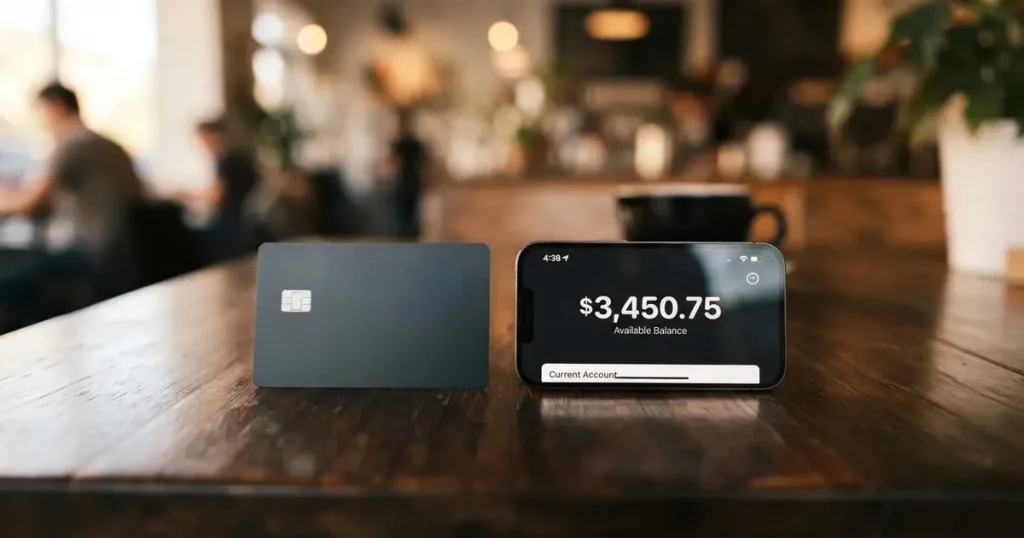
If you live outside the United States and have tried to open an ordinary bank card, you already know the pattern. Something in the application does not fit: your address format, your document, your nationality, the country your bank is registered in. A card aimed at exactly your situation looks appealing for about a minute, and then you read the eligibility line and the fee table and you have to decide whether the thing actually works for you or merely exists for you.
US Unlocked is that kind of card. It is a virtual Visa in US dollars, sold by subscription to anyone residing outside the US, and designed around one specific job: paying American websites that want dollars. That is a real need. Plenty of people have one. The question this review answers is what happens after you sign up, what comes out of your money, and where it stops working.
My score for this card is 5.1 out of 10. That is not a rounding of something stronger. The eligibility rules are genuinely open, the pricing is transparent enough to plan around, and the underlying idea is sound. But the card scores 3 out of 10 on reliability and 3 out of 10 on everyday use, and those two marks drag everything else down, because a payment card that is declined at the till is not a payment card for most of the purposes people want one for.
The conditions described here are current as of October 28, 2026.
The score in detail
| Criterion | Mark | Why |
|---|---|---|
| Who can get it | 9 / 10 | Any resident outside the US with valid ID and proof of address; about 175 countries on the countries page, no published exclusion list |
| Cost | 4 / 10 | Subscription $4.95 a month or $39.95 a year, One-Time Use Card $2; crypto load 2%, 3% on non-USD payments, unload $10 |
| Top-up options | 5 / 10 | Crypto and stablecoins (coins and networks not named on the pages), arriving in 1-2 hours; also SEPA, UK Faster Payments, Apple Pay, Google Pay, credit cards |
| Reliability and complaints | 3 / 10 | Tern Commerce Inc., card issued by “Third National” under licence from Visa; a payment-partner problem acknowledged in March 2026; Trustpilot 1.9 from 113 reviews |
| Everyday use | 3 / 10 | Virtual-only Visa in USD, $3,000 maximum balance; Apple Pay and Google Pay appear only as top-up methods, no plastic, no ATM |
| Total | 5.1 / 10 | Open eligibility, narrow function, and a visible complaint problem |
Who this suits: a non-US resident whose main spending is American online shops, software subscriptions, hosting, and digital services billed in dollars, who is comfortable with a prepaid balance model, and who can wait 1-2 hours for a crypto top-up to land. Who it does not suit: anyone who needs a physical card, an ATM, cash, Apple Pay or Google Pay at a terminal, spending in other currencies, or anything bought from a shop that checks the billing address closely. If your day involves touching a card reader, this is the wrong product.
Who will they give you the card
They will give it to a fairly wide group. The stated rule is: “Anyone residing outside the U.S. with valid ID and proof of address”. US residents are not eligible. The card terms add a declaration you have to attest to: “You are not a United States citizen”.
So there are two separate gates, and people often conflate them. Residence is the gate for being able to apply. Citizenship is a separate attestation in the terms. If you are an American citizen living in Berlin or Bangkok, one of those two lines may stop you, and it is worth reading the terms yourself rather than trusting a comparison table.
The countries page lists roughly 175 available countries, from Albania to Zambia, including Kazakhstan, Georgia, Armenia, Uzbekistan, Kyrgyzstan, Moldova and Turkmenistan. There is no published exclusion list, and Russia and Belarus do not appear in the list of countries. Because the rule is residence-based rather than nationality-based, the practical effect is that eligibility is judged by where you live and can document, not by which passport you hold.
One thing the pages do not say is the minimum age. That is not stated, so if you are under 18 you should not assume you are covered, and you should raise it with support before you pay anything.
How to get it
The application is short. You register, verify your ID, choose a plan, load the account, and the cards are issued. That is the whole sequence.
For documents you need a government-issued photo ID, and they may also ask for a recent utility bill or bank statement as proof of address. PO boxes and virtual addresses are not accepted, which is a real constraint if your address is a forwarding service or a coworking desk. On timing, the site says typically under 3 minutes, up to 24 hours; the “3 minutes” is clearly the card-generation step, not the verification step, so treat 24 hours as the honest number for your first card.
There is a single verification step rather than a tiered ladder. The stated reasons for rejection are an expired ID, poor image quality, and mismatched information, and additional review may be required in some cases. If you are going to be rejected, it will usually be because of the document itself.
The card itself is virtual only, in USD, on Visa, issued under licence from Visa. There are three types:
- US Unlocked Card — the open-to-buy one, usable anywhere the merchant accepts it.
- Store Locked Card — locks to the first merchant you use it with, so it cannot wander.
- One-Time Use Card — deletes itself after one transaction.
CVV and expiry are shown in the dashboard after SMS or OTP verification. No physical card is delivered at any plan level. The Store Locked and One-Time Use types are the genuinely clever part of the design: if you are nervous about a card number leaking, you can make the exposure one merchant or one purchase at a time. That is a better answer to card-fraud anxiety than most cards in this category offer.
Fees: what it really costs
Here is the whole cost picture, and it is worth reading twice because the numbers are not where people expect them.
| Fee or limit | Value |
|---|---|
| Subscription, monthly | $4.95 per month |
| Subscription, annual | $39.95 per year (“Save 33%”) |
| Included with subscription | One Everyday Spend Card; up to 10 cards in total |
| Additional Everyday Spend Cards | $1 per month each (FAQ text says $2 each) |
| One-Time Use Card | $2 each |
| Crypto top-up fee | 2% |
| SEPA / UK Faster Payments top-up | $2.00 + 2% (FAQ says SEPA $0.70 + 4.5%) |
| Apple Pay / Google Pay / credit card top-up | $1.00 + 5% |
| Foreign currency transaction fee | 3% when the merchant does not accept USD |
| Zero-value transaction fee | $0.50 for $0.00 transactions |
| Returned or reversed payment fee | $30 |
| Unload fee | $10 |
| Free trial | None |
| ATM | Not stated — cards are virtual and described for US e-commerce |
| Maximum balance | $3,000 per account |
| Spending limit | “Generally set by US Unlocked”; the issuer may set additional limits |
There are two internal inconsistencies in the card’s own material, and you should plan around the less favourable figure in both cases. Extra Everyday Spend Cards are $1 per month on the pricing page and in the card terms, but the FAQ says $2 each. SEPA is $2.00 plus 2% on the pricing page and $0.70 plus 4.5% in the FAQ; for a large top-up those two are not close, and the percentage is what actually costs you.
Now three everyday payments, to show which fees bite.
A $30 software subscription, paid from crypto. You pay the $4.95 subscription to have the card at all, then 2% on the crypto you load, which on $30 is $0.60. The merchant accepts USD, so no currency fee. Total overhead on $30 is $5.55. That is the single most important number for anyone with small recurring charges.
A $40 order from an American shop that quotes prices in euros. The merchant does not accept USD, so the 3% foreign currency fee applies: $1.20 on top of $40, plus the 2% load fee of $0.80, plus your $4.95 subscription if you are on the monthly plan. The card terms say the cards are billed in USD and the FAQ says there is no FX fee, but the fee table and the terms both carry the 3%, and that is the figure I would budget for.
A $50 payment that goes wrong and comes back. A returned or reversed payment costs $30. This is the fee that is most likely to surprise you, and it is worth remembering when you are comparing against alternatives.
The $10 unload fee deserves its own line. Unload is how you get the balance back off the card, so a fee to withdraw means the balance you loaded is not fully yours on the way out. Closing the account requires a $0 balance, so you must unload first and pay the $10 to do it.
How to top it up
Crypto and stablecoins are the primary route, and the funds arrive in 1-2 hours. The pages I could read do not name the coins or the networks, which matters more than it sounds: you cannot send on a chain the provider does not support, and a transfer to the wrong network or to an address belonging to another network can be lost, because blockchain transfers are irreversible. Confirm the supported networks in the dashboard before your first send, not after.
The other routes are ordinary bank rails and wallet rails, and they vary by country: SEPA, UK Faster Payments, Apple Pay, Google Pay, and credit cards. PayPal and Venmo are not supported. Arrival times differ sharply — crypto 1-2 hours, SEPA 3-5 business days, card top-ups usually instant — which decides which one you use for what.
| Method | Fee | Arrival | Worth knowing |
|---|---|---|---|
| Crypto / stablecoin | 2% | 1-2 hours | Coins and networks not named on the pages; a wrong-network send cannot be reversed |
| SEPA / UK Faster Payments | $2.00 + 2% (FAQ: SEPA $0.70 + 4.5%) | 3-5 business days | The two published versions differ sharply; check which applies to you |
| Apple Pay / Google Pay / credit card | $1.00 + 5% | Usually instant | The flat $1 makes small top-ups expensive in percentage terms |
| PayPal / Venmo | Not supported | — | Not available as a load method |
Two things are not stated and not to be assumed: the minimum top-up is not published, and there is no description of withdrawing to crypto or to a bank account. The only exit path the pages describe is the unload, at $10. Loads are non-reversible once submitted, which sounds obvious and is still the rule that decides how much you put in at the first attempt. Put a small amount in first.
Paying with it every day
Here is where the 3 out of 10 comes from, and it is worth being blunt: this is not a card for daily life. It is a virtual Visa in dollars, with a $3,000 maximum balance per account and a spending limit “generally set by US Unlocked”, which the issuer may tighten further. So the amount you are allowed to hold and the amount you are allowed to spend in a period are both numbers somebody else controls.
Apple Pay and Google Pay appear only as top-up methods. Adding the card to a phone wallet is not described, so do not plan on tapping in a shop. There is no ATM function, no plastic, and no cash withdrawal path described anywhere.
Merchant categories are restricted: high-risk categories such as gambling, crypto, adult, money transfer and weapons, and the terms additionally name internet gambling and cash-like purchases such as lottery tickets and casino chips. A card aimed at ordinary US e-commerce has no reason to carry those categories, but if you are reading this to pay for something in one of them, the answer is no before you apply.
There is no cashback or rewards scheme stated. The account runs through a website dashboard only; no App Store or Google Play app is mentioned, so you are signing in from a browser rather than an app.
When something goes wrong, the procedure is: contact the merchant first, then open a dispute with support; report any disputed charge within 60 days of the statement. Chargebacks resolved in your favour are credited back to the account. Pre-authorisation holds can take up to 31 days to release, which is a long time to have money apparently gone. For fraud, email support immediately and mark the charge in the dashboard.
What can go wrong
The complaint record is the thing to read before you sign up, not after.
Trustpilot shows 1.9 out of 5 from 113 reviews, 18 of them in the last 12 months, read on 2026-10-21. The themes repeat: merchants rejecting the card, from February 2026 through September 2026; accounts suspended or under review after deposits, from January to September 2026; billing and refund disputes, including an annual fee charged instead of a monthly one in September 2026 and fees kept after cancelling in November 2025. Separately, the cards-per-account cap has been cut from unlimited to 100 and then to 10.
In the company’s own voice, US Unlocked replied on Trustpilot on 7 March 2026 acknowledging an ongoing issue with its payment partner. That is the sort of statement that either precedes a fix or explains a wave of complaints, and on the evidence available you cannot tell which it was.
Why merchants decline is partly explained by how card payments work, and this is not card-specific bad luck. The merchant can look up the issuing institution and country from the card’s first six or eight digits, and some apply extra scrutiny when the issuer country differs from the billing address. Address verification, which compares the numeric parts of the billing address with issuer records, is mainly offered in the US, Canada and the UK and is generally unavailable for foreign-issued cards, which can cause declines. Some merchants decline prepaid or foreign-issued cards precisely because the lookup reveals the type. A US billing address is stated as a requirement, which helps, but a decline is still a decline and it will happen at the shop, not at the issuer.
The company structure is worth knowing. US Unlocked is the brand; Tern Commerce Inc. is the company behind it; the card programme is issued by “Third National” under licence from Visa. The registration country is not stated. Visa does not issue crypto cards to consumers itself — it licenses issuers and can suspend a programme. The precedent is real: Visa terminated its global agreements with FTX on 13 November 2022 and the FTX US debit card was wound down by its issuer, and WaveCrest, a Visa issuer that supplied crypto card brands, was suspended by Visa in Europe in 2018, closing all WaveCrest-issued Visa programmes. Programme closures tend to follow a shape: a notice period, then spending and loading stop, then you are asked to withdraw remaining balances. A 2026 closure reported by a secondary source put new loads ending 8 July 2026 and spending stopping 8 August 2026 — single source, unconfirmed, and I include it only as an illustration of the pattern, not as a prediction.
On the security side: two-factor authentication through an authenticator app under Account Settings and Security, SMS or OTP before viewing card details, 3-D Secure mentioned, and the account auto-locks after 30 minutes. The one-time and store-locked card types limit exposure. How funds are safeguarded is not described, and that is the gap to weigh: on a custodial balance, the description of what happens to your money if the provider fails is precisely the thing you would want and do not get.
Support is email and a contact form, Monday to Friday, 9 AM to 6 PM EST. Languages are not stated, so if English is a second language for you, that is worth knowing in advance.
Two smaller risks worth naming. A declined authorisation can leave a hold on your funds for several days, typically up to 7. And in the EU the prepaid-card regime can differ from debit and credit protections, so do not assume the reversal rights you would have with a debit card apply here.
On tax, I will say only this much and you should take your own advice: in the US the IRS treats digital assets as property, so exchanging them for goods or services generally produces a taxable gain or loss, measured in local fiat currency at the fair market value on the date of the transaction, which can make each card payment funded from crypto a separate disposal. I am not your adviser and this is not advice.
What to take instead
The three cards below are the closest comparisons I found, and none of them is dramatically better — which tells you something about this corner of the market. Scores are mine on the same scale.
| Card | Score | Card itself | Cost stated | Top-up |
|---|---|---|---|---|
| US Unlocked | 5.1 / 10 | Virtual USD Visa, no plastic, $3,000 balance cap | $4.95/mo or $39.95/yr, 2% crypto load, 3% non-USD | Crypto/stablecoins, SEPA, UK Faster Payments, Apple Pay, Google Pay, credit cards |
| Cardex | 5.6 / 10 | Debit crypto card on VERVE, Visa, Mastercard, UnionPay; virtual and physical per the App Store listing | Not stated | USDT, USDC, BTC wallets; networks not stated |
| CardFlow | 4.9 / 10 | Virtual USD Mastercard, created in about 3 minutes | “Creating a virtual card is completely free” per the site FAQ; monthly fee not stated | Bitcoin, USDT, ETH or Naira bank transfer |
| HyperCard | 4.7 / 10 | Prepaid “HyperCard”; network not stated on the App Store page; balance in USD or EUR | Not stated | Crypto such as USDT, BTC, ETH, converted to USD or EUR |
Cardex scores slightly higher at 5.6. It advertises “One crypto card, 200+ countries” with no country list and no exclusions, and it offers both virtual and physical cards, which US Unlocked does not. Two caveats. Its App Store listing is Naira-focused, with payment in naira, so the app experience may not match your use case. And its fee story is a mechanism rather than a number: the site describes real-time conversion at the moment of payment and an “AI-Powered Conversion Rate” that scans global exchange rates and picks the best one, with no fee percentage published. No named percentage is also no guarantee. Note this is a vendor claim, not something I verified independently.
CardFlow sits at 4.9. It is aimed at Nigeria — “Nigeria’s smartest fintech card platform”, “Nigerians and global users” — with no country list or exclusions stated, so it is a narrower fit for a reader elsewhere. Its virtual USD Mastercard in about 3 minutes and a free card creation are appealing, but its fees are not stated, so the cost of actually using it is unknown from the pages.
HyperCard is 4.7. Its official pages state no country list; the App Store says the card works in “more than 176 countries” — which is acceptance, not eligibility, a distinction worth holding on to. It is a prepaid card with a balance in USD or EUR, funded by crypto. Fees are not stated on the pages I could read.
The honest summary of this comparison: nobody in this corner is publishing a clean, complete fee schedule with plastic cards and real everyday function. If what you need is a physical card for normal life, the answer is not a better crypto card — it is a bank account, and the reason you are reading this page is the obstacle to that.
Who I would recommend it to
I would recommend US Unlocked to a specific person: someone living outside the US, not a US citizen, with a documentable residential address, whose spending is concentrated in American online services that bill in dollars, who does not need cash or a physical card, and who treats the balance as money already spent rather than money in reserve.
For that person, the plan is simple. Take the annual plan if the subscription is genuinely ongoing — $39.95 against $4.95 a month, and the annual figure is the one the site marks as saving 33%. Load with crypto, in small amounts first, after checking which networks are supported in the dashboard. Use the Store Locked Card for anything you are not certain about, and the One-Time Use Card for one-off subscriptions so a leaked number is worthless a second later. Set the one-time payment at the merchant rather than leaving a card open for a recurring charge. And keep the balance low, because of the $3,000 cap and because a balance sitting on a custodial card is a balance you may have to pay $10 to retrieve.
I would not recommend it to someone paying rent, groceries, travel, or anything at a physical till. Not to anyone who needs to hold more than $3,000 at a time. Not to anyone who expects a dispute to be painless, given the 1.9 Trustpilot score and the reports of accounts closed after deposits. And not to anyone who will be annoyed by a $10 fee to leave, because that fee is the clearest signal of who the arrangement is built for.
Read the terms, confirm your country appears on the list, and check the supported top-up networks yourself before you load. Those three checks will tell you more in five minutes than any review, including this one.
Frequently asked questions
What is the US Unlocked card?
It is a virtual Visa payment card issued under Visa’s licence, denominated in US dollars and sold on subscription, aimed at people who live outside the United States and pay American websites that want dollars. The brand belongs to Tern Commerce Inc. and the issuing institution is named as “Third National”. There is no physical card: you get card numbers, CVV and expiry in the web dashboard after SMS or OTP verification.
Is US Unlocked a bank?
No, not as far as its own material describes it. It is a card programme run by Tern Commerce Inc. with the card issued by “Third National” under licence from Visa, not a deposit-taking bank. How your funds are safeguarded is not described on the pages I read, which is exactly the detail you would want before leaving money on it. The registration country is also not stated.
Do I need to be a US citizen to get one?
Citizenship is not the eligibility test — residence is. The stated rule is “Anyone residing outside the U.S. with valid ID and proof of address”, and the countries page lists roughly 175 countries. US residents are not eligible. Separately, the card terms require you to attest “You are not a United States citizen”, so an American citizen living abroad should read those terms carefully before applying.
Does the card require KYC, and what do they ask for?
Yes. You need a government-issued photo ID, and they may also request a recent utility bill or bank statement as proof of address. PO boxes and virtual addresses are not accepted, which is the most common reason a forwarding address fails. Stated rejection reasons are an expired ID, poor image quality and mismatched information, and there is a single verification step rather than a tiered ladder. Timing is given as typically under 3 minutes, up to 24 hours.
How much does US Unlocked cost per month?
The subscription is $4.95 a month or $39.95 a year, and the annual option is the one the site labels “Save 33%”. That includes one Everyday Spend Card, with up to 10 cards in total. Additional Everyday Spend Cards are $1 per month each on the pricing page, though the FAQ says $2 each. On top of that, crypto top-ups cost 2%, and there is a 3% fee when the merchant does not accept USD. There is no free trial.
How do I top up the US Unlocked card?
Crypto and stablecoins are the main route, arriving in 1-2 hours, though the pages do not name the supported coins or networks — check the dashboard before sending, because a transfer to the wrong network cannot be reversed. You can also use SEPA, UK Faster Payments, Apple Pay, Google Pay or credit cards depending on your country; PayPal and Venmo are not supported. Minimum top-up is not stated, and loads cannot be reversed once submitted.
Can I add the card to Apple Wallet or pay in a shop?
Not on the evidence available. Apple Pay and Google Pay appear only as ways to fund the account; adding the card to a phone wallet is not described. There is no physical card and no ATM function. The realistic use is online, in dollars, at American merchants — which is also why address verification and foreign BIN checks lead to declines at some merchants, and why the card reports complaints about rejections.
What are the withdrawal and account-closing rules?
Unloading the balance costs $10, and closing the account requires the balance to be at zero, so you must unload first and pay that fee. A withdrawal of the balance to a crypto wallet or a bank account is not described anywhere in the pages I read, so treat the unload as the only exit path you know about. Users also report fees being kept after cancelling, so check the final statement rather than assuming the account ends at zero.
How do I dispute a charge or report fraud?
Contact the merchant first, then open a dispute with support, and report any disputed charge within 60 days of the statement. Chargebacks resolved in your favour are credited back to the account. For fraud, email support immediately and mark the charge in the dashboard. Two things to plan around: pre-authorisation holds can take up to 31 days to release, and a returned or reversed payment carries a $30 fee.
Is the card safe, and what about the reviews?
The account has sensible safeguards — authenticator-app two-factor authentication, SMS or OTP before card details are shown, 3-D Secure mentioned, and an automatic lock after 30 minutes — but safeguarding of funds is not described, which is the gap. The Trustpilot score is 1.9 out of 5 from 113 reviews, with recurring reports of accounts put under review or closed after deposits and cards declined by merchants. The company itself acknowledged an ongoing payment-partner problem on Trustpilot on 7 March 2026.
Virtual cards in the catalogue – cryptocardcatalog
Content created by the «cryptocardcatalog» team