
BenPay Alpha card review: zero monthly fees and self-custody, but a thin trail of public information
 Available in US
The BenPay Alpha card is one of a small set of payment cards that spend directly from a self-custody crypto wallet, and on paper it does something most rivals do not: it charges nothing for monthly service, nothing for annual membership, nothing to top up and nothing to convert USDC or USDT into spendable balance. Those numbers are the strongest thing about it. They are also, on the day I checked, the only thing about the card that is easy to verify, because the official BenPay pages I tried were not readable and the picture I could build came mostly from BenPay’s own Medium posts, a handful of third-party write-ups, app-store ratings and not much else.
This review is written for someone who already has USDC or USDT in a self-custody wallet and is looking for a card that can spend that balance without first handing it to a custodian. If that is you, the headline is: the fee structure is genuinely good, the everyday-use story is genuinely thin, and the public information about who actually issues the card is genuinely thin too. I will walk through what I found, what I could not find, and where BenPay Alpha sits next to the alternatives I would consider in the same niche.
The conditions described below are current as of October 28, 2026.
Verdict
I rate the BenPay Alpha card 7.4 out of 10. The score reflects a card that gets the cost story right and the top-up story almost right, but stumbles on two things that matter in practice: the everyday-use story (no physical card and no ATM withdrawals on the date I checked), and the trust story (no named card issuer, no public review footprint and an official site that I could not read to confirm basic details).
| Criterion | Mark | Reason |
|---|---|---|
| Who can get it | 8 / 10 | Officially “open to everyone” with no country list published; the starting data I was given listed 14 restricted countries including Russia and Belarus, but I could not confirm that on a readable official page |
| Cost | 9 / 10 | Officially 0 monthly, 0 annual, 0 top-up, 0 crypto-to-fiat conversion; an unofficial source mentions a refundable 20 USDT deposit; FX fee is not stated |
| Top-up options | 8 / 10 | USDC or USDT on Ethereum, BNB Smart Chain, Base and Optimism, with USDC converted to BUSD at 1:1 from a self-custody wallet |
| Reliability and complaints | 6 / 10 | App publisher is Wuben Inc., a US FinCEN MSB licence is claimed, but the card issuer is not named; I could find no Trustpilot or Reddit reviews for BenPay |
| Everyday use | 5 / 10 | Virtual Visa with Apple Pay and Google Pay works; physical card and ATM withdrawals are “coming soon” and were not available on the day I checked |
Who it suits: a self-custody user who already holds USDC or USDT, wants to spend that balance without paying a stack of fees, and is comfortable managing their own keys. The card is genuinely built for that person.
Who it does not suit: anyone who needs a physical card today, anyone who needs to withdraw cash from an ATM, anyone who cannot pass an ID check, or anyone who wants a card programme with a long public track record and a clearly named issuer behind it. If any of those matter, look at the alternatives section before you commit.
Who will they give you the card
BenPay says, in its May 2025 Medium posts about the card generally, that the programme is “open to everyone” and does not publish an eligible-country or a restricted-country list. That is the entire official position on geography that I could read. The starting data I was given lists 14 restricted countries, including Russia and Belarus, but I could not find that list on a readable official page, so I am treating it as a starting-data note rather than a confirmed fact. If your country matters to you, the responsible thing to do is start the application and see what the app tells you, because the public materials do not.
On identity checks, the picture is mixed. The same May 2025 Medium post about BenPay Card in general says “no KYC” and that sign-up uses a Google or Apple account via a mechanism called zkLogin, with a two-step application. A Binance Square user post (undated) about the Alpha card specifically says it requires full KYC with an ID document, and a December 2024 ChainCatcher article about the Platinum card says that tier requires “necessary KYC”. I could not confirm the Alpha tier’s KYC level on a readable official page, so the honest summary is: the card in general is presented as low-friction, the Alpha tier is reported by third parties to require an ID, and the exact level is not stated in the place I would want to read it.
The practical implication: assume you will be asked for an ID document at some point in the flow, and do not plan around “no KYC” being a permanent feature.
How to get it
The sign-up path described in the May 2025 Medium posts is a two-step application using a Google or Apple account through zkLogin, which is a privacy-preserving sign-in that lets you prove ownership of an account without the provider learning which one. Whether the Alpha tier adds an ID upload step on top of that, the third-party source says yes; the official page did not confirm.
The card you start with is a virtual Visa on the Visa Global Network. The Medium post at that time said a physical card was “coming soon”, so on the day I checked, the only thing that actually ships is the virtual card in your phone’s wallet. Delivery times for a physical card, when it does ship, are not stated.
A few practical questions that come up at this stage, and where I could and could not find answers:
- The card currency: starting data says USD settlement; I could not confirm this on a readable official page.
- KYC levels by tier: not stated.
- Whether there is a waitlist, a referral code or a regional queue: not stated.
If you are the kind of person who wants every answer in writing before you start an application, this card is going to test your patience. If you are comfortable installing the app, starting the flow and letting it tell you what it needs, that is the path the materials describe.
What it really costs: fees and everyday numbers
The fee story is the headline. According to the May 2025 Medium posts about BenPay Card: 0 monthly fee, 0 annual fee, 0 top-up fee, 0 crypto-to-fiat conversion fee. The Medium post did not state a foreign-exchange fee and did not state an opening fee for the Alpha tier.
A Binance Square user post (undated) about Alpha says there is no opening fee currently, but mentions a refundable 20 USDT deposit that is used to cover failed transactions and disputes. I am quoting that as unofficial, because I could not read it on an official page.
A December 2024 ChainCatcher article about the Platinum card says that tier has a 20-unit opening fee, a 1% top-up fee and no monthly fee. That is for Platinum, not Alpha, and it is from a third-party source.
The card spending limit is described in the May 2025 Medium post as a single card supporting up to $200,000 in spending. Per-KYC-level limits are not stated. ATM withdrawals are not available, because the physical card and the ATM feature are both “coming soon”.
Costs at a glance
| Fee or limit | Value | Source |
|---|---|---|
| Card opening fee (Alpha) | Not stated on a readable official page; unofficial source says 0 currently, with a refundable 20 USDT deposit | BenPay Medium, May 2025; Binance Square, undated |
| Monthly fee | 0 | BenPay Medium, May 2025 |
| Annual fee | 0 | BenPay Medium, May 2025 |
| Top-up fee | 0 | BenPay Medium, May 2025 |
| Crypto-to-fiat conversion | 0 | BenPay Medium, May 2025 |
| Foreign-exchange (FX) fee | Not stated | — |
| ATM withdrawal | Not available (physical card “coming soon”) | BenPay Medium, May 2025 |
| Single-card spending limit | Up to $200,000 | BenPay Medium, May 2025 |
| Per-KYC-level limits | Not stated | — |
What a few everyday payments look like
A coffee in your home currency, paid with Apple Pay from your USDC balance. The conversion from USDC to USD balance is 0%. The network fee is whatever you paid when you sent USDC to the card’s wallet in the first place, not a card fee. The merchant pays whatever its acquirer charges; that is not on you. The FX fee, if your home currency is not USD, is not stated.
A hotel booking in euros, paid online with the virtual Visa. The conversion from USDC to USD balance is 0%. The Visa cross-border fee, if any, is not stated on the official page. If your bank statement shows a foreign transaction fee, it is coming from the FX margin, not from a line item the card issuer publishes.
A cash withdrawal from an ATM. Not available on the day I checked, because the physical card is not yet shipping and the ATM feature is described as “coming soon”.
How to top up BenPay Alpha
The top-up path is the second-best part of the offer. BenPay Alpha is funded by sending USDC or USDT to the card’s wallet from your own self-custody wallet. The supported networks, per the materials, are Ethereum, BNB Smart Chain, Base and Optimism. USDC is converted into BUSD at 1:1 once it arrives, and USDT is held as USDT. The top-up fee is 0% on the card side. Network fees on the blockchain are paid by the sender as usual and are not set by the card provider.
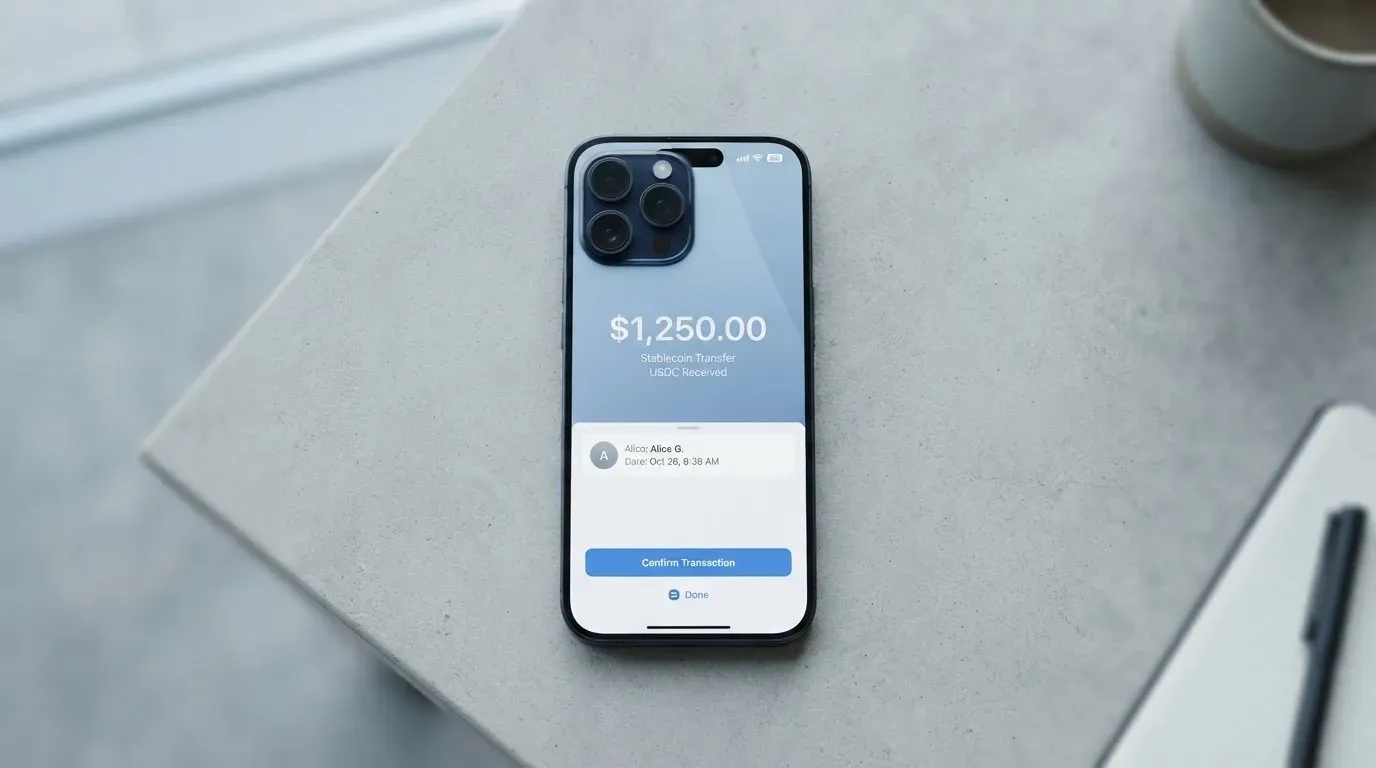
A few things that the materials do not state, and that you will want to know before your first transfer:
- The minimum top-up amount is not stated.
- Which side pays the network fee (you, the wallet, or the card provider) is not stated.
- Withdrawal from the card back to your own wallet is not stated.
- Whether the receiving address is a fresh address per top-up, or a single static address, is not stated. With most self-custody card flows it is a single address; assume that until the app tells you otherwise.
The on-chain part is where the real cost of a top-up lives. ERC-20 transfers on Ethereum are paid in ETH, so a wallet with USDC but no ETH cannot send. If you are funding from Base or Optimism, the gas cost is usually a small fraction of a US cent; on mainnet Ethereum it can be several dollars. Choose the network with that in mind.
One non-trivial point: the supported networks do not include Solana, Tron, Polygon or Arbitrum. Circle stopped supporting USDC on Tron in February 2024, so “USDC over TRC20” is not a native option anywhere now, and BenPay is not unusual in not listing it. But if your stablecoin balance lives on Solana or Polygon, you will need to bridge it to one of the four supported networks before you can top up, and that bridge is an extra step with its own fees and its own risks.
Paying with it every day
On the day I checked, the everyday-use story is partly built and partly promised. The virtual Visa is live, Apple Pay and Google Pay are supported, and Alipay and WeChat Pay can be bound to the card. A physical card and ATM withdrawals are both described as “coming soon”, so anything that requires plastic or cash is not available yet.
What is not stated, and that you would normally want to know before relying on a card day to day:
- Blocked merchant categories (gambling, adult, crypto purchases, and so on). The standard industry MCC block list (gambling is MCC 7995) is usually applied somewhere; I just could not find a published list for Alpha.
- Cashback or rewards on Alpha specifically: not stated. An unofficial Binance Square post mentions a “spend 50u get 2u back” promotion; I am quoting that as unofficial.
- The app rating on the US App Store on iOS: 4.8 out of 5, as of 21 October 2026. I did not read Google Play.
The card payments underneath work the way most Visa cards work. Online checkouts can require a 3-D Secure step (Visa Secure on the Visa network), which means a one-time code or a biometric prompt on your phone. The address verification system is mainly a US/Canada/UK thing and is often unavailable for foreign-issued cards, which can occasionally cause a decline on a US merchant even when the balance and the card are fine. None of this is unique to BenPay; it is how the rails work.
A declined authorisation can leave a hold on the balance for up to seven days. That is also not unique to this card; it is how the networks work. But it is worth knowing if you are running the balance close.
What can go wrong
The honest part of any review is the part the marketing page does not write. Here is what I would think about before putting a meaningful balance behind this card.
The card issuer is not named in the public materials I could read. The app is published by Wuben Inc., BenPay claims a US FinCEN MSB registration, and the starting data names BenFen Inc. None of those is the entity that actually issues the Visa, and “the card issuer” matters because it is the institution that holds the BIN, sets the spending controls, handles disputes and is on the hook if the programme changes. Visa and Mastercard themselves do not issue crypto cards to consumers; they license issuers, and they can suspend a programme. In November 2022 Visa said it had terminated its global agreements with FTX and the FTX US debit programme was wound down. In 2018, WaveCrest, which supplied several crypto card brands, was suspended by Visa in Europe and every WaveCrest-issued programme on its licence closed. Programmes do not last forever, and when they end the pattern is: a notice period, then loading stops, then spending stops, then a window to withdraw the remaining balance.
The complaint trail I could find for BenPay is essentially empty: no Trustpilot page, no Reddit thread, no review-aggregator footprint that I could surface through search. That is not the same as “no complaints”, but it does mean you are an early user in any meaningful sense, and there is no body of public experience to lean on.
Self-custody is the card’s main feature and its main risk at the same time. With a self-custody-linked card the funds stay in your own wallet until the moment of payment, which is the whole point. It also means you are the only person who can recover the wallet if you lose the seed phrase, and you are the only person who can lose it. Clipboard-hijacking malware that swaps a copied address is a real and recurring attack, and on-chain transfers are not reversible. If you are not already comfortable with hardware wallets, address whitelists and the discipline of double-checking every character, the right time to learn those habits is before you fund the card, not after.
A few smaller things, each small on its own, that I would want answered before I made this my primary spending card:
- Freeze and spend controls (instant card freeze, per-transaction caps, online-only mode) are not stated.
- Support channels and response times are not stated.
- Disputes and chargebacks: the procedure is not stated.
If you cannot find a clear answer to those in the app or in your welcome email, treat that as part of the answer.
What to take instead
The honest way to read the alternatives is “same job, different trade-offs”, not “these are better”. Three cards sit in roughly the same niche as BenPay Alpha: a fee-light crypto card for someone who already lives in stablecoins. None of them is a perfect swap.
TokenPocket (TP) Card — 5.8 / 10
TokenPocket’s card is a Visa or Mastercard debit, with a Visa list for several European countries (Germany, France, Spain, Switzerland among them) and a Mastercard list for Australia, Canada, Hong Kong, Japan, Taiwan, New Zealand, Singapore, South Korea, the UK and others. The Americas were “planned for Q2 2025”. The card runs on Arbitrum and balances sit in EUR24 and USD24. TokenPocket says there is a small NFT creation fee that the user pays part of, that “apart from these, TP Card does not charge any additional fees”, and that a 1% fee is charged when depositing crypto into the card, with that 1% later refunded through rewards or reduced transaction fees. The FX fee is not stated, and extra fees can come from inter-institution settlement.
Compared with BenPay Alpha: TokenPocket is geographically narrower on the day I checked, charges a 1% deposit fee that is supposed to come back to you later, and does not publish an FX fee. It is the option I would look at if the country list fits and you are already inside the TokenPocket wallet.
MetaMask Card — 7.1 / 10
The MetaMask Card is a Mastercard issued by Monovate with Crypto Life as the card provider. Sign-up is open in 45 listed countries (Andorra, Argentina, Brazil, Canada, Mexico, Germany, France, Spain, Uruguay among them); other regions can join a waitlist. Proof of residency is required, and the FAQ says “ineligible regions limit sign-ups, not spending”. US and UK sign-ups were temporarily closed per the FAQ at the time of writing. Citizenship rules are not stated. The virtual card is free, instant, and one per user; a Metal version is pre-orderable in-app after virtual approval and costs $199 a year. The fee line is “minimal fee for each transaction” (the linked fee table was not on the page I read), “no additional MetaMask fees”, no foreign transaction fee, and the Mastercard rate is used. The card spends directly from the connected wallet on Linea, Base, Monad and Solana, with mUSD, wETH, EURe, GBPe, USDC and USDT named (the page says nine tokens). Solana-only wallets cannot withdraw credit. Cashback in mUSD is 1% on Virtual, headline 3% on Metal with a footnote that limits 3% to the first $10,000 spent and then drops to 1%; there is also a $FLY bonus via the Blackbird dining app (5x on Virtual, 7x on Metal).
Compared with BenPay Alpha: MetaMask Card is a much more public programme with a named issuer, a published country list and a real cashback structure, and it is the option I would take if the country list fits and the residency proof is not a problem. The Metal price tag is a real difference.
KAST — 6.1 / 10
KAST is a Visa card programme with up to 10 cards per user, three tiers (Standard, Premium, Private) and balance held in USD. Stablecoin deposits convert at 1:1 with a 0% spread. On cost, Standard is $0 a year, Premium is $1,000 a year, Private is $10,000 a year, all billed annually upfront. Standard physical card is $0 card fee plus $40 delivery; Premium and Private physical cards are included. There is a $2 fee for an extra virtual card in some regions, a $1/month inactivity fee after 12 months, and renewal or reactivation fees in amounts not stated. Stablecoin top-up is 0%, card spend in USD is 0%, Apple and Google Pay are 0%, and the non-USD FX fee is 0.5% to 1.75% depending on residence country, transaction country and card programme. Non-USD transactions under $25 carry a $0.10 fee and a declined transaction for insufficient balance is $0.50. Cashback in USD is tiered: 1.5% on the first $2,000 a month for Standard, 2% on the first $10,000 for Premium, 3% on the first $40,000 for Private, with KAST Points adding 1% or 2% on top for the upper tiers. KAST says it is residence-based at KYC, that the country list is shown in the app and is not published, and that an ID from a restricted region can still disqualify you even if you live in a supported country. Funding is USDT, USDC, PYUSD or RLUSD on Ethereum, Solana, Polygon, Arbitrum or Tron; the Terms say “currently USDT and USDC”, which conflicts with the in-app list.
Compared with BenPay Alpha: KAST is the most expensive of the three if you go up the tiers, but it is also the one that publishes the most about its programme and has the most flexible funding options. It is the option I would take if I wanted a real card with a real annual fee I could budget for, and I was willing to pay for the cashback and the network choice.
Who I would recommend it to
Pulling the threads together, the BenPay Alpha card is a good fit for a self-custody user who already holds USDC or USDT, wants to spend stablecoins through Apple Pay or Google Pay on a virtual Visa, and is comfortable with the fact that the public information about the programme is thin. The fee structure is genuinely fee-light in a way most of the alternatives are not, and the self-custody design is the right answer to the “I do not want to give my stablecoins to a custodian” problem.
It is a poor fit for anyone who needs a physical card today, who needs ATM access, who is not willing to hand over an ID document, or who needs a card programme with a long public track record and a clearly named issuer. In any of those cases, the MetaMask Card, KAST or a more traditional crypto card from a major exchange is a safer bet.
My honest summary is that the card’s economics are right and the rest is a work in progress. If the team behind it publishes the things a careful user wants to know (a country list, a named issuer, FX fees, blocked MCCs, dispute and support procedures), the score moves up quickly. If those stay hidden, the score drifts down the first time something goes wrong and the user has nowhere to read what to do next.
Frequently asked questions
What is the BenPay Alpha card?
The BenPay Alpha card is a virtual Visa payment card that spends from a self-custody crypto wallet, with USDC or USDT on Ethereum, BNB Smart Chain, Base or Optimism converted into a USD balance. A physical card and ATM withdrawals were described as “coming soon” on the day this review was written.
How does the BenPay Alpha card work?
You send USDC or USDT from your own wallet to the card’s wallet on one of the supported networks, the card converts USDC to BUSD at 1:1 and loads a USD balance, and the virtual Visa spends that balance wherever Visa is accepted online or in mobile wallets.
Is BenPay Alpha a bank?
No. BenPay is the programme brand; the app is published by Wuben Inc. and the card issuer (the institution that actually issues the Visa) is not named in the public materials I could read.
Who owns BenPay Alpha?
The app publisher is Wuben Inc., a US FinCEN money services business registration is claimed, and starting data also names BenFen Inc. The ownership behind those entities is not publicly disclosed.
How do I get the BenPay Alpha card?
The May 2025 Medium posts describe a two-step application using a Google or Apple account via zkLogin. A third-party source says the Alpha tier also requires an ID document; the official page did not confirm that to me.
Does the BenPay Alpha card require KYC?
The May 2025 Medium post says “no KYC” for BenPay Card in general; a third-party post says Alpha requires full KYC with an ID. Treat ID upload as a possibility, not as a confirmed step.
Is the BenPay Alpha card free?
Officially, yes: 0 monthly fee, 0 annual fee, 0 top-up fee, 0 crypto-to-fiat conversion fee. A third-party source mentions a refundable 20 USDT deposit for failed transactions and disputes. The foreign-exchange fee is not stated.
How do I add the BenPay Alpha card to Apple Wallet or Google Pay?
The materials say Apple Pay and Google Pay are supported. The actual steps (open the app, follow the add-to-wallet prompt, authenticate with Face ID or fingerprint) are the standard tokenisation flow and should appear inside the BenPay app once your virtual card is issued.
Where can I use the BenPay Alpha card?
Anywhere Visa is accepted online, plus any contactless terminal that accepts Apple Pay or Google Pay, which is most of them. The card is a virtual Visa only on the day I checked; there is no physical card and no ATM access yet.
Is the BenPay Alpha card safe?
The self-custody design means your funds stay in your own wallet until the moment of payment, which removes the custodian-counterparty risk. The trade-off is that you alone hold the keys, you alone bear the consequences of a phishing attack or a clipboard-hijack, and the card issuer is not named in the public materials, which is the standard risk in any card programme whose back end you cannot see.
Wallet cards in the catalogue – cryptocardcatalog
Content created by the «cryptocardcatalog» team