
A self-custody Visa that spends from a USDC balance, with a free virtual tier and a paid Plus plan
 Available in US
Tangem Pay is a Visa card whose balance sits behind a USDC smart contract you control, and you spend it through a familiar Visa number. If you already use the Tangem hardware wallet, the pitch is that the card and the wallet can live in the same app, with the same self-custody story. If you don’t, the card is still interesting on its own: a free virtual Visa, on-chain by default, no bank account required to load crypto.
The conditions described below are current as of October 28, 2026.
Verdict
I’d give Tangem Pay a 6.9 out of 10. That’s a solid mid-table score for a card that does one thing unusually well — spending from your own USDC balance on Polygon — and a few ordinary things less well, like letting you take cash out of an ATM or naming its supported countries up front. It’s not for everyone, and it isn’t pretending to be: there’s no credit, no overdraft, no lending. It’s a prepaid-style Visa where the prepaid balance happens to live in a smart contract instead of a bank.
Who it’s for: Tangem Wallet owners who want a card tied to the same app; anyone outside the UK and EU who can get an ordinary card to work but wants crypto on the same card; people in the U.S. and a long list of LATAM, APAC, MEA and Africa countries who can use a free virtual Visa and don’t mind converting to USDC first.
Who should pass: anyone in the UK or EU (the card isn’t open there yet, though 2026 is the stated plan); anyone who needs a physical card right now and lives in a country the plastic isn’t shipping to; anyone who treats ATM withdrawals as a normal part of card use. And anyone who wants a credit card — this isn’t one.
| Criterion | Mark | Reason |
|---|---|---|
| Who can get it | 7/10 | Available in the U.S. and a long but unpublished list of LATAM, APAC, MEA and Africa countries; UK and EU are planned for 2026 but not live |
| Cost | 7/10 | Basic tier is free, Plus is $29.99/month, transaction fee $0; FX adds 1.5% over the Visa rate; ATM is 4% on Basic |
| Top-up options | 6/10 | Native USDC on Polygon from any wallet, in-app swap, or ACH/FedWire where available; bank onramp is regional |
| Reliability and complaints | 7/10 | Cards are issued by Third National and run by Rain, with Paera LLC operating the service; user reports flag declines at gas pumps and KYC lockouts |
| Everyday use | 7/10 | Free virtual Visa on Basic, Apple Pay and Google Pay via card details, prepaid-style spending; physical cards exist but are still rolling out |
| Total | 6.9 / 10 | A focused, self-custody-first Visa that does on-chain spending well and everyday banking less so |
Who will they give you the card
The eligibility rule is residence-based, not citizenship-based, and the actual list of supported countries is not published on the public page. What Tangem Pay does say is that “eligibility is determined based on your country and region of residence” and that the check happens in the app during onboarding. The card is open in the U.S. (not all states) and in selected countries across Latin America, Asia-Pacific, the Middle East and Africa. The site also says the card works at “Visa-accepting merchants in over 150 countries,” which is about where the card is accepted, not who can sign up.
If you’re in the UK or the EU, the card isn’t open yet. The March 2026 announcement named both as planned for 2026; until then, the app will simply refuse your country at the KYC step. There is also a separate restriction on shipping the physical card. Tangem’s own statement, repeated in press coverage, says plastic shipping covers nearly 200 countries except about 20, and the list of exclusions includes China, Russia, North Korea and Palestine. So even if you can sign up, you may not be able to order the metal or plastic version to your address.
Unofficial third-party trackers do publish a more concrete country list. They name around 31 supported countries (Argentina, Australia, Bahamas, Barbados, Belize, Bolivia, Brazil, Chile, Colombia, Costa Rica, Dominican Republic, Ecuador, El Salvador, Guatemala, Guyana, Honduras, Hong Kong, Jamaica, Japan, Mexico, New Zealand, Nicaragua, Panama, Paraguay, Peru, Philippines, Singapore, South Africa, Trinidad and Tobago, United Arab Emirates and Uruguay), and 29 restricted ones including the UK and EU member states. I would treat that as unofficial, not confirmed by Tangem, and verify inside the app before you do anything else.
The other thing the page doesn’t say, and that the unofficial sources don’t always say either, is which U.S. states are excluded and which documents the KYC step expects. The card’s own copy is “ID verification and eligibility checks,” with the third-party identity provider Sumsub running a 2 minutes government ID and face check. Whether you’ll be asked for proof of address, the minimum age, and what to do if you hold a passport from a non-supported country but live in a supported one — those are not spelled out on the public page. The published rule does say nationality and residence can both matter: KYC is run, ongoing transaction monitoring is run, and limits depend on your “risk profile, verification level and account history,” with the levels not named.
If you are refused at the country screen, the only honest path is to wait until your country is added, or to use a different card. There is no published work-around.
How to get it
The signup flow is built around the Tangem app, which on iOS needs version 16.4 or later, and on Android runs on current versions. To get a card you download the app, confirm your country of residence, and run the Sumsub identity check. The check is described as 2 minutes for the basic ID-and-face pass, and it applies to the Pay account only, not to the underlying Tangem Wallet. After that you pick a tier and the card issues.
Tangem Pay has three tiers. Basic is the free virtual Visa Platinum. Plus is $29.99 a month and gives you a Visa Signature with cashback bumped to 2%. Prestige is the metal Visa Infinite at $999 a year (shown in the app as $83/month, paid as a single yearly amount) and is marked “coming soon” on the current page, with a 4% cashback rate and lounge visits when it goes live. The Basic virtual card is the entry point; the Plus plastic and Prestige metal are paid upgrades.
Issuance fees on the fees PDF: the first physical card is $0 for Basic, and $0 for the first Plus card. An additional virtual card is $5, a replacement is $1, and shipping a physical card costs between $14.53 and $82.10 depending on the address, with the exact amount shown in the app when you order. Unofficial sources also report a dispute fee of $30 per chargeback raised. Cards per user cap at 3 on Basic, 5 on Plus, and 10 on Prestige.
The reality of issuance is messier than the price list. According to unofficial coverage, the live format today is mostly the virtual Visa: most cards issue within five minutes, but if the order goes to manual review, it can take up to 48 hours. Physical cards exist, but the first plastic batch was capped at 5,000 cards, and not every tier or country has rolled them out yet. If you need a physical card tomorrow, the safer assumption is that you’ll get a virtual one now and the plastic later.
What you do need, even if it isn’t spelled out: a smartphone that can run the Tangem app, a government-issued ID that Sumsub will accept, and a few minutes. The card is denominated in USD; the app handles the conversion on the way in, and the card always spends in USD.
What it really costs: Fees
The headline numbers are friendly. Basic is free, the transaction fee on every plan is $0, and the FX fee is one flat number: 1.5% over the Visa exchange rate. After that, the picture gets more layered, because the ATM fee, the cashback, and the bank onramp differ sharply by tier.
| Fee or limit | Basic | Plus | Prestige |
|---|---|---|---|
| Plan fee | Free | $29.99 / month | $999 / year ($83/month) |
| First physical card | $0 | $0 (first card) | n/a (“coming soon”) |
| Additional virtual card | $5 | $5 | $5 |
| Replacement card | $1 | $1 | $1 |
| Physical-card delivery | $14.53 to $82.10 | $14.53 to $82.10 | $14.53 to $82.10 |
| Transaction fee | $0 | $0 | $0 |
| Foreign exchange (non-USD) | Visa rate + 1.5% | Visa rate + 1.5% | Visa rate + 1.5% |
| Crypto conversion | USDC converted 1:1 to USD | USDC converted 1:1 to USD | USDC converted 1:1 to USD |
| ACH onramp (bank to card) | $1 | $0 | $0 |
| FedWire onramp | $10 | $0 | $0 |
| ACH offramp (card to bank) | $1 | $1 | n/a |
| FedWire offramp | $11 | $11 | n/a |
| On-chain withdrawal | $0 | $0 | $0 |
| ATM fee | 4% | 2% | 1% |
| Cashback | 1% (cap $100/month) | 2% (cap $300/month) | 4% (cap $1,000/month) |
| Daily POS limit | $10,000 | $50,000 | $100,000 |
| Annual limit | $10,000,000 | $10,000,000 | $10,000,000 |
| Cards per user | 3 | 5 | 10 |
| Dispute fee | $30 | $30 | $30 |
Three everyday payments make the fees land. A $50 lunch in your home country paid in USD costs you nothing beyond the cash you’d have spent — the transaction fee is $0, conversion is 1:1 from USDC, and you earn 1% back on Basic. A €45 dinner in Paris, paid in EUR, goes through Visa’s exchange rate, then adds the 1.5% FX fee on top, so the cost is the price plus 1.5% in the spread; you still earn the cashback, paid in USDC. A $200 cash withdrawal from an ATM on Basic is where the card becomes expensive: 4% is $8, on top of whatever the ATM owner charges, and unofficial sources say Basic-tier ATM withdrawals aren’t reliably live anyway, so you may simply be refused at the machine.
A few caveats. The “free allowance” inside the ATM fee is not stated, so there is no monthly cap of free withdrawals. Multi-currency balances are not offered; the card is USD, full stop, and any non-USD transaction is converted by Visa before the 1.5% is applied. The fees PDF the card links to is dated “applicable as of September 25, 2026” in one place and “Aug_25_2026” in the file name, and I would not assume a different version is floating around in the app. The monthly spend limit, and the answer to whether it is set at all, is not stated in the public materials.
How to top it up: Top up methods
You can fund the card two ways: by sending stablecoins, or by sending money from a bank account. The crypto path is the one the card is built around.
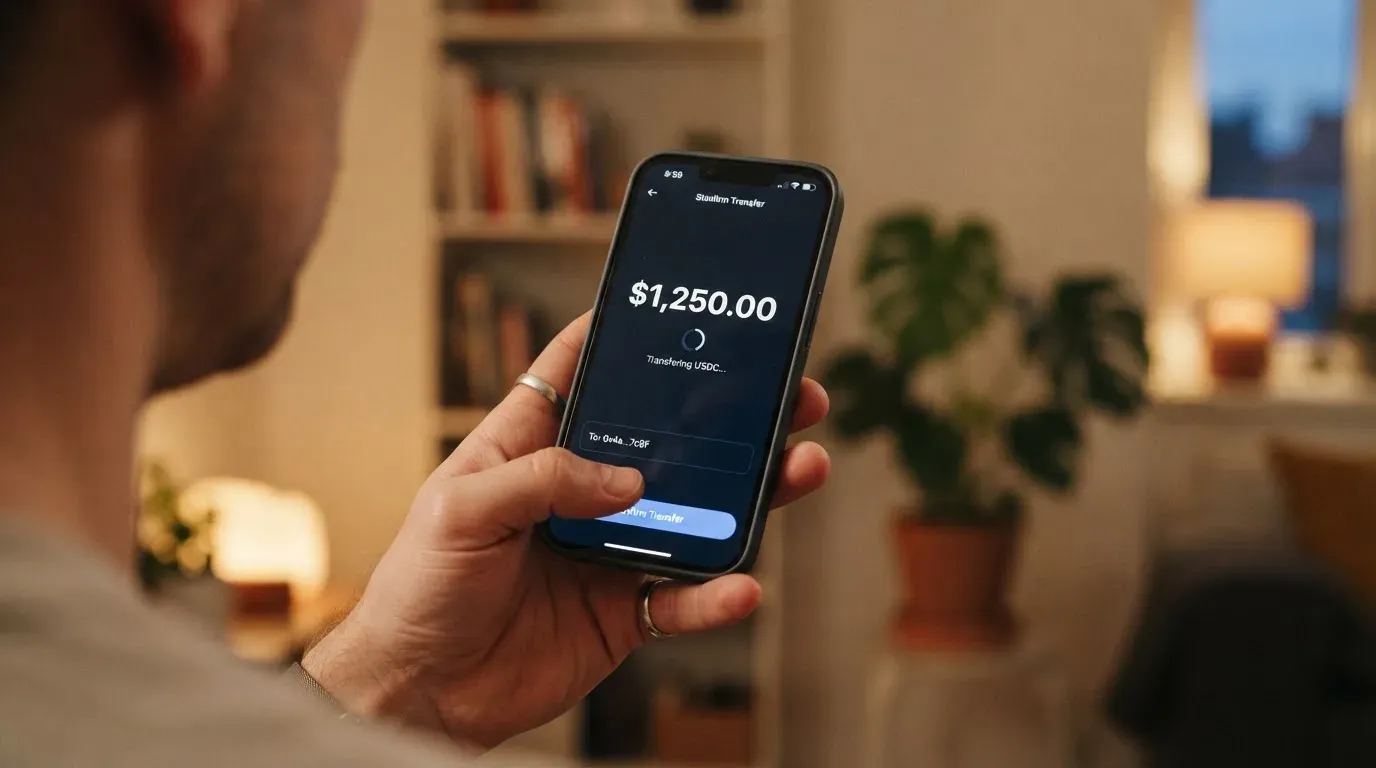
The native path is USDC on the Polygon network, sent to a deposit address the app gives you. Polygon gas is paid by you, to the network, not to Tangem; the card itself charges nothing for the on-chain deposit. USDC arrives in your balance as USDC and is converted 1:1 to USD at spend time, so there’s no conversion fee on the way in. Because USDC on Polygon is a standard ERC-20 token, you can fund from any wallet that supports the network — the Tangem hardware wallet, MetaMask, a centralised exchange withdrawal, an exchange account. The on-chain withdrawal back to your own wallet is also $0, and any leftover balance “stays in the account you control” in a smart contract, which is the part that makes the card unusual.
The in-app alternative is a swap from other tokens held in the same Tangem Wallet: you swap into USDC on Polygon, and the result drops into the card’s balance. The fees PDF does not break out the swap fee, so I’d assume the cost is the DEX or aggregator’s spread plus the network gas, not a Tangem markup.
The bank path is more limited. The card supports ACH and FedWire onramps where the local bank rail and the jurisdiction allow it; ACH costs $1 on Basic and $0 on Plus, FedWire costs $10 on Basic and $0 on Plus, and the offramp from card back to a bank account is $1 via ACH or $11 via FedWire on both Basic and Plus. The minimum top-up is not stated. ACH speed is what ACH speed is: same day to two business days, with cut-off times; FedWire is same-day if you order before the bank’s wire cut-off.
Two practical warnings. First, send USDC on Polygon and only on Polygon. Stablecoins on the wrong network — USDC on Tron, USDT, anything not listed in the app’s deposit screen — is a common way to lose the deposit, and the app’s “this deposit is final” stance is a feature of the on-chain model. Second, “stablecoin” does not mean “any token with a dollar in its name”; the card expects USDC specifically, and even within USDC, only the Polygon version. If you want to fund from a token you already hold, the in-app swap is the safer route, because the app will refuse a deposit it does not recognise.
Paying with it every day
The day-to-day use case is a prepaid Visa. You load the card, the card spends, and a running balance ticks down. The card is added to Apple Pay or Google Pay by entering the card details in the app, after which tokenised payments work the way they do on any other Visa; nothing about the on-chain back end changes the front-of-wallet experience. In-store tap, online checkout, in-app purchase, Apple Pay on the London Underground: it all goes through. The app is the same one that hosts the Tangem Wallet, and the App Store rating for the wider “Tangem – Crypto Wallet” app is 4.9 from 25,000 ratings as of 2026-10-20; the Pay feature requires app version 5.35 or later.
Cashback is the obvious sweetener. Basic pays 1% with a $100 monthly cap, Plus pays 2% with a $300 cap, and Prestige pays 4% with a $1,000 cap. The page also lists “boosted” rates of 5%, 10% and 15% on the first $500 of eligible spend — clearly marked as “coming soon” on the current page, so don’t count on them today. The page does not say which currency the cashback is paid in; in practice it is USDC, paid into the same balance, which is the most useful answer if you plan to keep spending in USD.
The dispute process is a familiar Visa chargeback path with a $30 fee per dispute, paid regardless of outcome; the card’s terms don’t publish turnaround times, so I’d set expectations based on Visa’s normal range of weeks rather than days. Blocked merchant categories are not published in full; the third-party reading of the app lists gambling, online casinos, liquor stores and a few others. If your spending is normal, you won’t notice; if you live near the edges, this is the place to look first.
There are two friction points worth flagging. The first is prepaid-only behaviour: there is no credit line, no instalment plan, no overdraft, and the card will simply decline if the balance is short of the price including any pre-authorisation hold. The second is the well-known weakness of prepaid and foreign-BIN cards at certain merchant types. Unofficial user reports describe declines at gas station pumps and at hotels and restaurants, where the merchant places a pre-authorisation hold (sometimes around $175 at the pump, per CryptoCardHub) that the prepaid balance can’t cover, and then the actual charge later. Address Verification Service, used heavily in the U.S., Canada and the UK, often won’t work on cards issued outside the cardholder’s billing country, which is another way the same transaction can be declined. These are not Tangem-specific issues; they are how prepaid and foreign-BIN cards behave across the industry. But they are how Tangem Pay will behave too, because it is a prepaid card with a foreign (or unusual) BIN.
What can go wrong
A self-custody Visa sounds calmer than it is, because the back end is still a Visa programme, and Visa programmes can be suspended, wound down, or rebranded with little notice. The 2018 WaveCrest suspension in Europe closed every crypto-branded Visa card using that issuer overnight; FTX’s card programme was wound down in November 2022 after Visa “terminated our global agreements.” Nothing in Tangem Pay’s setup makes it immune to the same kind of event, and the public materials don’t say what happens to user balances if the programme is paused.
Tangem Pay is not a bank and Tangem AG is not regulated as a financial services provider. The card is issued by Third National and the programme is managed by Rain, a Visa Principal Member; the service is operated by Paera LLC in the U.S. The on-chain balance “sits in a smart contract you control,” which means freezing the card in the app disconnects it from Visa but does not touch the USDC. The trade-off is that Tangem is a software and hardware wallet maker, not a financial institution, and the card’s footer is explicit: “Tangem does not hold, custody, or control users’ assets” and “is not regulated as a financial services provider.” Insurance of funds is not stated, so I’d treat the smart-contract side as the only safety net and assume no FDIC-style backstop on the bank side either.
KYC lockouts are a real complaint. The aggregator-summarised user reports describe people who passed KYC, got a card, used it, and were then asked to reverify or upload new documents, sometimes video proof, with the card blocked in the meantime. Sumsub runs the check, Paera handles Pay account questions, and Tangem’s own community channels are the place to chase a stuck case. The wider Tangem brand has a 4.1/5 Trustpilot score from 876 reviews, but there is no Tangem Pay-specific Trustpilot page, so the rating is for the wallet business rather than the card.
Three other risks worth knowing. First, sanctions and geography: nationality is screened alongside residence, and the app will refuse an account that would put Tangem’s banking partners on the wrong side of a sanctions list. Second, stablecoin risk: USDC is a Circle-issued dollar token, redeemable 1:1 with monthly attestations, but stablecoins have depegged before (TerraUSD in May 2022; USDC briefly lost its peg in March 2023 during the U.S. banking crisis). If USDC breaks its peg, the card balance moves with it. Third, irreversibility: blockchain transfers can’t be recalled, and a deposit to the wrong network or the wrong address is gone.
What to take instead
Tangem Pay is one of a small group of cards that try to keep funds in the user’s own wallet rather than at a custodian. Three alternatives are worth weighing: TokenPocket, MetaMask Card, and KAST. They each take a different bet on custody, geography and rewards.
| Card | Score | Custody model | Where it’s open | Standout feature | Standout catch |
|---|---|---|---|---|---|
| Tangem Pay | 6.9/10 | Self-custody USDC in a smart contract; card issued by Third National, programme by Rain | U.S. and selected LATAM/APAC/MEA/Africa countries; UK and EU planned 2026 | Free virtual Visa, USDC on Polygon | No UK/EU, no monthly spend limit published, ATM weak on Basic |
| TokenPocket TP Card | 5.8/10 | Self-custody-style deposit; balances in EUR24 and USD24 | Visa in parts of Europe (Germany, France, Spain, Switzerland among them); Mastercard in Australia, Canada, Hong Kong, Japan, Singapore, South Korea, UK and others; Americas “planned for Q2 2025” | No card-management fees on top of a 1% crypto deposit fee, later refundable | 1% deposit fee is the headline cost; FX fee not stated |
| MetaMask Card | 7.1/10 | Spends directly from the connected MetaMask wallet; Metal tier adds $199/year | 45 listed countries/territories including parts of the EU, U.S. (paused), Brazil, Argentina, Mexico; UK and U.S. sign-ups temporarily closed | Virtual free, Metal $199/year, up to 3% cashback in mUSD; $FLY bonus via Blackbird | U.S./UK sign-ups paused; one card per user |
| KAST | 6.1/10 | Self-custody-style with stablecoin balances; multi-card account | Residence-based; supported list shown at KYC, not published; multi-card account with up to 10 cards per user | Three tiers, up to 3% USD cashback, USDT/USDC on Ethereum, Solana, Polygon, Arbitrum, Tron | Premium $1,000/year and Private $10,000/year; inactivity fee $1/month after 12 months |
The simplest rule of thumb: Tangem Pay is the cleanest fit if you already keep crypto on Polygon or in the Tangem Wallet, and you mostly spend online or via mobile wallets. MetaMask Card is the better choice if you want to spend straight from a MetaMask wallet without a top-up step, and you can sign up where the card is open. KAST is the closest thing to a credit-card-style multi-card product, with up to 10 cards per account, but the paid tiers are serious money. TokenPocket is the budget option, with a deposit fee that the protocol says it later refunds.
Who I would recommend it to
I’d recommend Tangem Pay to a specific reader. If you already use the Tangem Wallet, if you live in the U.S. or one of the listed LATAM, APAC, MEA or Africa countries, and if your day-to-day spending is online or via mobile wallets rather than ATM cash, this card is a clean way to turn USDC into Visa spending without giving up custody. The free Basic tier is the most defensible entry point, and the Plus tier only pays for itself if you actually hit the 2% cashback and the $0 ACH onramp enough to clear $29.99 a month.
I would not recommend it to: anyone in the UK or EU today; anyone who treats ATM withdrawals as a normal part of card use; anyone who needs a credit card with a real line of credit; anyone whose address is in a country Tangem doesn’t ship plastic to and who needs a physical card; and anyone who isn’t comfortable with USDC, Polygon gas, and a smart contract as the place their balance actually lives.
If you don’t fit one of those profiles, the alternatives above are a better match. If you do, the next step is the Tangem app, where the country and KYC checks take a few minutes and the card, if you qualify, issues fast.
Frequently asked questions
What is the Tangem Pay card?
The Tangem Pay card is a Visa debit card whose balance is funded from USDC held in a smart contract the user controls. It is offered inside the Tangem app alongside the Tangem Wallet. Tangem AG is the wallet maker; the card itself is issued by Third National, the programme is run by Rain, and the service is operated by Paera LLC.
How does the Tangem Pay card work?
You download the Tangem app, complete a Sumsub identity check, and pick a tier. The card issues as a virtual Visa. You fund it by sending USDC on the Polygon network from any wallet that supports it, or by an ACH or FedWire bank transfer where the jurisdiction allows. USDC converts 1:1 to USD at spend time, the card is denominated in USD, and any non-USD transaction is converted by Visa at the Visa exchange rate plus a 1.5% fee.
Is Tangem Pay a bank?
No. Tangem AG is the wallet maker and is not regulated as a financial services provider. The card is issued by Third National, the programme is run by Rain, and the service is operated by Paera LLC. The on-chain balance sits in a smart contract you control, and there is no deposit insurance scheme behind it.
Who owns Tangem Pay?
Tangem Pay is the card product of Tangem AG, the company behind the Tangem hardware wallet. The Visa programme is managed by Rain, a Visa Principal Member. Third National issues the card, and Paera LLC operates the service in the U.S.
Is the Tangem Pay card available in my country?
The card is open in the U.S. (not all states) and in selected countries across Latin America, Asia-Pacific, the Middle East and Africa. The full list of supported countries is not published on the public page; the app will tell you at the country check. The UK and EU are planned for 2026 but are not open today. Unofficial third-party trackers publish a list of around 31 supported countries and 29 restricted ones, but I would treat that as unofficial until the app confirms.
How do I get a Tangem Pay card?
Download the Tangem app, confirm your country of residence, and pass the Sumsub ID and face check. Pick a tier — Basic is free, Plus is $29.99 a month, Prestige is $999 a year and is currently “coming soon.” The virtual card issues within minutes; manual review can take up to 48 hours. A physical card can be ordered from the app for a $14.53 to $82.10 delivery fee, depending on address.
Does the Tangem Pay card require KYC?
Yes. Sumsub runs an ID and face verification that takes 2 minutes, and the result applies to the Pay account rather than the Tangem Wallet. The card’s terms note that limits depend on risk profile, verification level and account history, and that ongoing transaction monitoring is in place.
How do I top up the Tangem Pay card?
You can send native USDC on the Polygon network to the deposit address the app gives you, swap from other tokens inside the Tangem Wallet, or use ACH or FedWire where the local rail and jurisdiction allow. ACH costs $1 on Basic and $0 on Plus; FedWire costs $10 on Basic and $0 on Plus. On-chain deposits and withdrawals are $0, and you pay the Polygon gas to the network, not to Tangem.
How do I add the Tangem Pay card to Apple Wallet?
The Tangem app lets you add the card to Apple Pay or Google Pay using the card details, after which tokenised payments work as on any other Visa. The Tangem app on iOS requires iOS 16.4 or later; on Android it runs on current versions, and the Pay feature requires app version 5.35 or later.
Is the Tangem Pay card worth it?
For a Tangem Wallet owner outside the UK and EU who can get the card and who mostly spends online or via mobile wallets, the free Basic tier is worth trying. The Plus tier only pays for itself if the 2% cashback and the $0 ACH onramp are used enough to clear the $29.99 monthly fee. If you need a physical card today, or if ATM withdrawals are a normal part of your card use, the card is harder to recommend.
Wallet cards in the catalogue – cryptocardcatalog
Content created by the «cryptocardcatalog» team