
The prepaid Solana card that spends exactly once and never tops up again
 Available in US
The PayPaw card is not a bank account, and it does not pretend to be one. It is a prepaid card, bought inside a Telegram bot with Solana tokens, delivered in about fifteen minutes, and spent until the balance runs out. Then you buy another one. My score for it is 5.8 out of 10, which is a middling grade that reflects a genuinely interesting idea wrapped in unusually thin information.
I want to be straight with you about what that means before we go further. PayPaw’s public pages explain the buying flow in reasonable detail and say almost nothing about the company behind it, the issuer, the licences, the card network, or what happens when something goes wrong. If you are someone who needs an ordinary card and has hit a wall getting one — which is the group this card is aimed at — that combination is the whole story: the product is a practical tool with real limits, and the paperwork around it is thin.
*Conditions are current as of October 28, 2026.*
Verdict
5.8 out of 10. The card suits you if you already hold Solana-based assets, you are comfortable sending crypto to a fresh address with no second chance, and you treat a card as a disposable spending tool rather than something you keep for years. It does not suit you if you need a card you can reload, an ATM, cash withdrawals, a phone number, or a company that will answer for lost money.
PayPaw describes itself as a Solana-native prepaid card protocol, and the purchase flow runs entirely through Telegram: you open a bot, set your country, create a card, choose a provider and amount, pay an exact amount in SOL, and activate through a partner link. There is no app — just the bot and a web dashboard.
The score below breaks down how the card did on each criterion, with my reasons for each mark.
| Criterion | Mark | Why |
|---|---|---|
| Who can get it | 8 / 10 | Over 200 countries; 30 restricted countries excluded, including Belarus and Russia |
| Cost | 4 / 10 | 3% of the card cost plus $2; 2% for use in another currency |
| Top-up options | 8 / 10 | SOL, USDC, USDT or BONK on Solana; an aggregator converts other tokens (BTC, ETH, BNB, per the card’s own material) |
| Reliability and complaints | 4 / 10 | Legal entity, issuer and licences not named; no complaints found; card top-up not supported |
| Everyday use | 5 / 10 | Apple Pay and Google Pay available; no ATM; card type and top-up details not disclosed |
| Total | 5.8 / 10 | A working purchase flow with very little published behind it |
Two of those marks are generous and two are harsh, and that is fair. The 8 for availability and the 8 for funding options reflect a genuinely wide reach and a real aggregator. The 4s reflect the two things a reader most needs and cannot find: what the costs add up to over time, and who stands behind the money.
I also want to name the audience plainly, because the product is not aimed at the general crypto user. It is aimed at Telegram users buying one-time prepaid cards with Solana tokens. If that sentence does not describe you, the rest of this review will feel oddly narrow — and that is not a criticism so much as a description.
Will they give you the card
The answer is yes for almost everyone, and no for a specific list of thirty countries.
PayPaw says it works in over 200 countries, and that thirty countries are restricted. Belarus and Russia are on that list, per the card’s own published material. Here is the part people ask about directly, and I have to give you the answer the card gives: the pages do not state whether the restrictions follow your citizenship, your residence, or both. The bot asks you to set your country when you start, and that is the extent of it.
That ambiguity is not a technicality. Sanctions screening is routinely applied to citizenship and country of birth as well as to where you live, and I have seen no statement from PayPaw telling you which of the two it checks. If you are a national of a restricted country living elsewhere, or a resident of one, you should assume the bot’s answer may not be the last word and that a card could be refused at a later stage. Nobody at PayPaw has published a process for resolving that.
For everyone else, the stated reach is wide. Note also that no minimum age, no tier structure and no verification level are published — the card’s own pages do not describe a KYC ladder of any kind, which is unusual for a financial product and means you have nothing to compare against.
One thing worth understanding about how these cards work generally, because it explains why a card issued in one country can behave oddly in another: every card number starts with an issuer identification number, six or eight digits, that merchants can look up. The lookup reveals which institution issued the card and which country. Some shops apply extra scrutiny when the issuer country differs from the billing address on file, and some merchants decline prepaid or foreign-issued cards outright. That is a property of the payment network, not of PayPaw, but you will feel it as a declined payment.
How to get it
The flow is short, entirely in Telegram, and has one hard rule: pay the exact amount, or nothing arrives.
The sequence the card describes is this. Open the Telegram bot. Set your country. Choose Create Card. Pick a provider and the amount you want. Pay the exact SOL amount requested. Activate through the partner link. The card then arrives about fifteen minutes after payment, with order creation itself taking twenty seconds.
“No need for KYC” is how the card puts getting started, and the FAQ softens it: identity verification is not strictly required, though the provider still collects your data. Read that pair of statements together and you get a fair picture. You will be asked for personal information; you will not be asked for identity documents to buy a small prepaid card. If you are trying to avoid data collection entirely, this is not the product for you.
What is not specified matters as much as what is. The card is described as prepaid, in EUR or USD. Whether it runs on Visa or Mastercard is not stated, and neither is whether you get a virtual card, a physical card, or both. Physical delivery is not described at all. For a card you are meant to spend down and replace, a virtual product would be the sensible design — but the pages do not say so, so treat it as unknown rather than assumed.
Against that, the delivery speed is genuinely good. Fifteen minutes from payment to card in hand is faster than most physical prepaid products, and it removes the main practical reason people use virtual cards.
Fees
Here is the number most people come here for: 3% of the card cost plus a $2 flat fee, and a further 2% if you spend in a currency other than the card’s own. No monthly fee is stated, which follows from the design — a card that cannot be reloaded cannot really accrue a subscription.
| Item | What PayPaw states |
|---|---|
| Card purchase | 3% of the card cost plus $2 flat |
| Monthly fee | Not stated |
| Crypto conversion (swap aggregator) | Not stated |
| Foreign-currency use | 2% conversion fee |
| ATM / cash withdrawal | Not supported |
| Spending limits | Not listed |
| Number of cards | No limit stated |
| Card currency | EUR or USD |
The line that should make you stop is the blank one. The card funds itself in Solana tokens, and PayPaw says an aggregator converts other tokens if you want to pay in BTC, ETH or BNB. What that conversion costs is not published. So the visible cost of the card is 3% plus $2 plus 2% if you pay abroad — and there is an unknown conversion cost sitting underneath, on the crypto side, that the pages never put a number against. If you buy with SOL, USDC, USDT or BONK directly, at least that part is visible.
Now three ordinary payments, run through those numbers. Pay for a $40 lunch with a $50 EUR card in a shop that charges in euros: no currency fee, and the 3% plus $2 was already charged at purchase, not per payment. Pay for a $40 hotel night in a country whose currency is neither EUR nor USD: the 2% conversion fee applies, $0.80 on $40, on top of whatever the card purchase cost you. Pay for a $15 taxi in a third currency, same card: $0.30 in conversion fees. Over a single $50 card the fixed $2 is four percentage points of the card value on its own, which is why the purchase fee hurts most on small cards.
The comparison with alternatives is not flattering. Azul Card charges $20 to create a card, refunded after $2,000 in spending, then $5 a month, with 4% on crypto top-up and $0.25 per transaction. Telecard’s standard plan is $5 one-time, with a 1.5% currency conversion fee and a 0.5 USDT gas fee per successful card transaction. For repeated use, a per-card purchase structure of 3% plus $2 is a lot to pay every time you need a balance.
One more cost sits outside the card entirely: the blockchain’s own network fee for your deposit, charged by the network rather than by PayPaw. Send SOL and you pay Solana’s fee; send a token on a more expensive chain and the cost changes. That is a fact of the infrastructure, not a PayPaw charge, but it is real money leaving your wallet.
Top up
You cannot. This is the single most important thing to understand about the card, so I will say it plainly: PayPaw does not support topping up. Once the card is created and paid for, no further funds can be added. When the balance is gone, you create a new card.
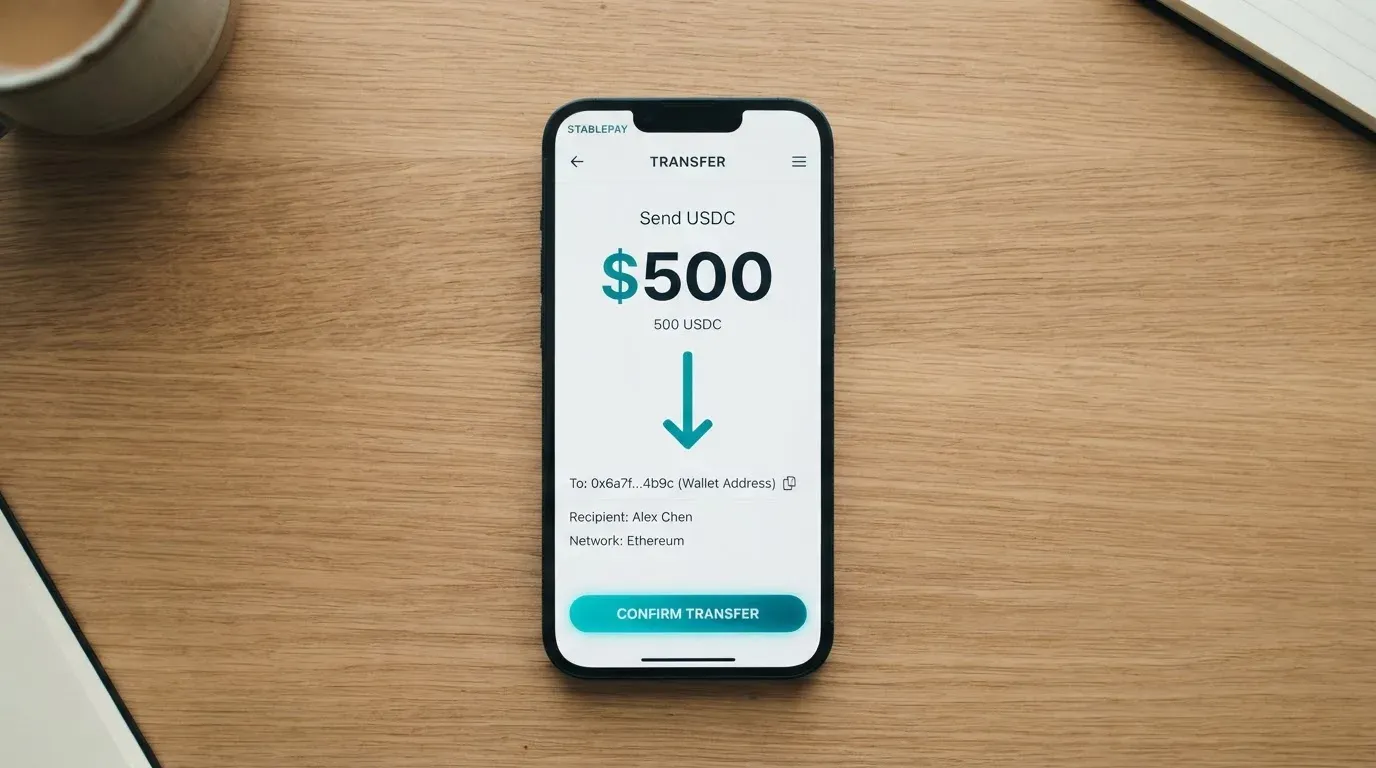
Each order generates a fresh payment address. You send SOL, USDC, USDT or BONK on Solana to that address, and the card only issues if the amount matches what the bot asked for exactly — an underpayment means no card. The aggregator converts other tokens, BTC, ETH and BNB according to the card’s own material, if you want to pay with something that isn’t on Solana natively.
A fresh address per order is worth a moment’s thought. It is a good pattern — it avoids one shared address where a mistake in a memo or a mixed-up order could cause problems — but it also means each purchase is a separate irreversible transaction with no undo button.
On cashing out: there is no ATM and no cash withdrawal, and the card’s pages do not describe a withdrawal function at all. Your balance is visible on the partner provider’s site. So the money goes one way: crypto in, card spend out. Anything left on the card when it is finished is money you have already paid fees on and cannot get back.
This one design choice explains the low reliability mark and shapes almost everything else about the card. A reloadable card is a financial relationship — you hold a balance with someone over time, which raises questions about safeguarding, about what happens during a company’s difficulties, about whether you can withdraw. A one-shot card is closer to a voucher. PayPaw has chosen the easier category, and the cost of that choice is that a bad day can strand money permanently.
Paying with it every day
Daily use is where the card is middling: the mobile wallets work, and almost everything else is either absent or unpublished.
You can link the card to Apple Pay and Google Pay. That matters more than it sounds. Apple Pay replaces the card number with a device-specific number stored in the phone’s secure hardware, never on Apple’s servers, and every payment uses a one-time security code — so the practical experience of paying by phone is close to a normal card’s, and your card number is not sitting in a merchant’s database in plain form. The issuer can still restrict the tokenised number, for example blocking it on phone or web use.
What is not stated: blocked merchant categories, rewards or cashback of any kind, and how disputes work. So if a charge goes wrong, PayPaw’s pages give you no procedure — no reason codes, no timeframe, nothing to appeal against. Their one instruction is for a lost or stolen card: contact your provider as soon as possible.
Some declines will have nothing to do with the card’s balance. Merchant category codes are four-digit numbers classifying a business by what it sells — gambling sits under 7995 — and many issuers block whole categories by policy rather than by law, with the blocked list differing from one issuer to the next. PayPaw publishes no list. Address verification, which compares the numeric parts of the billing address you type against the issuer’s records, is mainly offered in the US, Canada and the UK and is generally unavailable for foreign-issued cards, which can cause declines at checkout. And online payments may trigger 3-D Secure, an identity step where the issuer either approves without friction or challenges you with a one-time code or biometric — Visa’s version is called Visa Secure, Mastercard’s is Identity Check. How your card behaves there is not something the pages tell you.
One small but practical detail: a declined authorisation can leave a hold on your funds that stays for several days, typically up to seven. On a card you were going to spend and discard, a stranded hold is an expensive nuisance.
What can go wrong
The honest answer is that I could not find a record of trouble, and I could not find the paperwork that would tell me what to do if there were.
No official incidents came up in my checking, and no user reviews either — there is not even a Trustpilot page for the card. That silence cuts both ways. It may mean a clean record; it may mean there is not yet much of a public footprint to have complaints about. The card’s own pages do not discuss complaints at all.
The bigger gap is institutional. PayPaw describes itself as a Solana-native prepaid card protocol, and does not name its legal entity, its issuer, or its licences. That is the single most important fact for you to weigh, and it is absent rather than reassuring.
It helps to know what sits behind any card like this, because the crypto brand is often only a front end. A card payment involves the network, which routes messages and sets the rules; the issuer, which is a bank or electronic money institution licensed to issue under that network’s licence; and the crypto brand, which may manage the programme and market the card without being the institution your money sits with. Visa and Mastercard do not issue crypto cards to consumers themselves — they license issuers, and they can suspend a programme.
That last point is not theoretical. In November 2022 Visa said it had terminated its global agreements with FTX, and the FTX US debit card programme was wound down by its issuer. In 2018 Visa suspended WaveCrest, an issuer that supplied crypto card brands, in Europe, closing all WaveCrest-issued Visa programmes. Closures have a pattern: a notice period, spending and loading stop, and users are asked to withdraw remaining balances. A single secondary source reported one such closure ending new loads on 8 July 2026 and spending on 8 August 2026 — I could not confirm that independently, and I would not rely on it. But the shape of it is what matters for a prepaid card: the money on the card is only as available as the programme behind it.
Here is the practical consequence for you. You will be spending Solana or a Solana-based stablecoin, converted, against a balance held by a provider whose identity PayPaw does not publish. Crypto transfers are typically irreversible; the network cannot freeze or return a payment that went to the wrong place. If a deposit goes to an address the provider does not track, recovery means asking support and hoping.
Two more things about the money. First, custody is not described: the pages say the service is privacy-centric, but whether the provider holds the funds, and whether there is two-factor authentication or a card freeze, is not stated — and those, alongside spending limits, are exactly the safeguards that normally exist. Second, holding funds with a custodian carries real counterparty and hack risk; Mt. Gox, Coincheck and the Ronin Network are the historical reference points, at roughly $350 million, $400 million and $625 million. If you take the opposite approach and keep keys yourself, you carry the other half of the risk: a seed phrase is typically twelve to twenty-four words in plain form, and anyone who obtains it can restore the wallet and spend from it.
Nothing in this section is a reason to panic. It is a reason to size the amount you put on a card accordingly — which is rather easier to do when a card holds a fixed amount and cannot be reloaded.
What to take instead
If any of that gives you pause, here are three cards I looked at alongside this one, and what each changes.
| Card | Score | Card type and cost | Funding | Fees |
|---|---|---|---|---|
| PayPaw | 5.8 / 10 | Prepaid, EUR or USD; 3% plus $2; network and card type not stated | SOL, USDC, USDT or BONK on Solana; aggregator converts BTC, ETH, BNB | 2% foreign currency; conversion fee not stated |
| Azul Card | 5.3 / 10 | Virtual only, USD balance; $20 creation refunded after $2,000 spend, then $5 a month | Crypto sent to the card in Telegram; coins and networks not named; first top-up up to 10 minutes, later 1–5 | 4% crypto top-up; $0.25 per transaction; FX fee not stated |
| Telecard | 6.1 / 10 | Virtual Mastercard, USD; $5 one-time standard, VIP $49 then $19 a month; $99 minimum deposit to activate, stated as not a fee | USDT on Tron or Ethereum, USDC on Ethereum; main page also lists ETH and TRX; bank transfers coming soon | 1.5% currency conversion; 0.5 USDT gas per successful transaction; FX and cross-border fees up to 3% each |
| OnCards | 4.6 / 10 | Virtual only, network not fixed; fees not stated | USDT on BEP20; bank transfers not accepted | Not stated |
A few comparisons worth drawing out.
Azul Card names ten excluded countries and regions — Russia, Belarus, North Korea, Iran, Syria, Cuba, Sudan, Venezuela, Ukraine, and the Crimea, Donetsk, Luhansk, Zaporizhzhia and Kherson regions — and states that the restrictions apply regardless of the user’s nationality. That is a far clearer position than PayPaw’s, and if your question is whether you are covered, Azul at least answers it directly. Its costs, though, work against small or occasional use: a monthly fee of $5 plus $0.25 a transaction is worse than PayPaw’s structure for someone who just wants to spend once. Its referral programme pays up to 40% of the provider’s fees from every transaction made by your referrals.
Telecard scores highest here, at 6.1, and the difference is mostly disclosure. It states the countries it covers (over 150 wherever Mastercard is accepted), it names its networks and coins precisely, and it separates the currency conversion fee of 1.5% from the 0.5 USDT gas fee on each successful transaction. It also states its own limitation: users blocked or sanctioned by the United States Government, including OFAC. On referral rewards it offers Fiorini per activated friend and cashback when friends spend, at 1 USDT to 100 Fiorini, with the cashback rate unspecified. If you want a card you will use repeatedly, Telecard is the one of the four whose numbers let you actually forecast a month of spending.
OnCards is the thinnest of the four. Its pages promise simple fees with no hidden charges and do not give a single amount; no country list, no card currency, and funding only through USDT on BEP20 with no bank transfers. There is less here to assess.
Worth adding on the regulatory side, since it affects any option you pick: in the EU, a card is regulated separately from the crypto activity around it, which is why a crypto card often depends on two sets of rules — payment services law for the card, and the markets-in-crypto-assets regulation, MiCA, for custody, exchange and transfer. MiCA took legal effect in June 2023; its rules on stablecoins applied from 30 June 2024 and the remaining provisions, including crypto-asset service provider rules, from 30 December 2024. Under it, e-money tokens may be issued only by a credit institution or an electronic money institution. Providers operating under national law have a transitional period, but only until 1 July 2026 or until they receive or are refused authorisation, whichever comes first. There is an interim public register of authorised providers, white papers and non-compliant entities, and checking it is the single most useful thing you can do before trusting a card brand with money.
That last point applies to PayPaw as much as anyone else, and it is the test I would put to any card in this category, including the alternatives.
Who I would recommend it to
I would recommend the PayPaw card to someone in a narrow but real situation: you hold SOL, USDC, USDT or BONK on Solana already, you are spending from a crypto balance rather than from income, you use Apple Pay or Google Pay, and you would rather not hand over identity documents for a small prepaid balance. In that case the fifteen-minute delivery, the wide country reach and the aggregator are genuinely good, and the 3% plus $2 buys you a card that works today without a banking relationship.
I would not recommend it to anyone whose money is currently in a bank account and stays there. You are paying 3% plus a flat $2 plus any crypto conversion cost for the privilege of a product that will not take your money back, and you are doing it through a legal entity the card does not name. If you want a card you can reload, Telecom scores higher on disclosure and states its fees line by line. If you want clarity on whether you are covered by the restrictions, Azul spells its excluded list out in full. If you just want to spend crypto from a wallet without a middleman, using your own wallet with a card you already hold avoids the intermediary question entirely.
And a word about the category rather than this card. The score here is 5.8 because the product works and the disclosure does not. When you weigh any of these, ask three questions that PayPaw’s pages leave open: who is the issuer, what happens to my balance if the programme stops, and what are the fees for converting my tokens. If a provider cannot answer those three in writing, size what you put on the card accordingly — and with a prepaid card, that is easy, because the amount is chosen per order and cannot grow.
Frequently asked questions
What is PayPaw card?
PayPaw is described as a Solana-native prepaid card protocol, bought and managed through a Telegram bot rather than an app. You pick a provider and an amount, pay an exact quantity of SOL, USDC, USDT or BONK on Solana to a fresh address, and the card arrives in about fifteen minutes. The balance is prepaid and fixed at purchase, and the card spends down to nothing rather than being reloaded.
How does the PayPaw card work?
You open the Telegram bot, set your country, choose Create Card, pick a provider and amount, and send the exact crypto amount to a payment address generated for that order. After activation through a partner link, the card is issued and works like any other prepaid card, including in Apple Pay and Google Pay. Because it draws on a stored balance rather than a bank account, it cannot overdraw — and it cannot be topped up afterwards.
Is PayPaw a bank?
No, and the card does not claim to be one. It describes itself as a Solana-native prepaid card protocol, and its public pages do not name the legal entity, the issuer, or any licences. Prepaid cards are generally issued by an electronic money institution or a bank under the card network’s licence, with the crypto brand often acting only as programme manager or front end. If the issuer matters to you, this is the first gap to raise with them.
Does the PayPaw card require KYC?
Getting started is described as needing no KYC, and the FAQ says identity verification is not strictly required — while also acknowledging the provider still asks for your data. No verification tiers are published. So expect to give personal information and not to be asked for identity documents, which is a genuine difference from most regulated card providers. No minimum age is stated either.
Is the PayPaw card free?
No. The purchase costs 3% of the card cost plus a $2 flat fee, and the card also carries a 2% fee if you spend in a currency other than the card’s own. No monthly fee is stated. If you pay with a token other than SOL, USDC, USDT or BONK, the aggregator’s conversion fee is not published — which is the number to ask about before committing to a large card.
Can I top up the PayPaw card?
No, and this is the central design decision. Once created, no further funds can be added; when the balance is spent you create a new card, at the full purchase cost again. Each order has a fresh payment address and requires the exact amount, or no card is issued. There is also no ATM and no cash withdrawal described, so the flow runs one way only.
Is the PayPaw card safe?
It uses a fresh address per order and a privacy-focused design, which removes some operational risk, but its pages do not describe custody arrangements, two-factor authentication, or a card freeze. No complaints or user reviews were found and there is no Trustpilot page, which is not the same as a clean record. Card programmes behind crypto brands have been wound down before, so check what your balance would depend on.
Is the PayPaw card available in my country?
PayPaw says it supports over 200 countries and excludes 30, with Belarus and Russia among them. The pages do not state whether those restrictions follow citizenship, residence, or both — the bot only asks you to set your country. Other cards in this category are clearer: Azul Card lists ten excluded countries and says the restrictions apply regardless of nationality, and Telecard bars only users sanctioned by the US Government, including OFAC.
Can I add the PayPaw card to Apple Wallet?
Yes. The card can be linked to Apple Pay and Google Pay. On Apple Pay the card number is replaced with a device-specific number stored in the phone’s secure hardware rather than on Apple’s servers, and each payment carries a one-time code, so the number is not exposed to merchants in plain form. Note that the issuer can still restrict a tokenised number for specific channels, and that merchant category blocks are not published.
How do I delete my PayPaw account?
The card’s public pages do not describe an account deletion process. The support route the card does give is the Support button inside the Telegram bot at t.me/paypawbot, alongside the site paypaw.cards — though neither languages nor support hours are stated. If you have a balance on a card, raise it there first, since unused prepaid funds are the part you cannot recover later.
Virtual cards in the catalogue – cryptocardcatalog
Content created by the «cryptocardcatalog» team